
Troubleshooting Common Issues with Siemens Mobile Panel 277 8"
Troubleshooting Common Issues with Siemens Mobile Panel 277 8": Expert Guide from Vicpas
Author: Vicpas Team Published: January 19, 2026 Category: Industrial HMI Troubleshooting & Repair
Table of Contents
- Understanding the Siemens Mobile Panel 277 8"
- Common Issue 1: Continuous Booting or Bootloop After Backup Restore
- Common Issue 2: Failure to Start After Memory Card Restore
- Common Issue 3: Connectivity / Roaming Problems with Multiple Access Points
- Common Issue 4: Safety-Related Faults and Error Messages
- Common Issue 5: Installation, Operation, and Maintenance Faults
- Common Issue 6: Display Failures, Black Screen, Touch Unresponsiveness
- Partner with Vicpas – Keep Your Siemens Panels Running Longer
- References
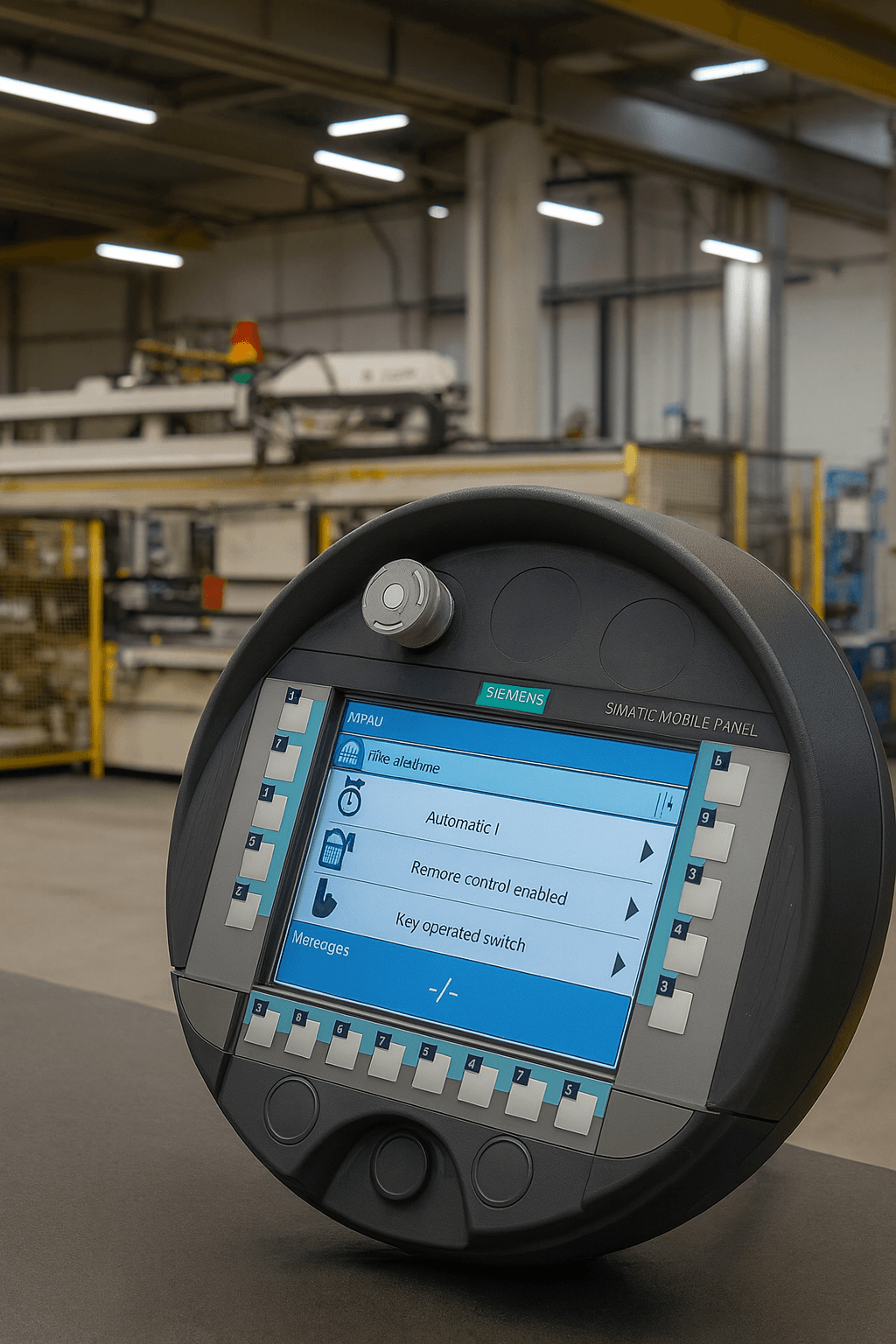
As a leading provider of industrial HMI replacement parts with more than 20 years of specialized experience, Vicpas Touch Technology Co., Ltd. focuses on delivering premium-quality components for operator panels — including touchscreen glass, membrane keypads, LCD displays, protective films, and full repair kits. We have built deep expertise supporting major brands such as Siemens, and we stock compatible replacement solutions specifically for the Siemens Mobile Panel 277 8" series.
Whether you're facing obsolete components, urgent downtime situations, or the need for custom-engineered parts, Vicpas maintains one of the industry's largest inventories — over 80,000 SKUs — to help you restore equipment quickly and cost-effectively. In this detailed troubleshooting guide, we combine insights from real user experiences, Siemens official documentation, and forum discussions to help you diagnose and resolve the most common issues with the Siemens Mobile Panel 277 8". Should hardware replacement become necessary, browse our verified compatible parts here: Vicpas Siemens Mobile Panel 277 8" Parts →
Understanding the Siemens Mobile Panel 277 8"
The Siemens SIMATIC Mobile Panel 277 8" is a rugged, wireless handheld HMI terminal engineered for demanding industrial automation environments. Featuring an 8-inch color touchscreen, intuitive key operation, and robust IWLAN connectivity, it enables mobile process visualization and control in factories, warehouses, assembly lines, and more.
It runs on WinCC flexible software (or later TIA Portal configurations in some cases) and includes fail-safe variants (277F) for safety-integrated applications. Despite its industrial-grade design, age-related wear, firmware issues, environmental stress, and improper maintenance can lead to recurring faults.
At Vicpas, we have successfully assisted hundreds of clients in extending the service life of their Siemens Mobile Panels through timely repairs and high-compatibility replacement parts — from touchscreen overlays and membrane keypads to complete display modules. Discover more about Vicpas →
Common Issue 1: Continuous Booting or Bootloop After Backup Restore
A very commonly reported fault — especially after performing a backup/restore operation — is the panel getting stuck in an endless boot loop.
Possible Causes
- Power interruption or unstable voltage during the restore process
- Corrupted backup file on the memory card
- Incompatible or faulty MMC/SD card
- Hardware degradation (keypad contacts, internal flash memory issues)
Troubleshooting Steps
- Ensure stable, clean power supply (use UPS if possible during restore).
- Re-download a fresh backup using Siemens ProSave or TIA tools and retry.
- Test with a different, known-good Siemens-compatible memory card.
- Perform a full factory reset if accessible, then reload project.
- Check internal connections and keypad membrane for wear.
When hardware is the root cause, Vicpas stocks direct-replacement keypads, internal cables, and display modules tailored for the Mobile Panel 277 8".
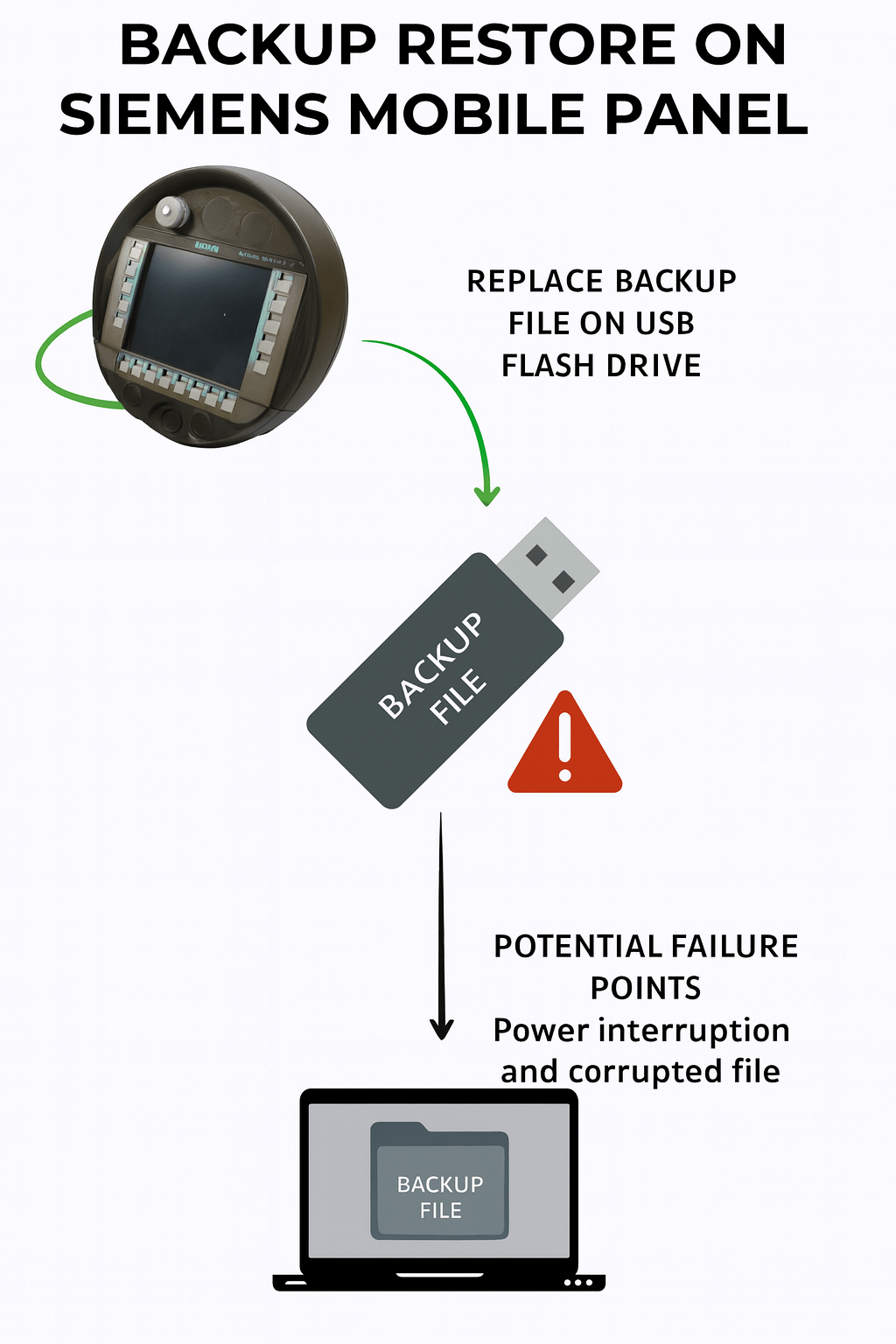
Common Issue 2: Failure to Start After Memory Card Restore
Similar to bootloop issues, the panel may refuse to start at all after an MMC/SD card restore procedure.
Quick Diagnostic Checklist
- Use only Siemens-approved MMC/SD cards (avoid generic high-capacity cards)
- Confirm firmware version compatibility between backup and panel
- Verify backup file integrity (checksum / re-transfer from PC)
- Try performing restore in a temperature-controlled environment
For recurring card-related failures, consider upgrading to newer supported storage or consult Vicpas for compatible interface adapters and firmware recovery kits.
Common Issue 3: Connectivity / Roaming Problems with Multiple Access Points
In large facilities using multiple IWLAN access points, users frequently experience dropped connections, slow roaming, or complete loss of signal.
Recommended Fixes
- Configure all APs with identical SSID, channel plan, and security settings
- Perform site survey to identify interference (metal racks, motors, Wi-Fi overlap)
- Update to latest IWLAN firmware recommended by Siemens
- Adjust antenna orientation and consider external high-gain antennas
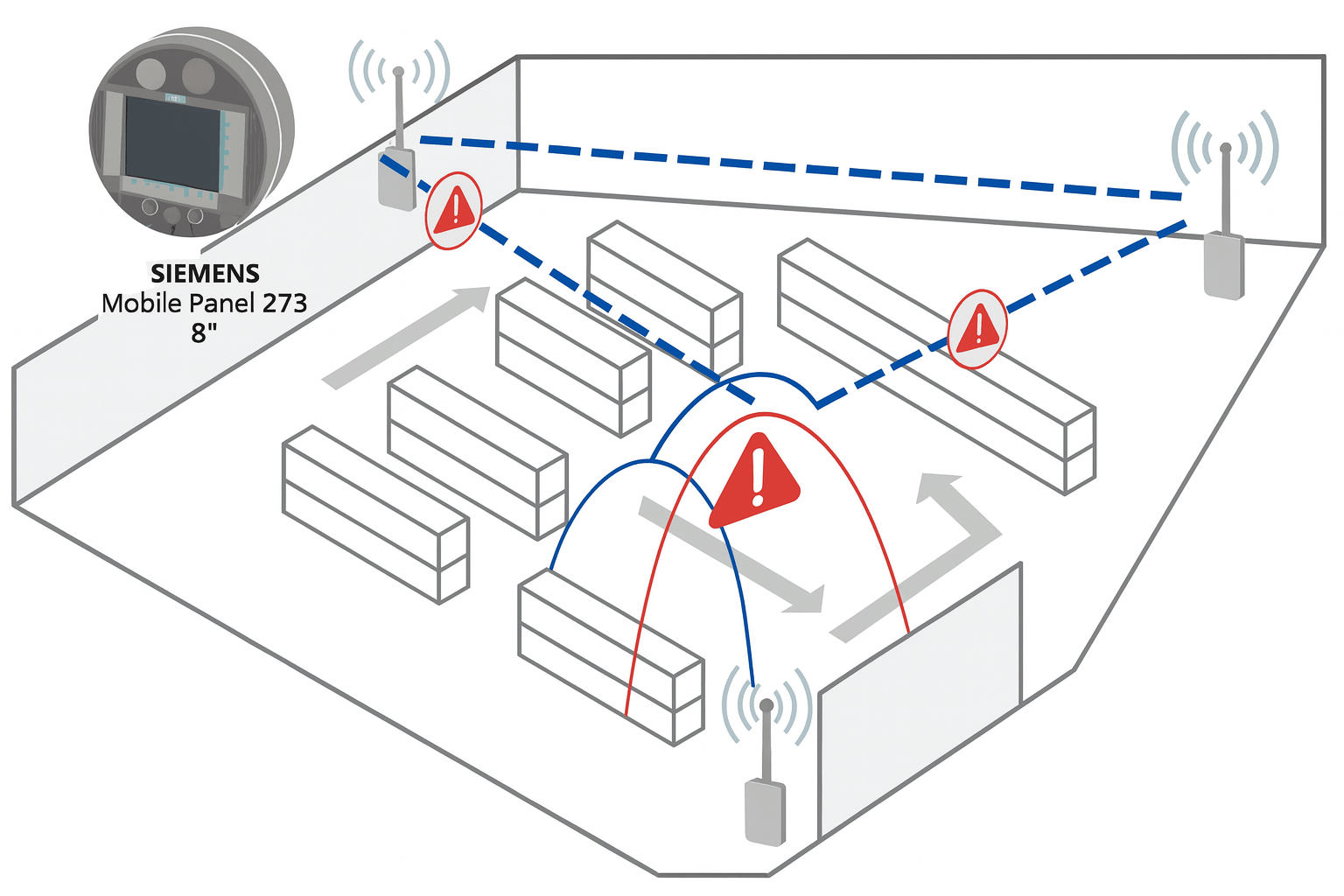
Vicpas supplies reinforced protective cases with improved antenna positioning slots and compatible external antennas to enhance signal reliability.
Common Issue 4: Safety-Related Faults and Error Messages
For fail-safe models like the Mobile Panel 277F IWLAN, safety faults can arise from sensor failures or configuration errors, triggering error messages that halt operations.
Troubleshooting Steps
- Error Code Analysis: Refer to the function manual for specific codes and their meanings.
- Preventive Maintenance: Regularly calibrate safety inputs and check for environmental damage.
- Fault Rectification: Reset the panel and verify connections; use diagnostic software for deeper analysis.
As experts in industrial HMI, Vicpas ensures our replacement parts meet safety standards. If your panel requires fail-safe components, our inventory includes compatible options to keep your operations compliant and efficient.
Common Issue 5: Installation, Operation, and Maintenance Faults
General issues during installation or operation, such as improper mounting or runtime errors, can lead to downtime.
Troubleshooting Steps
- Installation Check: Ensure proper grounding and environmental protection as per the operating instructions.
- Software Updates: Update WinCC flexible to resolve compatibility bugs.
- Maintenance Routine: Clean the touchscreen and inspect for wear; address faults promptly.
Vicpas's maintenance services include on-site repairs and part replacements, helping you avoid common pitfalls. Our touchscreen glass for the Siemens Mobile Panel 277 8" is durable and easy to install.
Common Issue 6: Display Failures, Black Screen, Touch Unresponsiveness
One of the most frequent hardware complaints: screen goes completely black, backlight fails, or touch stops responding.
Diagnostic & Repair Path
- Backlight Test: Shine a flashlight on the screen to check if the display is active but unlit.
- Touch Calibration: Recalibrate via control panel settings.
- Hardware Inspection: Replace faulty backlight or touchscreen if diagnostics confirm failure.
- Similar Model Insights: For related panels like KTP400, common fixes include firmware resets.
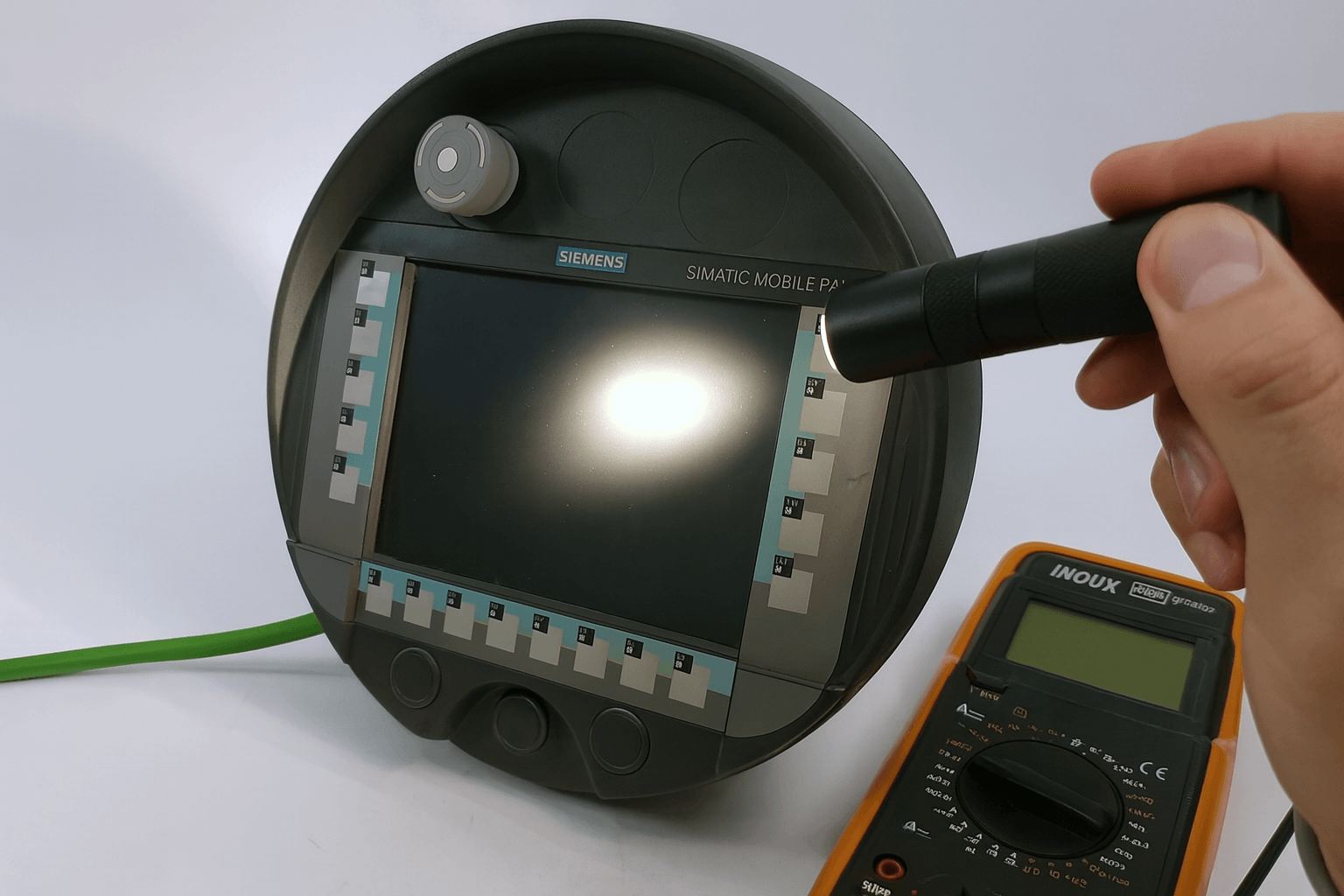
If replacement is needed, Vicpas is your go-to source for high-quality displays and touchscreens. Our products are tested for compatibility and come with warranties—browse our Siemens section for quick shipping options.

Partner with Vicpas – Keep Your Siemens Panels Running Longer
Troubleshooting the Siemens Mobile Panel 277 8" can extend its lifespan, but when hardware issues arise, quality replacements are key.
With over two decades of HMI specialization, Vicpas offers comprehensive repair services, custom parts, and a vast inventory to support your industrial needs. Don't let downtime affect your productivity.
- → Direct-compatible touchscreen, keypad & display replacements
- → Fast global shipping from large in-stock inventory
- → Custom repair & refurbishment services
- → Technical support from real HMI engineers
Explore Siemens Mobile Panel 277 8" Solutions Now →
or visit Vicpas Company Profile
Contact us today for expert advice!
References
- • Siemens Industry Online Support Forum: Simatic Multi Panel 277 8" Key Problem
- • Siemens Support Article: MP 277 / Mobile Panel 277 Restore Failure Causes
- • Siemens Operating Instructions (Mobile Panel 277 RO): PDF Manual
- • PLCTalk Forum Thread: Connectivity with Multiple Access Points
- • Siemens Fail-Safe Function Manual (Mobile Panel 277F IWLAN): PDF Manual
- • SIMATIC HMI Mobile Panel 277 Technical Manual: PDF Manual
- • PLCTalk Forum Thread: MP277 Touch Screen Black Issue
Disclaimer: This guide compiles best practices from Siemens manuals, support articles, PLCTalk forums, and real-world field experience. For safety-related or mission-critical systems, always involve certified Siemens service personnel or qualified industrial technicians.
 Fast Quote
 Fast Quote
 Worldwide Shipping
 12 Months Warranty
 Customize Service
- Phone
- *Title
- *Content
