
Siemens S7-300 PLC Maintenance, Repair, and Parts Replacement
Siemens S7-300 PLC Maintenance, Repair, and Parts Replacement: Complete Expert Guide
By VICPAS Technical Team – Your Trusted Partner for Siemens SIMATIC S7-300 PLC Solutions
Table of Contents
In industrial automation, the Siemens S7-300 PLC remains one of the most widely deployed programmable logic controllers worldwide. Even as newer generations emerge, thousands of S7-300 systems continue to run critical production lines. Proper Siemens S7-300 PLC maintenance, repair, and parts replacement is essential to minimize downtime, extend equipment life, and protect your investment.
At VICPAS (HMI Repair Parts Center), we have over a decade of hands-on experience supplying genuine-quality replacement parts and supporting maintenance for Siemens S7-300 PLCs. From plastic housings and case covers to full module repairs, our 80,000+ in-stock items and 365-day warranty make us the go-to source for factories that need fast, reliable solutions. Visit our Siemens SIMATIC S7-300 PLC product page or learn more about our story on the VICPAS About Us page.
1. Why Siemens S7-300 PLC Maintenance Matters
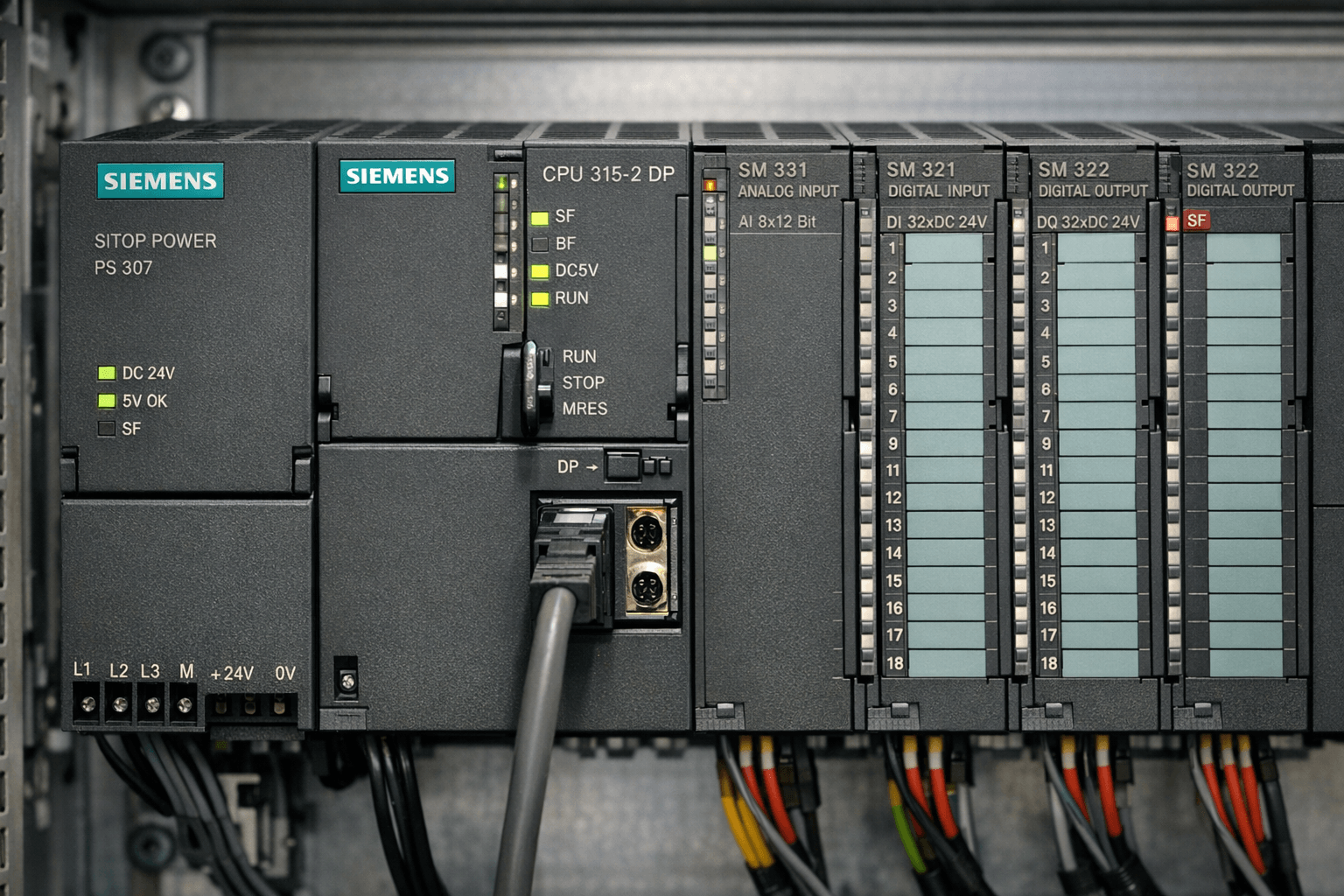
The S7-300 series is robust, but aging components like backup batteries, fuses, and plastic housings can cause unexpected failures. Common issues include:
- BATF LED illuminated (battery fault)
- CPU not entering RUN mode
- Intermittent I/O module failures
- Data loss after power cycles
Proactive maintenance can reduce unplanned downtime by up to 70%. Regular checks every 3–5 years (or per your operating conditions) are recommended.
2. Essential Maintenance Procedures
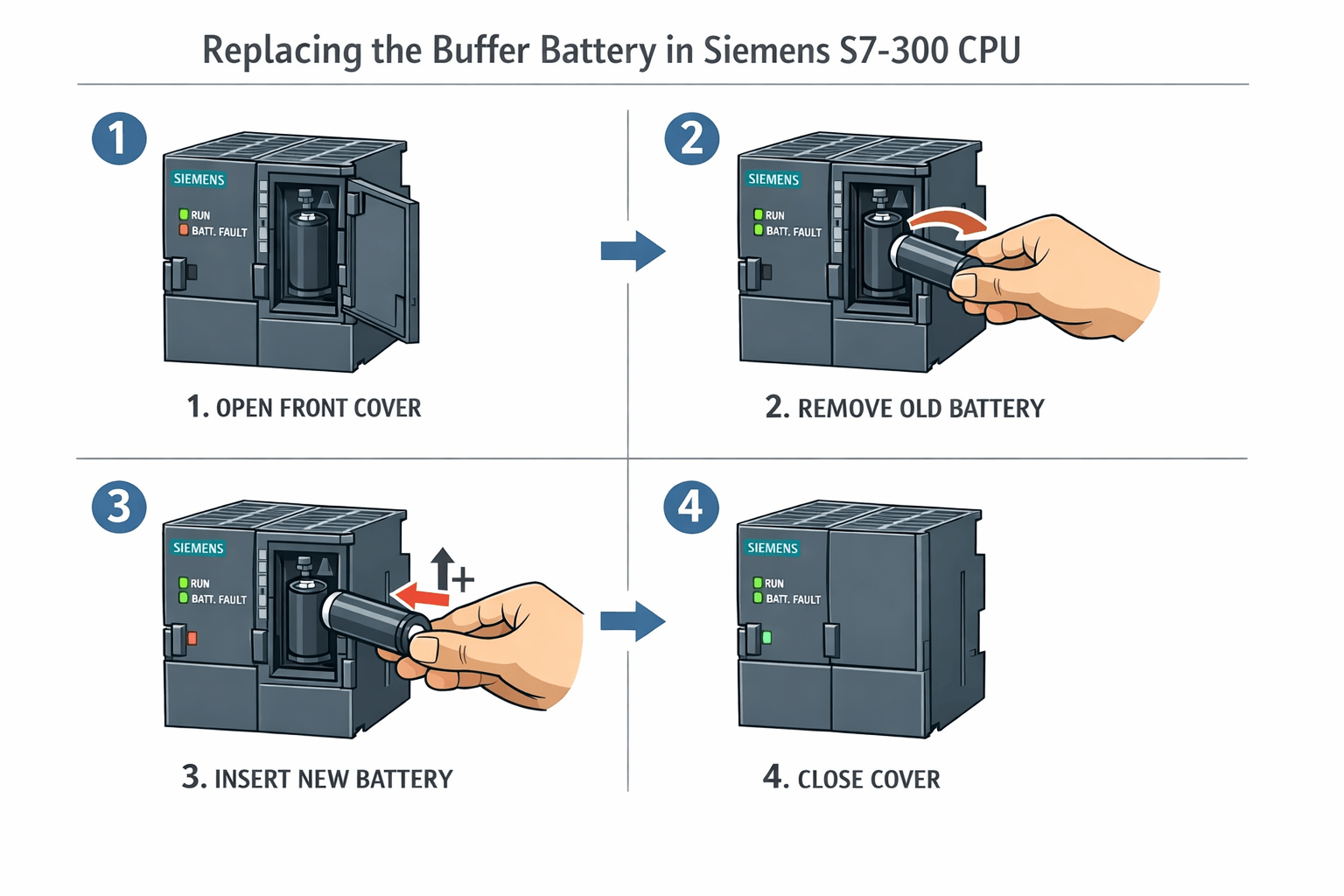
2.1 Buffer Battery Replacement (Most Common Task)
The backup battery preserves RAM data, timers, counters, and the system clock when power is off.
Tools & Precautions (from Siemens best practices):
- New 3V lithium battery (Siemens 6ES7971-1AA00-0AA0 or equivalent)
- CPU must remain powered ON during replacement
- Follow ESD protection
Step-by-Step Replacement:
- Ensure CPU is powered and running.
- Open the front cover of the CPU.
- Remove the small battery compartment cover above the MMC slot.
- Gently pull out the old battery (observe polarity).
- Insert the new battery firmly with correct polarity.
- Replace the cover. The BATF LED should turn off immediately.
Post-Replacement Checklist:
- Verify system clock and retentive data.
- Log the replacement date and CPU serial number.
If BATF persists, check contacts or test with another battery.
2.2 Module and CPU Replacement Procedure
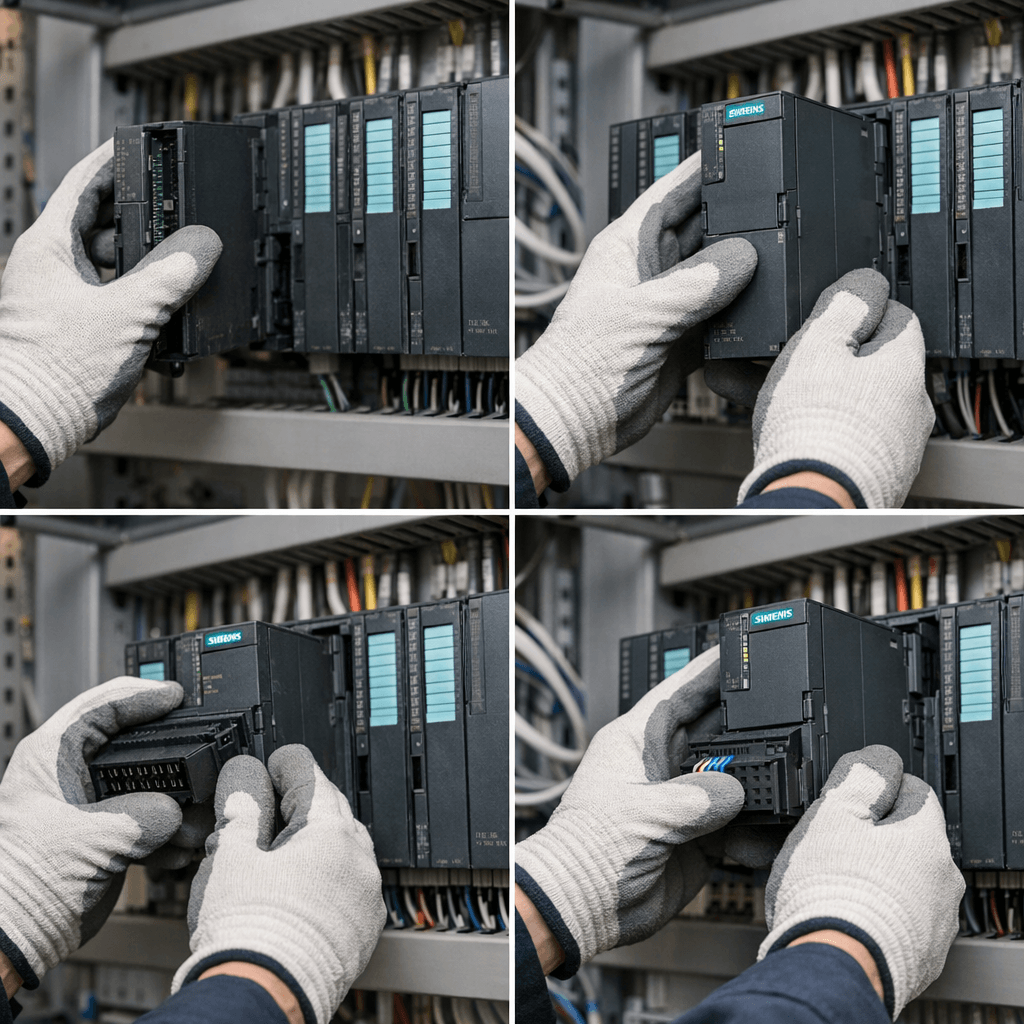
From PLCTalk community threads and Siemens forums:
- Backup your program – Use SIMATIC Manager to upload from MMC/flash card.
- Check firmware version – In SIMATIC Manager: Online → Module Properties.
- Power down the rack safely.
- Remove old module – Release the front connector and slide out.
- Install new module (VICPAS supplies exact-fit plastic housings and shells).
- Reinsert MMC and power on.
- Download program if needed and set CPU to RUN.
Tip from real cases: Different firmware revisions are usually compatible, but always verify compatibility.
3. Troubleshooting Common S7-300 Issues
Drawing from PLCTalk threads and VICPAS diagnostics experience:
| Symptom | Possible Cause | Quick Fix / Part Needed |
|---|---|---|
| CPU will not enter RUN mode | Power supply fault, backplane issue | Check PS module; replace housing if cracked |
| BATF / SF LED on | Battery dead or dirty contacts | Battery replacement |
| No communication with HMI | PROFIBUS / Ethernet module fault | Replace IM 153 housing or module |
| Intermittent I/O | Loose connector or failed fuse | Check fuses; use VICPAS replacement shells |
4. Sourcing Quality Parts Replacement
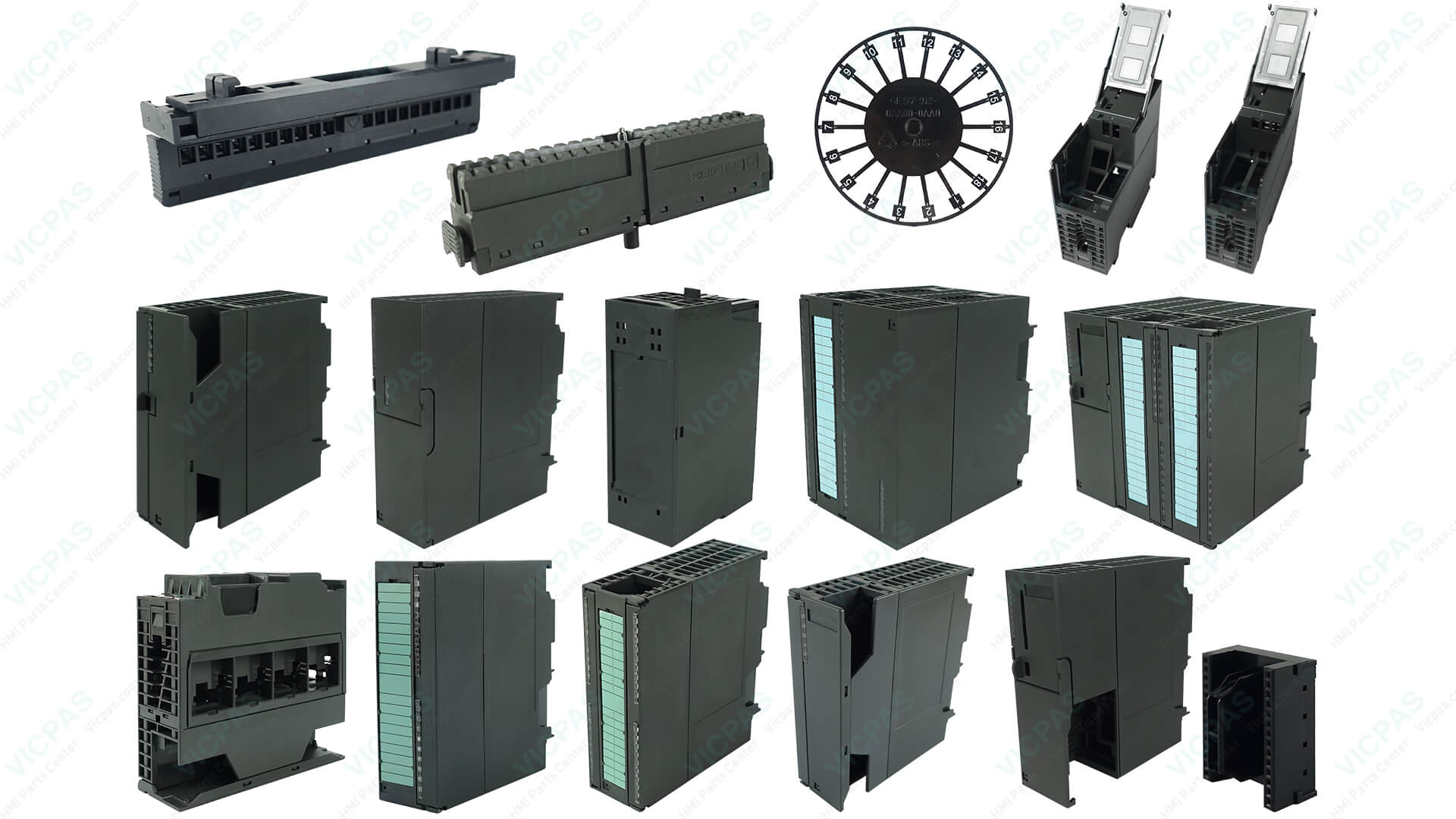
Siemens has begun phasing out new S7-300 production, making reliable spare parts more critical than ever. VICPAS specializes in Siemens S7-300 plastic case covers, housings, and enclosures.
- Exact-fit replacements that meet IEC 61131-2 standards
- Wide temperature range (-25°C to +60°C)
- 365-day warranty and full factory testing
- Same-day shipping worldwide from our large inventory
- Significant cost savings compared to OEM prices
Browse Siemens S7-300 PLC Parts Catalog →
5. Real-World Case Studies & Preventive Maintenance
Many plants are stocking spare housings due to the ongoing phase-out. VICPAS customers frequently report fast resolution using our replacement parts.
Preventive Maintenance Checklist
- Inspect battery every 12 months
- Check all module housings for cracks or damage
- Verify firmware and keep program backups
- Ensure proper ventilation and clean contacts regularly
Ready to Protect Your Siemens S7-300 System?
Contact the VICPAS team today for expert advice, instant quotes, and fast delivery of Siemens S7-300 PLC maintenance, repair, and replacement parts.
Email: sales@vicpas.com | Tel: +86-13922741901
References
- Siemens S7-300 Hardware and Installation Manual
- PLCTalk: Siemens S7-300 Replacement Procedure
- PLCTalk: Siemens S7-300 Repair Discussion
- Reddit r/PLC: Siemens S7-300 Product Phase Out
- Eichler Service: How to Replace the Buffer Battery in S7-300
- Siemens Official Spare Parts Documentation
- VICPAS Siemens SIMATIC S7-300 PLC Parts Catalog
- VICPAS Company Introduction
Last updated: April 2026
This guide combines official Siemens documentation with real-world experience from PLCTalk, Siemens forums, and VICPAS field expertise.
 Fast Quote
 Fast Quote
 Worldwide Shipping
 12 Months Warranty
 Customize Service
- Phone
- *Title
- *Content
