
Omron NB7W Troubleshooting Guide: Common Errors, Fixes, and Essential Maintenance Tips
Omron NB7W Troubleshooting Guide: Common Errors, Fixes, and Essential Maintenance Tips
Table of Contents
The Omron NB7W is a popular 7-inch color TFT touchscreen HMI from Omron’s NB-series programmable terminals. Widely used with CP1, CJ, NJ/NX and other PLCs, it offers solid graphics, serial/Ethernet communication, and cost-effective performance for industrial machines.
However, like any HMI in continuous operation, the NB7W can develop communication faults, display freezes, touch issues, or performance problems. This guide compiles the most frequent real-world errors reported by technicians and documented in official Omron manuals (V109 Startup Guide) plus practical field cases. It is designed to help maintenance teams resolve issues quickly while protecting uptime.
At VICPAS, we have supported industrial HMI repair and replacement for more than 20 years. Our focus is providing high-quality touchscreens, overlays, LCD displays, and enclosures for Omron NB7W models (NB7W-TW00B, NB7W-TW01B, NB7W-TW11B, NB7W-TW10B and variants). When software fixes are not enough, reliable spare parts become critical. Explore our full Omron NB7W replacement parts inventory.
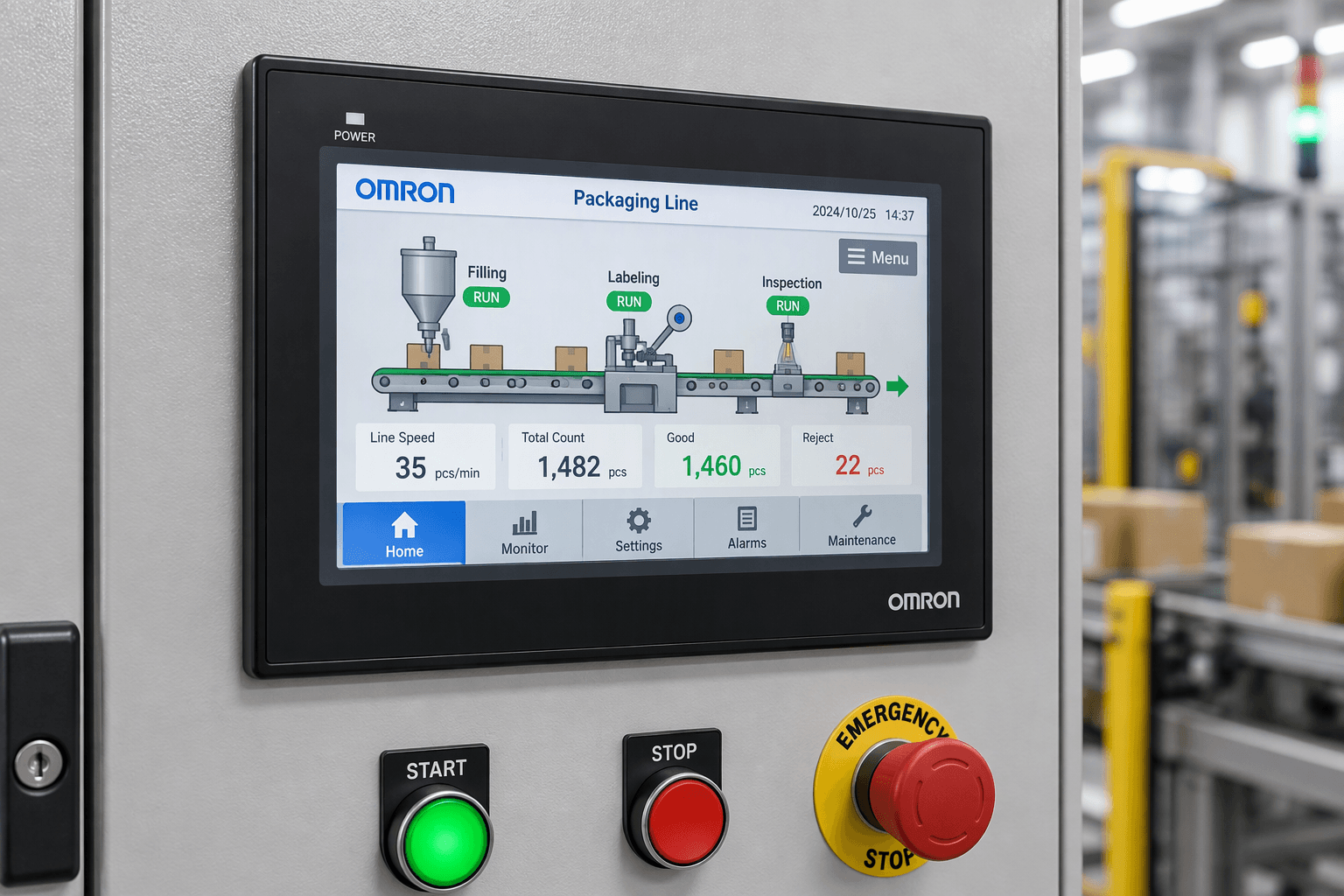
1. Most Common Omron NB7W Errors and How to Fix Them
Error 1: “[2] PLC No Response XX-XX-X”
This is one of the most frequent alarms. The format “00-01-01” typically means HMI number – PLC station number – serial port (01 = COM1, 02 = COM2).
Typical causes
- Incorrect serial cable pinout
- Mismatched baud rate, data bits, parity, or stop bits
- Wrong PLC node/station number
- Polarity reversed on RS-485
- Missing signal ground
Quick diagnostic steps
- Verify cable wiring against the official pinout (COM1 and COM2 cables are not interchangeable).
- Confirm serial parameters match exactly on both HMI (NB-Designer) and PLC.
- Test basic communication with a simple lamp (read CIO input) and switch (write CIO output) before checking complex data registers.
- Check internal status bits (e.g., LW9432–9447 for COM2) to identify which station is offline.
If the cable or connector is damaged, replacement parts from a specialist supplier such as VICPAS can restore reliable communication quickly.
Error 2: Black Screen / Freeze While Background Communication Continues
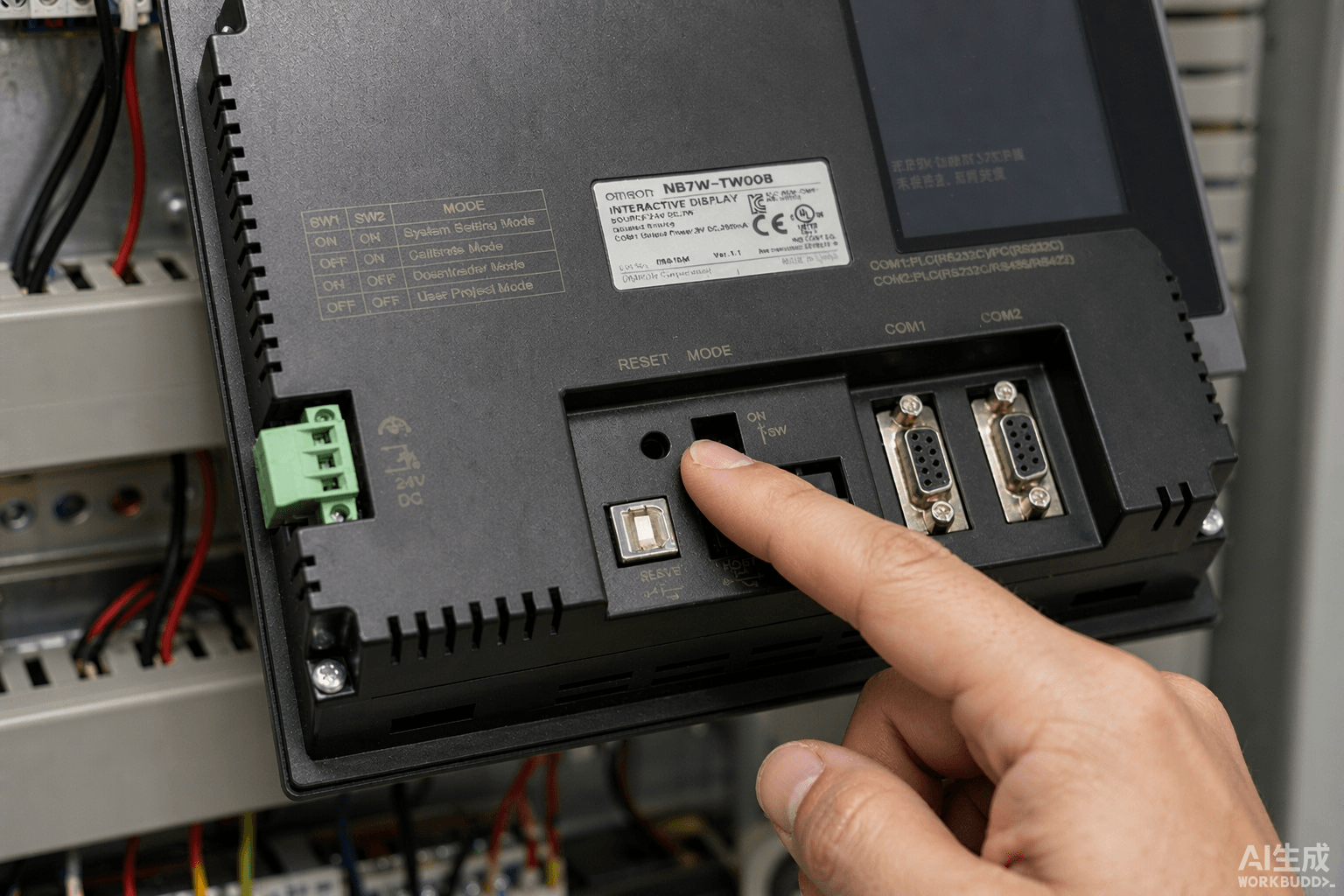
Operators report a black or frozen screen, no touch response, yet the PLC and background processes keep running. A hard reset (rear button) is often required.
Root cause (frequently confirmed in the field)
Excessive alarm polling — especially from many VFDs — combined with very short update cycles (≤50–100 ms) overloads the limited processor and memory of the NB7W.
Recommended fixes
- Increase Alarm Update Cycle / Update Time to 500–1000 ms
- Limit simultaneous polled devices to ≤8 per group
- Cap Alarm History Area at 500 events with auto-overwrite
- Move non-critical alarms to PLC-side edge detection
- Reduce animated GIFs (max 2 per screen, ≤96×96 px, ≥500 ms cycle)
These optimizations resolve most freeze cases without hardware changes.
Error 3: Communication Loss After Changing IP Address (Ethernet / FINS)
Changing the IP on an NJ/NX PLC or the NB7W itself often breaks communication even when both devices are on the same subnet.
Solution
The FINS node address must match the last octet of the new IP address.
- Set the node in Sysmac Studio (Controller Setup → Built-in EtherNet/IP → FINS Settings).
- Mirror the same node value in NB-Designer Communication Settings.
Error 4: TOP B1 Alarm / Slow Screen Refresh / Laggy Animations
TOP B1 indicates the internal task scheduler cannot complete a screen refresh in time (CPU saturation).
Common triggers
- Large or numerous animated GIFs
- High-frequency tag polling
- Too many background objects (trends, alarms, macros)
Monitor system alarm registers LW-9000 onwards and reduce graphical load.
Error 5: Touch Not Responding or Drifted Touch Points
Possible causes include communication failure, aging touch panel, or environmental drift.
Actions
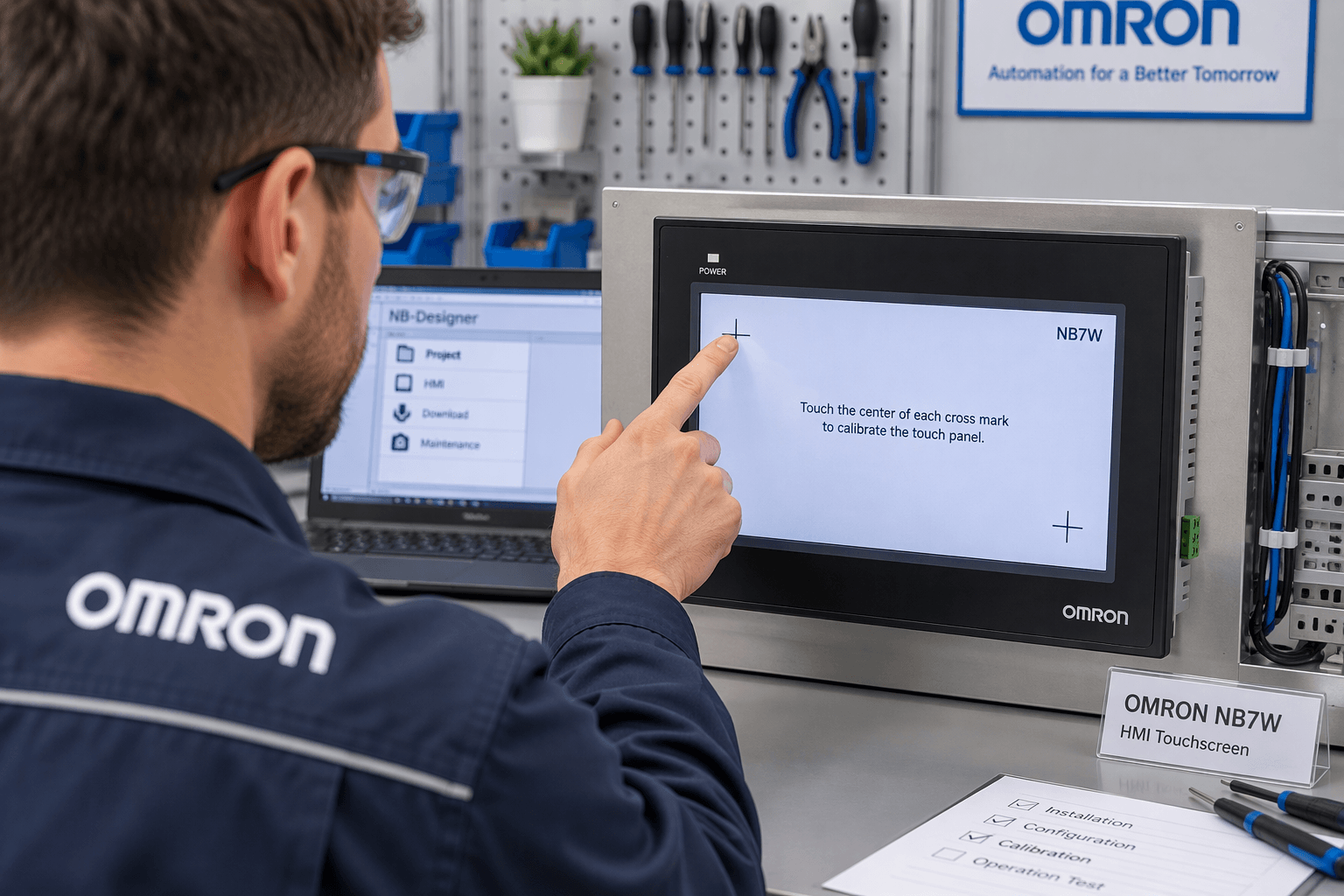
- Calibrate the touchscreen via DIP switches (SW1 OFF, SW2 ON → reboot → follow on-screen “+” points).
- Inspect the front sheet and rubber packing for damage (loss of IP protection).
- If the resistive touch layer is worn, replace the complete touchscreen assembly.
2. Recommended Maintenance Practices (Based on Official Omron Guidance)
Regular maintenance significantly extends NB7W service life:
- Keep the unit within the specified ambient temperature range.
- Periodically inspect and clean the front sheet; replace if torn or peeling.
- Check rubber packing for hardening or shrinkage and replace as needed.
- Ensure proper grounding to reduce noise-related faults.
- Back up the application project regularly.
- Avoid excessive simultaneous communication load.
- For battery-backed timekeeping issues, note that some models require unit-level replacement rather than field battery swap.
When the touchscreen, LCD, overlay, or plastic housing fails, using quality replacement parts restores the unit faster and more economically than full HMI replacement.
3. When Hardware Replacement Is the Best Solution
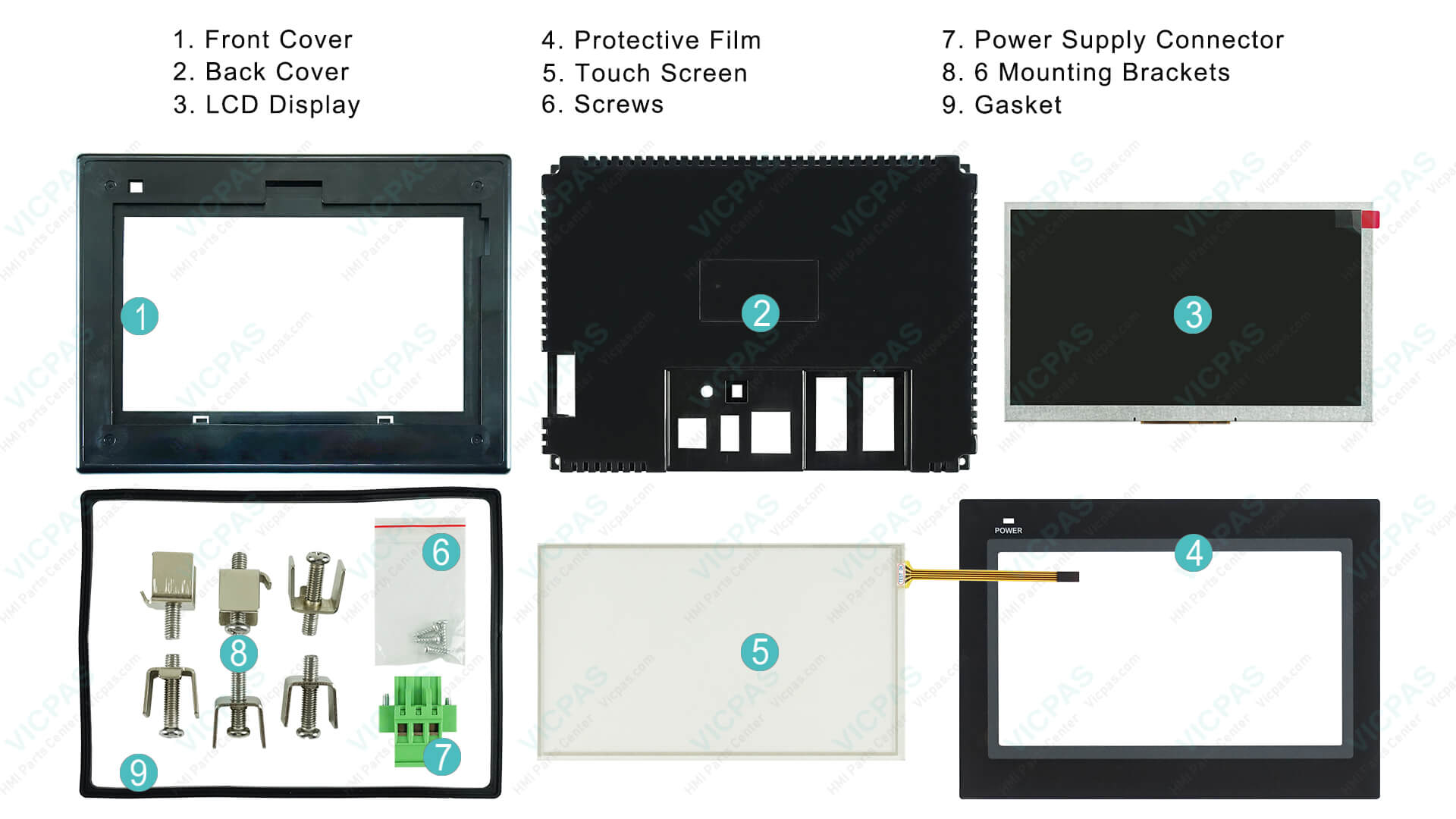
Software and configuration fixes solve many problems, but physical wear is inevitable. Common hardware failures on the NB7W include:
- Cracked or unresponsive touch glass
- Dim or failed LED backlight / LCD
- Damaged front overlay or membrane
- Broken plastic enclosure or mounting clips
VICPAS specializes in these exact components for the entire Omron NB series. We stock:
- Touchscreen glass + protective film
- LCD displays
- Front overlays and plastic cases
- Mounting brackets and accessories
All parts are fully tested, carry a 365-day VICPAS warranty, support small/no MOQ, and can be shipped urgently worldwide.
Browse available Omron NB7W touchscreen, LCD and enclosure parts and request a fast quote.
Learn more about our HMI repair parts expertise and service capabilities.
Conclusion
Most Omron NB7W problems fall into a handful of categories: serial/Ethernet communication mismatches, excessive polling load, touch calibration drift, and eventual hardware wear. Systematic diagnosis using the steps above, combined with regular maintenance, keeps the majority of units running reliably for years.
When replacement parts are required, choosing a specialist supplier with deep inventory and proven quality makes the difference between extended downtime and a quick return to production.
Need help identifying the correct NB7W touchscreen, display, or enclosure for your specific model (TW00B / TW01B / TW11B / TW10B)? Contact the VICPAS team for technical support and a fast quotation.
VICPAS – Your reliable partner for Omron NB-series HMI repair parts.
Website: www.vicpas.com
NB7W parts search: Omron NB7W parts search
References
- Omron Corporation — NB Series Touch-Screen HMIs for OEM (product overview and model specifications)
- Omron Corporation — NB-Designer programming software download request
- Omron Corporation — Technical support, manuals and documentation downloads
- Omron Corporation — NB-series CAD library and dimensional drawings
- Omron manuals referenced in this guide: NB-series Programmable Terminals Startup Guide (Cat. No. V109), Host Connection Manual, NB-Designer Operation Manual.
- VICPAS — Omron NB7W replacement parts: touchscreens, LCDs, overlays and enclosures
- VICPAS — HMI repair parts expertise and service capabilities
This article is written for practical use by maintenance engineers and automation technicians. Always refer to the latest official Omron manuals (V109 Startup Guide, Host Connection Manual, NB-Designer Operation Manual) for model-specific details and safety precautions.
 Fast Quote
 Fast Quote
 Worldwide Shipping
 12 Months Warranty
 Customize Service
- Phone
- *Title
- *Content
