
Quick Service for Full HMI Parts Replacement
Touchscreen-Keypad-Display-Case & More Search 80000 Inventory
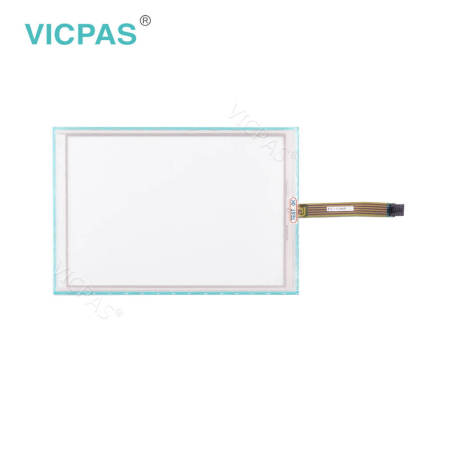
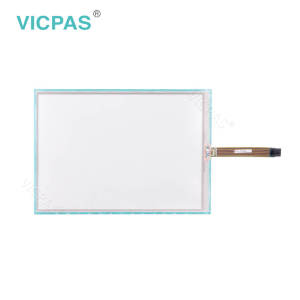
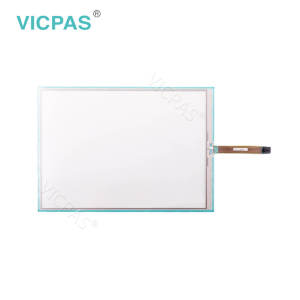
DMC FST-T104B110I FST-T104C110A Touch Screen Glass


| Share | |
|---|---|
| Categories | FST Series |
| Brand | VICPAS |
| Model | FST-T104B110I / FST-T104C110A |
| Warranty | 365 Days |
| Shipping | 2-3 workdays |
| Keyword | Touch Screen Panel Glass Repair |
| Keyword | HMI Touch Screen |
| Name | DMC FST-T104B110I FST-T104C110A Touch Screen Glass |
| FOB port | Guangzhou, Shenzhen, Hongkong |
| Terms of Payment | Western Union, MoneyGram, T/T, Paypal, PayPal, Credit Card |
| Download |  |
Detail Information
DMC FST-T104B110I FST-T104C110A Touch Screen Glass repair
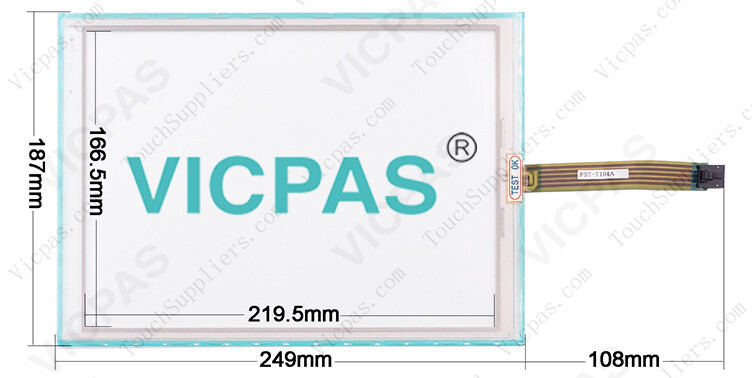
DMC FST-T104B110I FST-T104C110A touch screen monitor size: 10.4 inch; other custom size is 3.0'' to 24'' . DMC FST-T104B110I FST-T104C110A touch screen glass adopt to panel display device. DMC FST-T104B110I FST-T104C110A touch screen linearity error:< 1.5%, DMC FST-T104B110I FST-T104C110A touch digitizer glass response speed: < 10ms. DMC FST-T104B110I FST-T104C110A touch screen glass touch times are more than 1 million touches. DMC FST-T104B110I FST-T104C110A touch screen hmi works altitude: up to 3000m; DMC FST-T104B110I FST-T104C110A touch panel temperature operating range: -10°C ~ 60°C. DMC FST-T104B110I FST-T104C110A touch membrane operation system including: Linux / DOS / Windows ME/95/98 / NT4.0/XP/2000/Mac OS etc.
Handling Notes
§ Do not depress or scratch FST-T104B110I FST-T104C110A Touch Screen with any object with a sharp edge or hard end.
§ Do not put FST-T104B110I FST-T104C110A Touch Digitizer Glass close to fire.
§ Do not wipe FST-T104B110I FST-T104C110A Touchscreen Panel with too much load.
§ Do not strongly rub FST-T104B110I FST-T104C110A Touch Membrane locally. It may affect the FST-T104B110I FST-T104C110A's functions.
§ Do not hit FST-T104B110I FST-T104C110A Touch Glass with a hard object.
§ Do not forcibly bend or fold FST-T104B110I FST-T104C110A HMI Panel Glass.
§ When FST-T104B110I FST-T104C110A Touch Membrane is stored, make sure it is packed in a packing box and stored in a storage temperature range, eliminating any outside load.
§ Do not use or store FST-T104B110I FST-T104C110A Touch Screen under a condition where FST-T104B110I FST-T104C110A Touch Panel will be exposed to water, organic solution or acid.
§ Do not use FST-T104B110I FST-T104C110A Touch Screen Monitor under the direct sunlight.
§ Do not disassemble FST-T104B110I FST-T104C110A Touch Screen Glass.
§ When you handle FST-T104B110I FST-T104C110A Touch Panel, Hold the product by its body. Do not hold by the tail.
§ Clean FST-T104B110I FST-T104C110A Touch Screen with a soft cloth or a soft cloth with neutral detergent or alcohol. When contaminated by chemicals, wipe them off immediately with caution not to cause injury to human body.
§ The edge of the FST-T104B110I FST-T104C110A glass is not rounded and may cause injury.
Handling Notes
§ Do not depress or scratch FST-T104B110I FST-T104C110A Touch Screen with any object with a sharp edge or hard end.
§ Do not put FST-T104B110I FST-T104C110A Touch Digitizer Glass close to fire.
§ Do not wipe FST-T104B110I FST-T104C110A Touchscreen Panel with too much load.
§ Do not strongly rub FST-T104B110I FST-T104C110A Touch Membrane locally. It may affect the FST-T104B110I FST-T104C110A's functions.
§ Do not hit FST-T104B110I FST-T104C110A Touch Glass with a hard object.
§ Do not forcibly bend or fold FST-T104B110I FST-T104C110A HMI Panel Glass.
§ When FST-T104B110I FST-T104C110A Touch Membrane is stored, make sure it is packed in a packing box and stored in a storage temperature range, eliminating any outside load.
§ Do not use or store FST-T104B110I FST-T104C110A Touch Screen under a condition where FST-T104B110I FST-T104C110A Touch Panel will be exposed to water, organic solution or acid.
§ Do not use FST-T104B110I FST-T104C110A Touch Screen Monitor under the direct sunlight.
§ Do not disassemble FST-T104B110I FST-T104C110A Touch Screen Glass.
§ When you handle FST-T104B110I FST-T104C110A Touch Panel, Hold the product by its body. Do not hold by the tail.
§ Clean FST-T104B110I FST-T104C110A Touch Screen with a soft cloth or a soft cloth with neutral detergent or alcohol. When contaminated by chemicals, wipe them off immediately with caution not to cause injury to human body.
§ The edge of the FST-T104B110I FST-T104C110A glass is not rounded and may cause injury.
Product Detials:
Size : 10.4 inch;
Shipping : 2~3 Workdays
Warranty : 365 Days
General Size 3.0'' to 22''
Custom Size 1.0''to 22''
Fit in with Panel display device
Shipping : 2~3 Workdays
Warranty : 365 Days
General Size 3.0'' to 22''
Custom Size 1.0''to 22''
Fit in with Panel display device
* Environmental
Temperature Operating Range: -10° C ~ 60° C
Storage Range: -20° C ~ 70° C
Relative Humidity Operating Range: 0%~90% RH (no dew falls)
Storage Range: 0% to 95% RH (no dew falls)
Altitude Up to 3, 000m
Temperature Operating Range: -10° C ~ 60° C
Storage Range: -20° C ~ 70° C
Relative Humidity Operating Range: 0%~90% RH (no dew falls)
Storage Range: 0% to 95% RH (no dew falls)
Altitude Up to 3, 000m
DMC FST Series HMI Manuals PDF Download:
Review
- 加载中···
Please send your message to us
- Phone
- *Title
- *Content
Do you want to quickly know the product quotation you need?
 Fast Quote
 Fast Quote
 Worldwide Shipping
 12 Months Warranty
 Customize Service
subscription
CLASSIFICATION
KEEP IN TOUCH
Please send your message to us
- Phone
- *Title
- *Content
CONTACT US
QR code

Mobile Web