
TOUGHBOOK 33 CF-33 Touch Screen Panel Front Overlay Repair


Panasonic TOUGHBOOK 33 CF-33 Touch Screen Glass Protective Film Repair Replacement
Order each part separately is available
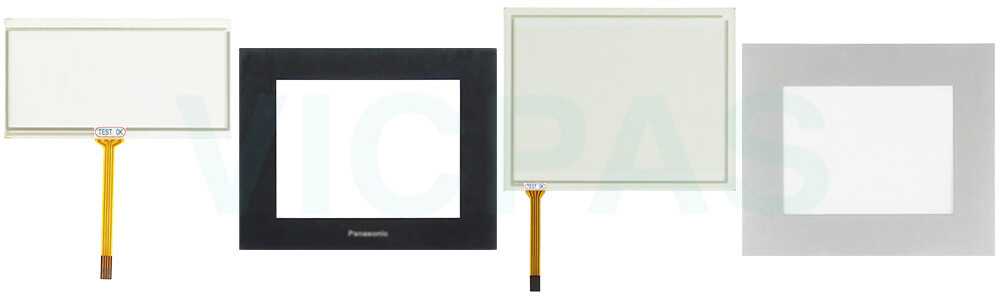
To maintain reliable performance and ensure safe use of Panasonic TOUGHBOOK 33 CF-33 Touch Panel Front Overlay, the following precautions must be taken into consideration. Before cleaning, make sure the unit is completely disconnected from the power supply. Clean TOUGHBOOK 33 CF-33 Protective Film Touch Membrane only with a slightly moistened cloth, and do not apply liquid cleaners or aerosol products. The equipment should be kept away from damp environments and prolonged exposure to sunlight. Under no circumstances should liquids be allowed to enter the openings of the enclosure, as this may result in fire or electric shock. When setting up the device, position it on a firm, level surface to minimize the risk of accidental falls. Ensure that all ventilation openings remain unobstructed so that sufficient airflow can be maintained and excessive heat buildup can be avoided. When the equipment is not expected to be used for a long time, unplug it from the power outlet to reduce the risk of damage caused by transient voltage surges. TOUGHBOOK Panasonic TOUGHBOOK 33 CF-33 Front Overlay Touch Digitizer Glass should also be operated and stored within an appropriate ambient temperature range of -20 °C (-4 °F) to 60 °C (140 °F). Be aware that the rear panel may reach elevated temperatures while the equipment is operating. All safety labels, precautionary statements, and warning notices supplied with TOUGHBOOK 33 CF-33 Touch Screen Display Protective Film should be carefully observed.
Specifications:
The table below describes the parameters of Panasonic TOUGHBOOK 33 CF-33 Touch Screen Monitor Protective Film.
| Part Number: | TOUGHBOOK 33 CF-33 |
| Product Line: | TOUGHBOOK |
| Shipping Time: | 3-5 Days |
| Warranty: | 365 Days |
| Product Type: | Repair Component |
| Display Type: | TFT color |
| Packaging: | Individually Packed |
| Ambient Temperature: | -20°C (-4°F) ~ 60°C (140°F) |
| Quality Check: | Tested Before Shipment |
| Environment: | Free from Corrossive Gases |
Related Panasonic TOUGHBOOK Part No. :
| Panasonic TOUGHBOOK | Description | Inventory status |
| TOUGHBOOK Panasonic | Description | Inventory status |
Panasonic TOUGHBOOK Manuals PDF Download:
FAQ:
Question: What is price of Panasonic TOUGHBOOK 33 CF-33 Front Overlay Touch Screen Film?
Answer: Submit a fast quote, send VICPAS an email for best price.
Question:What should I pay attention to when mounting TOUGHBOOK 33 CF-33 Touch Screen Tablet Protective Film?
Answer: Ensure the mounting location is stable and secure to prevent vibration or movement. Handle the device carefully during installation to avoid damage, and install it in a clean, dry environment with suitable temperatures. Also, ensure proper ventilation to prevent overheating.
Question:How do I calibrate the touch screen on Panasonic TOUGHBOOK?
Answer: To calibrate the touch screen, go to the calibration settings in the menu. Follow the on-screen instructions to touch specific calibration points accurately. This process ensures accurate touch input across the screen.
Common misspellings:
TOUGHBOOK 33 CF33
TOUGHBOOK 33 C-33
TOUCHBOOK 33 C-F-33
TOUGHBOOK 33 CF-303
TOUGH BOOK 33 FC-33
- 加载中···
- Phone
- *Title
- *Content
 Fast Quote
 Fast Quote
 Worldwide Shipping
 12 Months Warranty
 Customize Service
- Phone
- *Title
- *Content
