
New Holland
-
Series overview
-
More information
-
Select by specs
-
Troubleshooting
-
-
 Brand New In Stock
 Ships Today
 365 Days VICPAS Warranty
 Urgent Worldwide Shipping
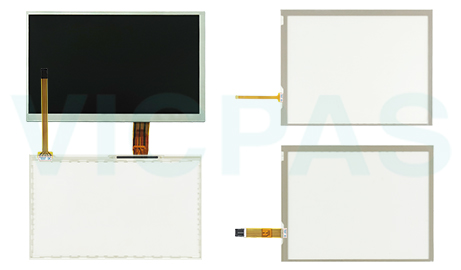
Explore VICPAS's range of replacement display components for New Holland equipment. We offer touchscreen panels and LCD displays to help address common screen issues, including cracked touch panels, display damage, and LCD faults. Whether you need to replace a damaged touchscreen or restore a faulty display, browse our New Holland collection to find suitable replacement components for your equipment.
-
In Stock
-
Touchscreen Components: Find replacement touchscreens for compatible New Holland displays to address cracked, scratched, or unresponsive touch panels.
-
LCD Screen Solutions: Browse LCD screens for compatible New Holland equipment to replace displays affected by dark spots, lines, or image defects.
-
Repair and Restoration: Find suitable components to help address common touchscreen and LCD display problems and restore normal display operation.
-
Compatibility Guide: Check product models and specifications to identify replacement components suitable for your New Holland equipment.
-
-
Quick Troubleshooting Tips for New Holland Accessories
1. Touchscreen Not Responding:
Check the touchscreen ribbon cable connection to ensure it is properly seated.
Restart the display terminal to see if touch functionality returns.
If the problem persists, inspect the touchscreen for cracks, scratches, or other physical damage.
2. LCD Display Issues:
Check whether the display has dark spots, lines, flickering, or abnormal image patterns.
Restart the terminal to determine whether the issue is temporary.
If the problem continues, the LCD screen or related display components may need inspection or replacement.
3. Cracked or Damaged Screen:
Inspect the touchscreen and LCD for visible cracks or other physical damage.
Determine whether the issue affects touch input, image display, or both.
Replace the damaged touchscreen or LCD component as needed, depending on the type of damage.
For further assistance, contact VICPAS.
| Model | Description | In stock |
|---|---|---|
| HOLLAND Intelliview III Case AFS Pro 300 Case IH Pro 300 | HOLLAND Intelliview III Case AFS Pro 300 Case IH Pro 300 Repair. 365 Days Warranty-Fully Tested-Factory Prices-Fast Shipping. | In Stock |
 Fast Quote
 Fast Quote
 Worldwide Shipping
 12 Months Warranty
 Customize Service
- Phone
- *Title
- *Content
