
CLAAS
-
Series overview
-
More information
-
Select by specs
-
Troubleshooting
-
-
 Brand New In Stock
 Ships Today
 365 Days VICPAS Warranty
 Urgent Worldwide Shipping
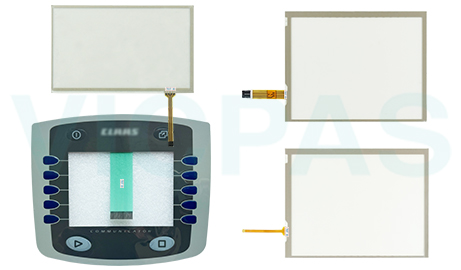
Find replacement HMI components for CLAAS agricultural machinery and equipment at VICPAS. Our product range includes touchscreen panels and keypad components for compatible CLAAS display terminals and control systems. Whether you are dealing with worn touch surfaces, unresponsive touch controls, or damaged keypad buttons, explore our available replacement parts to find the components needed for your repair.
-
In Stock
-
CLAAS Touchscreen Panels: Find replacement touchscreens for compatible CLAAS agricultural displays. These components are suitable for addressing cracked glass, scratched surfaces, and unresponsive touch controls.
-
CLAAS Keypad Replacement Parts: Browse replacement keypads for CLAAS equipment with worn, damaged, or malfunctioning buttons. Check product details to find the correct replacement for your existing control panel.
-
Display and Control Repairs: VICPAS offers touchscreen and keypad components to help address common interface problems and maintain the usability of CLAAS display and control systems.
- Compare part numbers, product specifications, and connector details with your original component to help identify a compatible replacement for your CLAAS equipment.
-
-
Quick Troubleshooting Tips for CLAAS Accessories
1. Touchscreen Not Responding:
Check the touchscreen ribbon cable connection to ensure it is properly seated.
Restart the display terminal to see if touch functionality returns.
If the problem persists, inspect the touchscreen for cracks, scratches, or other physical damage.
2. Keypad Buttons Not Working:
Check whether individual buttons are stuck, worn, or physically damaged.
Inspect the keypad connection for loose cables or poor contact.
If certain buttons remain unresponsive, the keypad may require replacement.
3. Cracked or Damaged Components:
Examine the touchscreen surface and keypad for visible signs of wear or damage.
Identify whether the problem affects touch input, physical button operation, or both.
Select the appropriate replacement component based on the damaged part and equipment compatibility.
For further assistance, contact VICPAS.
| Model | Description | In stock |
|---|---|---|
| Claas Variant 365RC baler Monitor | Claas Variant 365RC baler Monitor Operator Keyboard. 365 Days Warranty-Fully Tested-Factory Prices-Fast Shipping. | In Stock |
 Fast Quote
 Fast Quote
 Worldwide Shipping
 12 Months Warranty
 Customize Service
- Phone
- *Title
- *Content
