
Troubleshooting Siemens OP270 6 HMI – Common Issues & Fixes
Troubleshooting Siemens OP270 6 HMI – Common Issues & Fixes
Complete guide for Siemens OP270 6 (6AV6542-0CA10-0AX0) bootloader, download, freezing, display and communication problems
Table of Contents
- Introduction
- 1. Siemens OP270 6 Stuck on Bootloader Screen
- 2. Project Download Failure / OS Incompatibility
- 3. Siemens OP270 6 Freezes / Crashes During Runtime
- 4. Abnormal Display Brightness or Screen Problems
- 5. USB Download Invalid / Connection Problems
- 6. Unable to Upload or Backup Programs + PLC Communication
- 7. Project Migration / WinCC Errors
- Why Choose VICPAS for Your Siemens OP270 6 Repairs?
- References
Introduction
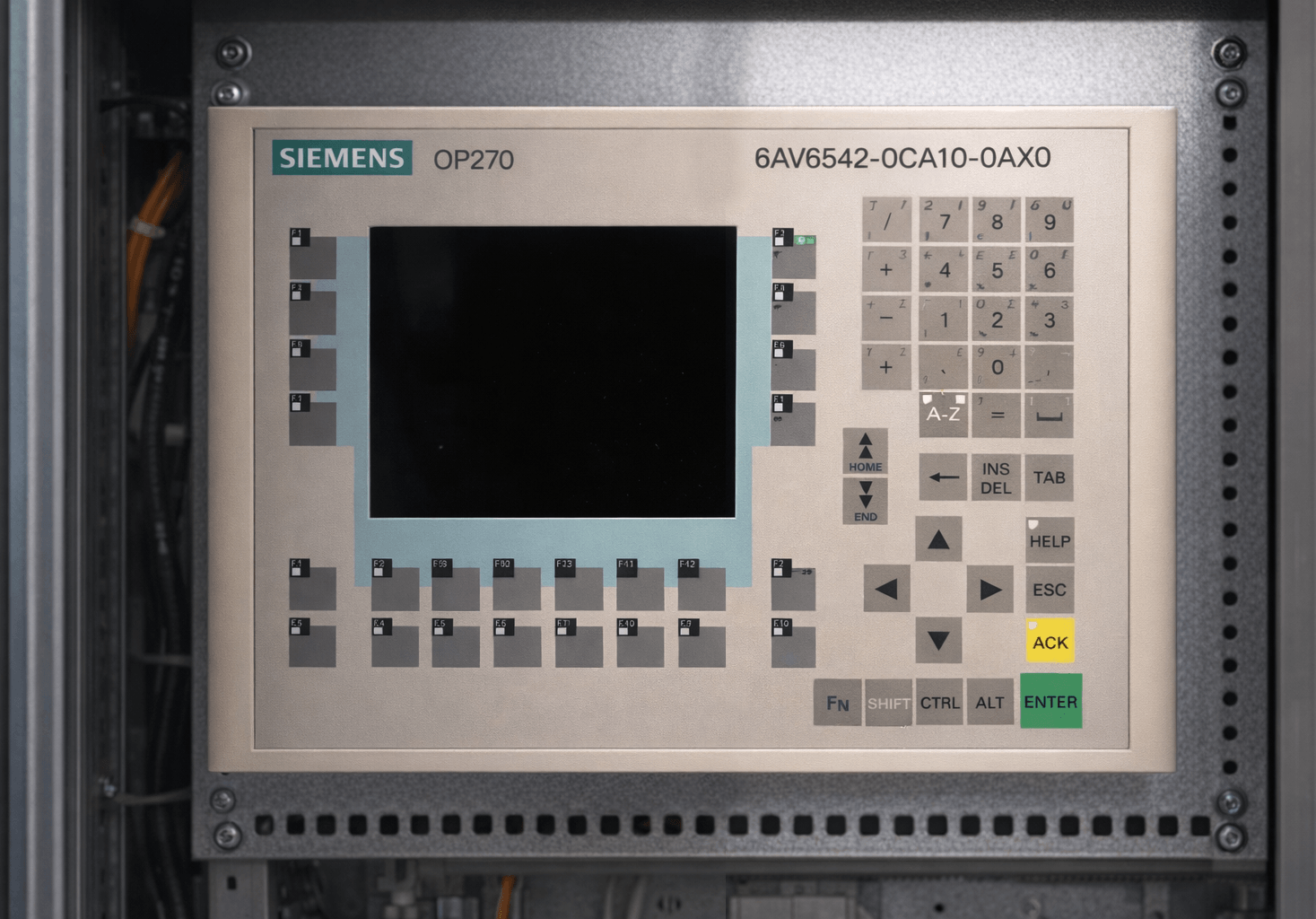
The Siemens OP270 6 HMI (model 6AV6542-0CA10-0AX0 and related 6-inch variants) is a widely used operator panel in industrial automation systems. However, after years of continuous operation, many users encounter recurring problems such as bootloader issues, project download failures, runtime freezing, display abnormalities, and communication errors. These faults can cause costly production downtime.
At VICPAS, we specialize in Siemens SIMATIC HMI repair and replacement parts with over 20 years of industry experience. We have helped thousands of factories worldwide quickly restore their Siemens OP270 6 panels. This detailed troubleshooting guide combines real cases from Siemens official forums, PLC communities, and our own technical repair database to provide practical, step-by-step solutions.
1. Siemens OP270 6 Stuck on Bootloader Screen (Most Common Issue)
Symptoms
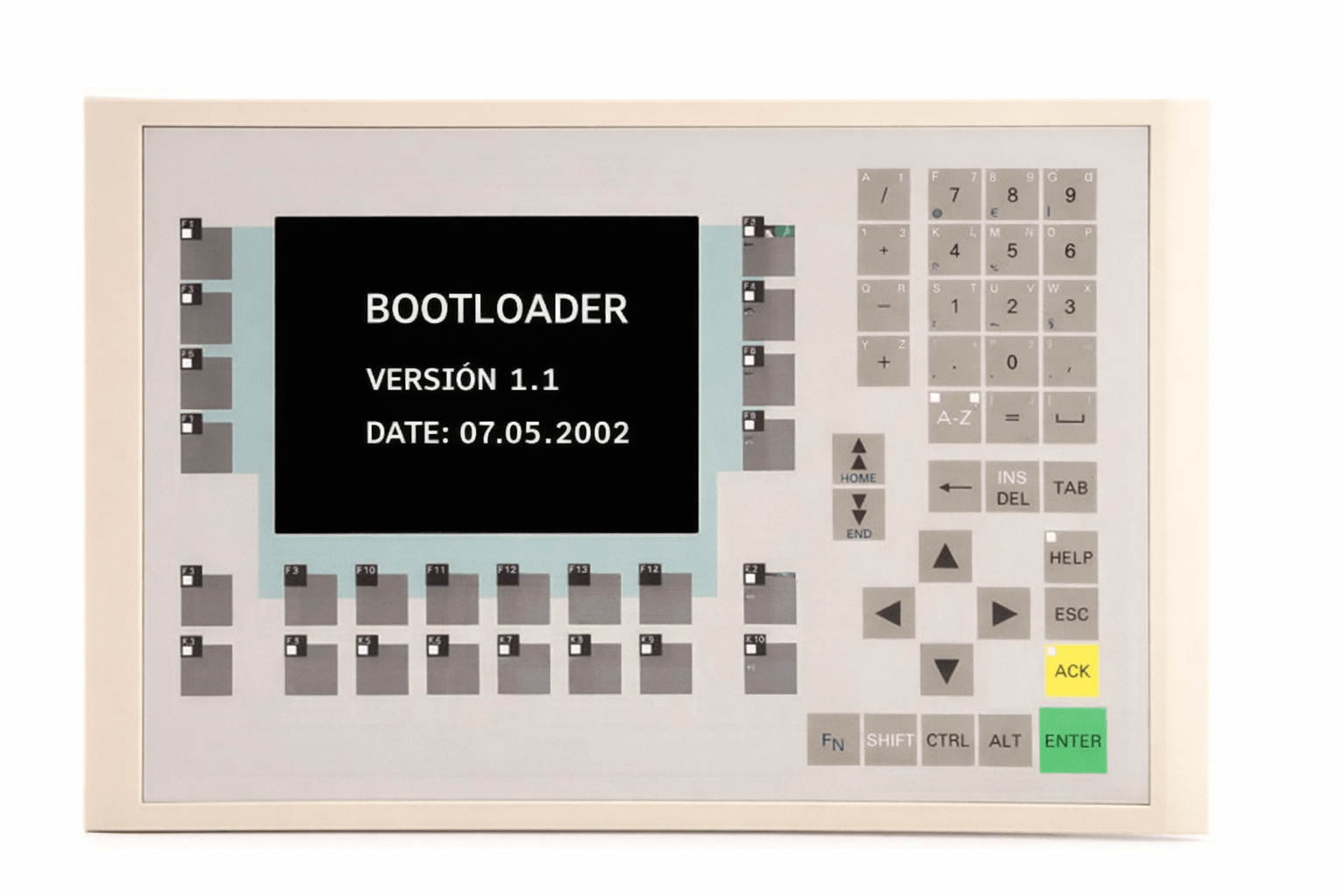
The panel powers on but stays stuck on the “BOOTLOADER” screen (VERSION 1.1, DATE: 07.05.2002) for a long time. No progress bar appears, and there is no communication with the PLC.
Causes
Corrupted operating system, damaged flash memory, or incomplete project transfer.
Step-by-Step Fixes
- Turn off the power completely.
- Press and hold the center OK button while powering on. Release after 3 seconds to enter Transfer mode.
- Connect your PC using a standard RS-232 null-modem cable (or MPI cable).
- Open ProTool v6.0 SP3 (or WinCC Flexible 2004), select OS Transfer → Update OS, and load the official Siemens OS image.
- After successful OS update, download your project again.
VICPAS Solution: We stock fully tested replacement 6AV6542-0CA10-0AX0 plastic case + display assemblies and membrane keypads with 12-month warranty and fast global shipping.
2. Project Download Failure / OS Incompatibility Error
Symptoms
ProTool shows “config & operating system are different => updating the OS might help” or the download process aborts midway.
Step-by-Step Fixes
- Use a proper RS-232 null-modem cable (avoid USB cables, as they often fail).
- Set the panel to RS232 transfer mode.
- Perform OS Update first, then download the project.
- Ensure your ProTool version is v6.0 SP3 or WinCC Flexible 2004 SP1.
VICPAS Tip: Many “dead” panels can be revived simply by refreshing the OS. For hardware-related download failures, our replacement parts provide a permanent solution.
3. Siemens OP270 6 Freezes / Crashes During Runtime
Symptoms
The HMI suddenly freezes, the screen becomes unresponsive, and variables cannot be modified. This often happens 2–3 times per week.
Causes
Firmware issues, Profibus communication instability, or aging internal flash memory.
Step-by-Step Fixes
- Restart the panel and monitor the frequency.
- Check Profibus cable termination, shielding, and grounding.
- Update to the latest compatible firmware via Siemens Support.
- Reduce scan cycle load in the project if possible.
When software fixes are insufficient, hardware degradation (aging flash memory) is usually the culprit. VICPAS offers drop-in replacement components that eliminate chronic freezing.
4. Abnormal Display Brightness or Screen Problems
Symptoms
Screen flickering, uneven brightness, dim areas, or partial display failure on the 6-inch TFT.
Hardware Repair Tip
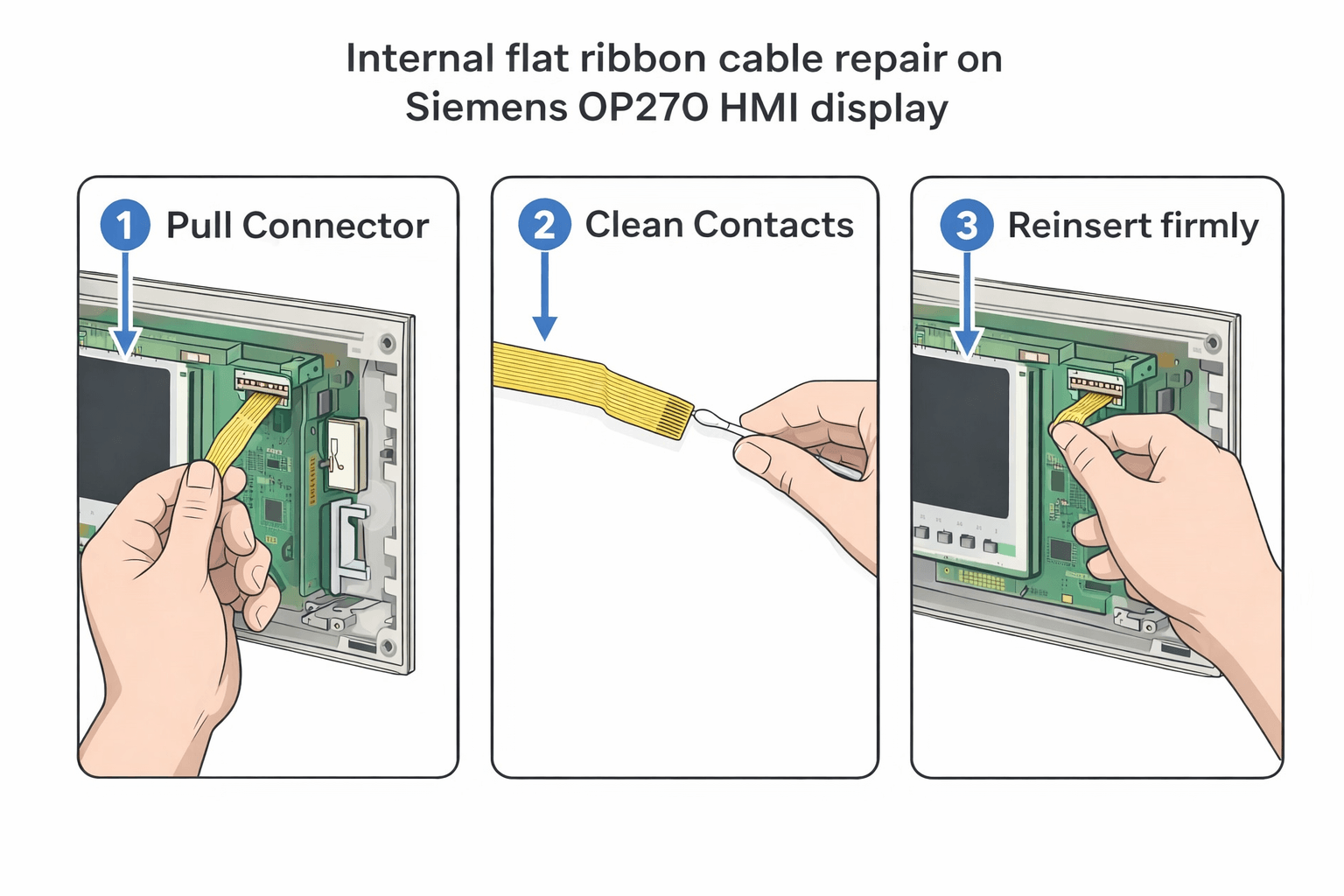
- Power off the panel and carefully open the case.
- Locate the flat ribbon cable connecting the display to the mainboard.
- Gently disconnect, clean the contacts, and firmly reseat the cable.
- Reassemble and test.
VICPAS Recommendation: For recurring display issues, replace the complete display + plastic case assembly. Our parts are manufactured to original specifications and fully tested.
5. USB Download Invalid / Connection Problems
Symptoms
PC cannot detect the OP270 6 via USB, or transfer keeps failing repeatedly.
Step-by-Step Fixes
- Switch to a proven RS-232 null-modem cable instead of USB.
- Confirm the panel is in Transfer mode by holding the OK button during power-on.
- Disable any firewall/antivirus on the programming PC.
- Use original Siemens cables where possible.
6. Unable to Upload or Backup Programs + PLC Communication Issues
Symptoms
No response from PLC, cannot upload project, or “no communication” errors appear.
Step-by-Step Fixes
- Verify MPI/Profibus node address and baud rate match exactly.
- If bootloader is accessible, back up the project to a flash card first.
- Reset panel to factory defaults then reload OS + project.
7. Project Migration / WinCC Errors
Symptoms
WinCC reports compatibility errors when migrating from OP270 6 to newer panels (e.g., OP277).
Solution
Use WinCC Flexible 2008 (the last fully supported version for OP270). Export the project as .pdl and recompile. For complete migration support or replacement panels, contact VICPAS engineers.
Why Choose VICPAS for Your Siemens OP270 6 Repairs?
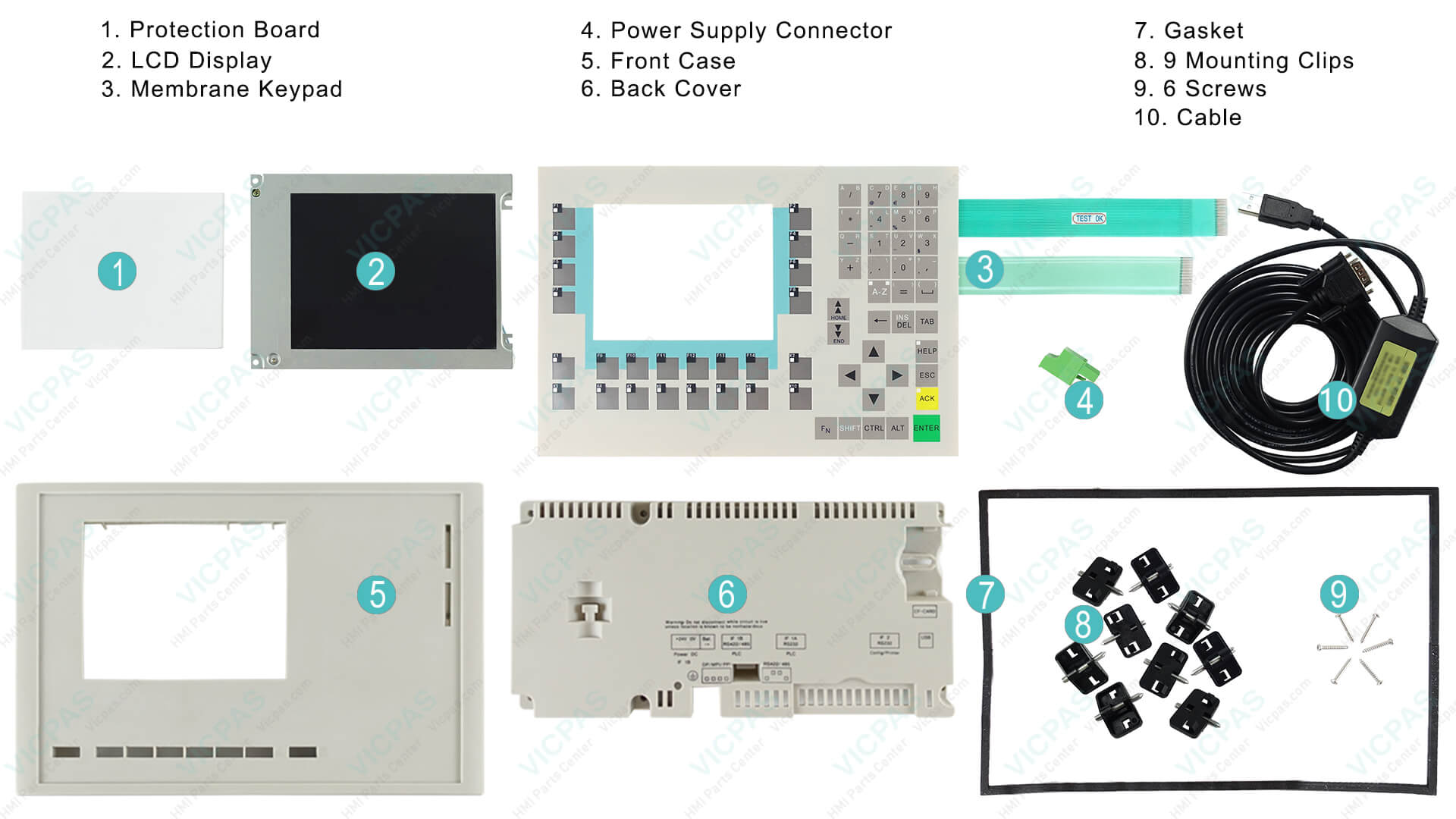
- Exact-fit, high-quality replacement parts: membrane keypads, plastic cases, display assemblies
- No minimum order quantity – buy even one piece
- 6–12 months warranty on all tested components
- Same-day shipping via DHL/UPS worldwide
- Expert technical support (Phone: +86-13922741901 | Email: sales@vicpas.com)
Company Introduction
Browse All Siemens OP270 6 Parts
References
- Siemens OP270 Stuck on Bootloader Screen Fix
- OP270 Bootloader Upgrade Failure
- Siemens OP270 Runtime Freezing
- OP270 Display Bootloader Not Entering System
- OP270 Project Download Failure
- OP270 USB Download Issues
- OP270 Display Brightness Problems
- OP270 PLC Communication Issues
- OP270 Project Migration WinCC Errors
- Unable to Upload / Backup OP270 Program
If your Siemens OP270 6 is still not working after these steps, our VICPAS team is ready to help. We can quickly identify the needed replacement part and ship it to you the same day.
Written by the VICPAS Technical Team — Your trusted global partner for Siemens HMI repair and replacement parts with 20+ years of experience.
 Fast Quote
 Fast Quote
 Worldwide Shipping
 12 Months Warranty
 Customize Service
- Phone
- *Title
- *Content
