
Siemens S7-400 PLC Troubleshooting and Diagnostics: Complete Expert Guide
Siemens S7-400 PLC Troubleshooting and Diagnostics: Complete Expert Guide
Table of Contents
- Understanding S7-400 PLC Status LEDs and Initial Diagnostics
- Reading the Diagnostic Buffer: Your Most Powerful Tool
- Common Faults and Step-by-Step Troubleshooting
- Programming OB Blocks for Advanced Diagnostics
- Why Choose VICPAS for Your S7-400 Maintenance?
- Best Practices to Prevent Future Issues
- Conclusion
- References
In industrial automation, the Siemens S7-400 PLC remains a powerhouse for complex, high-performance applications in manufacturing, process control, and large-scale systems. Its modularity and robustness make it reliable, but like any advanced system, it can encounter faults that require swift diagnosis to minimize downtime.
At VICPAS, with over 20 years of expertise in automation parts and repair solutions, we specialize in supporting S7-400 systems through high-quality replacement components. Whether you need CPU plastic enclosures, backplanes, or urgent spares, our inventory helps keep your operations running smoothly. Visit our S7-400 parts collection.
This comprehensive guide draws from official Siemens resources, real-world forum discussions (PLCTalk, Siemens SiePortal), and practical field experience to cover the most common troubleshooting and diagnostics scenarios for the Siemens S7-400 PLC.
Understanding S7-400 PLC Status LEDs and Initial Diagnostics
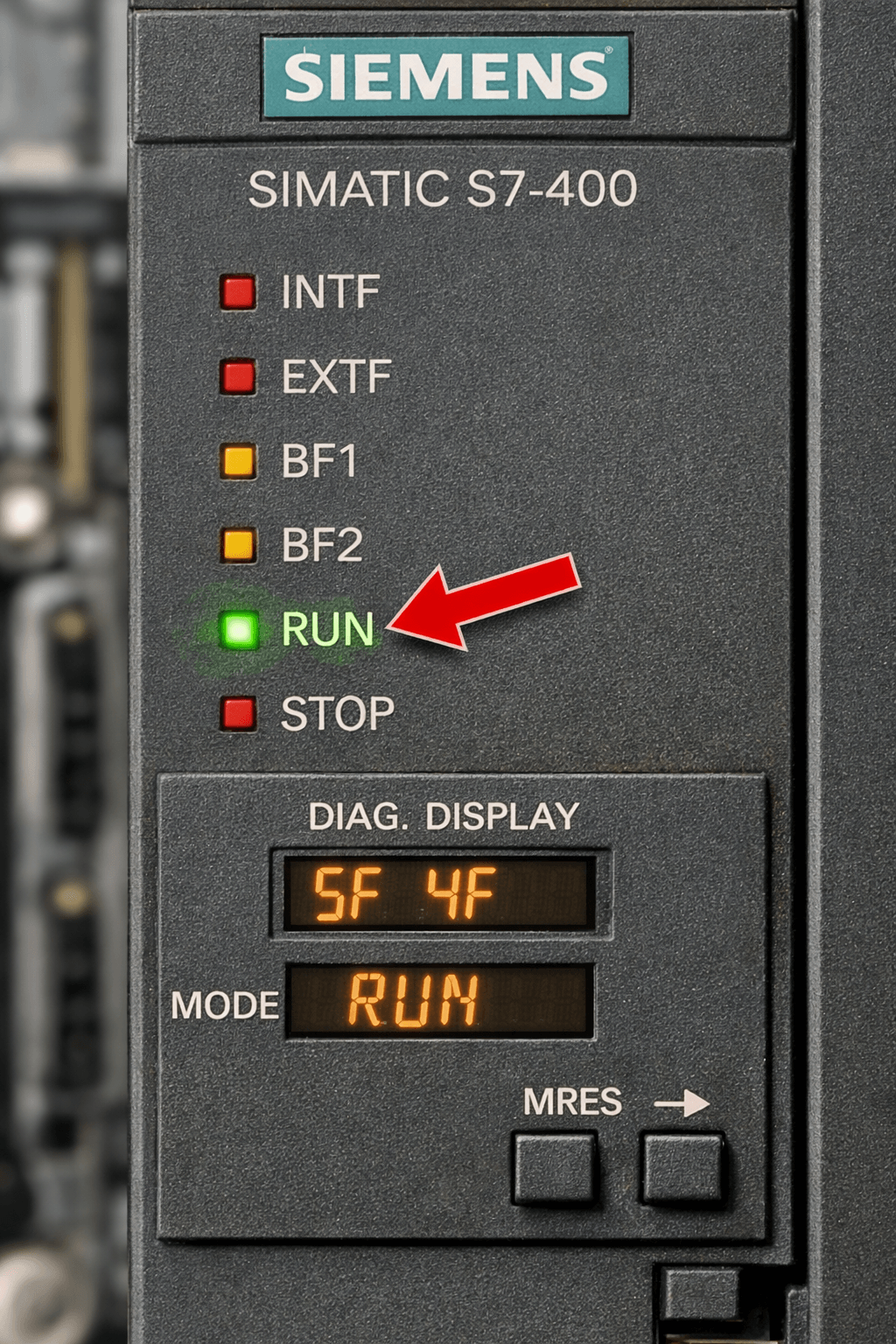
LED indicators on the S7-400 CPU and power supply modules provide the first and fastest layer of diagnostics:
- INTF (Internal Fault) — Programming errors, missing OBs, or configuration issues.
- EXTF (External Fault) — I/O, Profibus/Profinet, or peripheral problems.
- BF (Bus Fault) — Communication module or network issues.
- All LEDs blinking / STOP mode — Often related to memory card, power supply, or severe hardware faults.
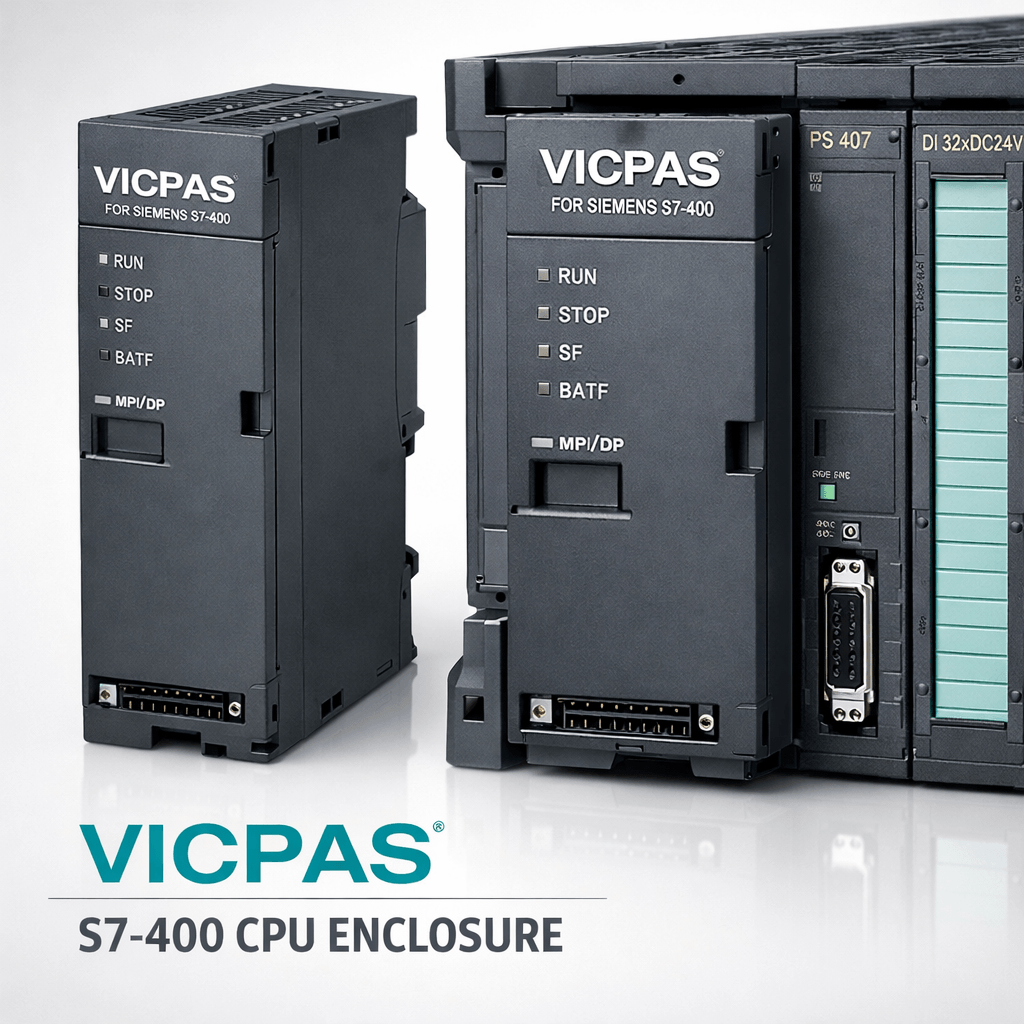
VICPAS Field Tip: Damaged CPU plastic enclosures are a common hidden cause of poor contact and intermittent faults. Our precise replacement housings restore perfect fit and thermal performance.
Reading the Diagnostic Buffer: Your Most Powerful Tool
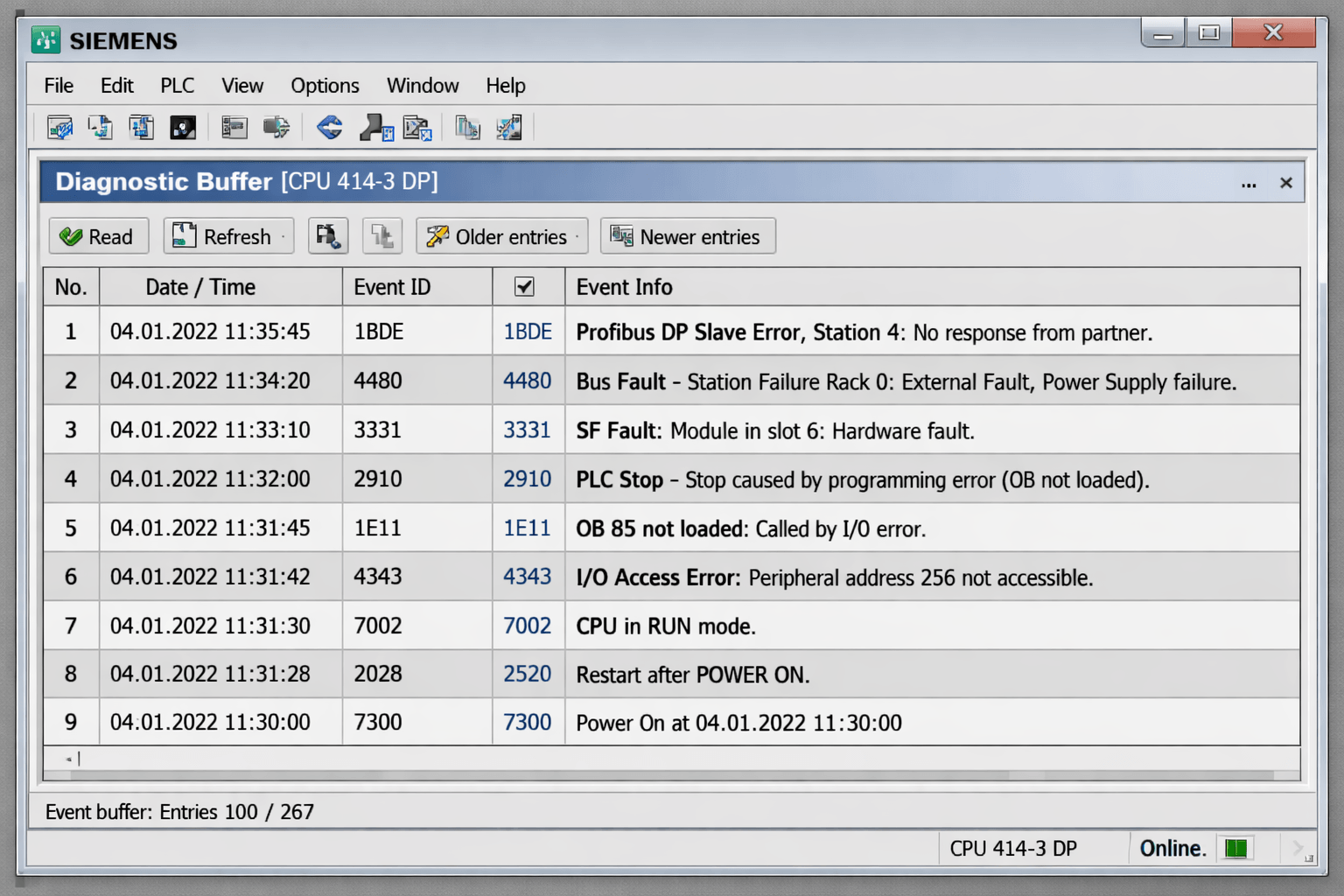
The Diagnostic Buffer is the most important diagnostic feature in the Siemens S7-400 PLC. It records detailed events with timestamps, Event IDs, and error descriptions, allowing technicians to quickly identify the root cause.
How to Access:
- Connect using STEP 7 or TIA Portal.
- Go to PLC → Module Status or Online & Diagnostics.
- Read the buffer using SFC51 (RDSYSST) if needed.
- Analyze common Event IDs (e.g., 16#3961, 1BDE for Profibus errors).
In PLC forums, technicians often share scripts and OB82/OB83/OB86 handling for asynchronous errors. For H-systems (redundant S7-400H), online diagnostics allow checking the standby CPU without stopping the process.
VICPAS Recommendation: Pair diagnostic data with reliable HMI operator panels. Our touchscreen glass, membrane keypads, and display replacements ensure operators can view alarms and diagnostics clearly. Browse our Siemens HMI repair parts for compatible solutions.
Common Faults and Step-by-Step Troubleshooting
1. PLC in STOP Mode or Won't Start
- Check for missing organization blocks (OBs) like OB1, OB82, OB86.
- Perform a memory reset (MRES).
- Download hardware configuration, logic, and network config in the correct order.
2. External Faults (EXTF)
- Profibus/Profinet communication loss, I/O module faults, or 24V supply issues.
- Use module status in STEP 7 and check diagnostic interrupts.
3. Communication and I/O Errors
- Verify DP/PA addresses, cable integrity, and terminating resistors.
- “Report System Errors” in TIA Portal generates user-friendly alarm texts.
4. Power Supply and Battery Issues
- Monitor BAF, BATTF LEDs on PS modules.
- Replace aging batteries or modules promptly to prevent data loss.
Programming OB Blocks for Advanced Diagnostics
Effective troubleshooting requires proper handling of Organization Blocks (OBs) to capture and respond to faults automatically.
Key OBs for S7-400 diagnostics include:
- OB82: Diagnostic interrupt (module faults)
- OB83: Module plug/unplug events
- OB86: Rack failure or DP/PA communication faults
Enabling “Report System Errors” in TIA Portal or STEP 7 automatically generates user-friendly diagnostic blocks and alarm texts for HMI integration.
Why Choose VICPAS for Your S7-400 Maintenance?
VICPAS (Guangzhou Vicpas Electronic Technology Co., Ltd.) is a trusted global supplier specializing in Siemens automation spare parts.
- Premium CPU enclosures and plastic housings for S7-400
- Full range of HMI repair parts (touch glass, membrane keypads, displays)
- 1-year warranty, fast worldwide shipping, small MOQ
- Strong support for legacy and discontinued S7-400 components
Our parts help extend the life of your Siemens S7-400 systems, especially when combined with strong diagnostics practices. Explore our S7-400 products or contact sales@vicpas.com for a fast quote.
Best Practices to Prevent Future Issues
- Regularly back up programs and diagnostic buffers.
- Maintain proper environmental conditions (temperature, humidity).
- Use genuine-compatible parts from reliable suppliers like VICPAS.
- Monitor via HMI/SCADA for early warnings.
Conclusion
Mastering Siemens S7-400 PLC troubleshooting and diagnostics—from LED interpretation and diagnostic buffer analysis to OB programming—empowers you to resolve issues quickly and keep production lines efficient. Combine this knowledge with quality spare parts for the best results.
Need parts or expert advice? VICPAS is here to support your automation needs with premium HMI and PLC components. Visit www.vicpas.com today.
References
- PLCTalk Forum - Diagnostic Buffer Discussion
- S7-400 CPU All LEDs Blinking Troubleshooting
- Siemens Official Support - S7-400 Diagnostics
- Siemens S7-400 External Fault Causes
- Siemens TIA Portal System Diagnostics
- Siemens SiePortal Technical Forum
Disclaimer: This guide is for informational purposes based on publicly available resources and field expertise. Always refer to official Siemens manuals and consult qualified technicians for critical systems. VICPAS is an independent supplier and not affiliated with Siemens.
 Fast Quote
 Fast Quote
 Worldwide Shipping
 12 Months Warranty
 Customize Service
- Phone
- *Title
- *Content
