
Siemens S7-200 Smart PLC Troubleshooting, Common Issues, and Maintenance Guide
Siemens S7-200 Smart PLC Troubleshooting, Common Issues, and Maintenance Guide
Comprehensive guide to diagnose and fix common problems with the Siemens S7-200 Smart PLC.
Table of Contents
In industrial automation, the Siemens S7-200 Smart PLC remains a reliable, compact solution for small to medium control applications. Its user-friendly design, powerful instruction set, and compatibility with Micro-WIN SMART software make it popular. However, like any PLC, it can encounter issues that cause downtime.
At VICPAS, we specialize in providing high-quality replacement parts, enclosures, and repair support for Siemens SIMATIC S7-200 and S7-200 Smart series. With over 20 years of experience in industrial automation components, our team helps technicians and engineers quickly restore systems with compatible plastic shells, cases, and other essential parts. Visit our S7-200 Smart PLC parts collection.
Common Issues with Siemens S7-200 Smart PLC
Users frequently report these problems in forums like plctalk.net, Reddit r/PLC, and Siemens support portals:
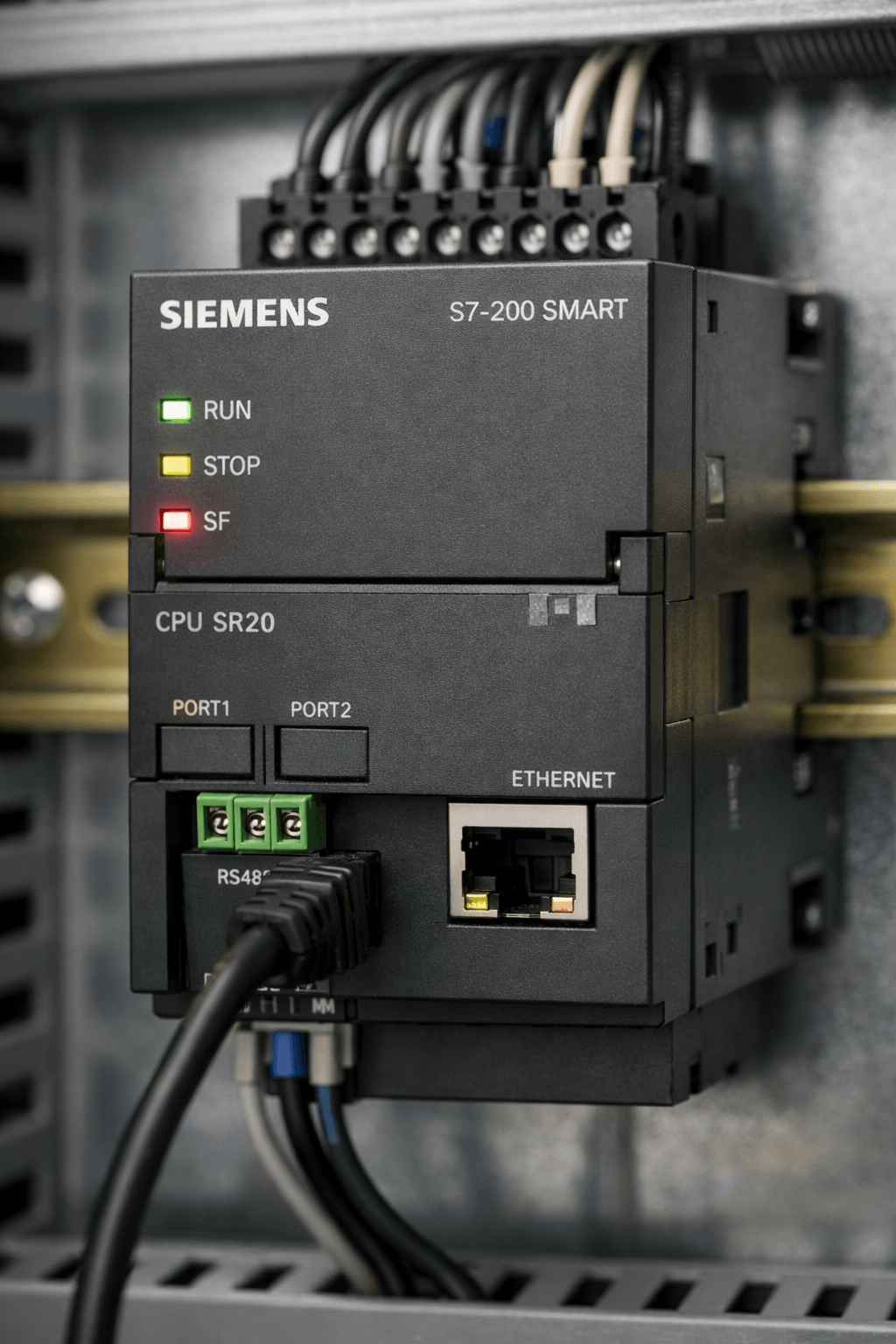
- SF (System Fault) LED On and STOP Mode: PLC enters STOP with red SF light, halting program execution.
- Communication Failures: PC cannot connect via Ethernet, PPI, or RS485; "PLC not found" or "Unspecified error" during upload/download.
- No Output Response: Outputs fail to activate despite program logic.
- Error Messages After Repair: Program loss, calibration data issues, or persistent faults post-hardware service.
- Ethernet/IP Configuration Problems: Subnet mismatch or network detection failures.
- Power-Up Issues and Memory Loss: Retentive data or RTC problems.
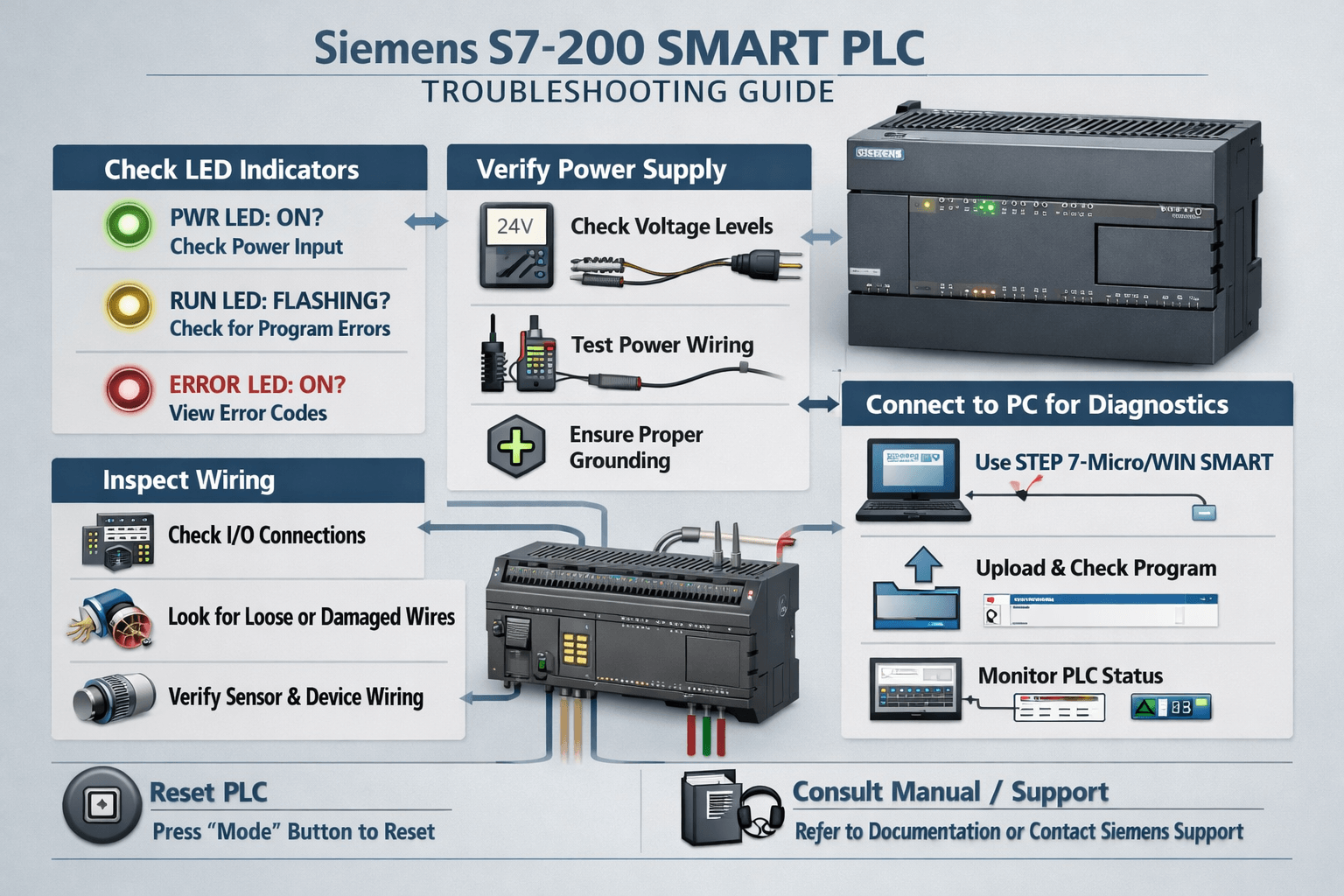
Troubleshooting Guide (Step-by-Step)
1. SF LED and STOP Mode Issues
- Check power supply stability (24VDC) and expansion module connections.
- Cycle power and review the Event Log or system information in Micro-WIN SMART.
- Perform a Power-Up Reset or clear memory if needed (backup program first!).
- Consult Siemens System Manual Appendix for fatal/non-fatal error codes.
VICPAS Tip: Damaged plastic enclosures or poor connections often contribute. Our replacement shells (e.g., for various 6ES7288 models) ensure proper fit and protection.
2. Communication Problems
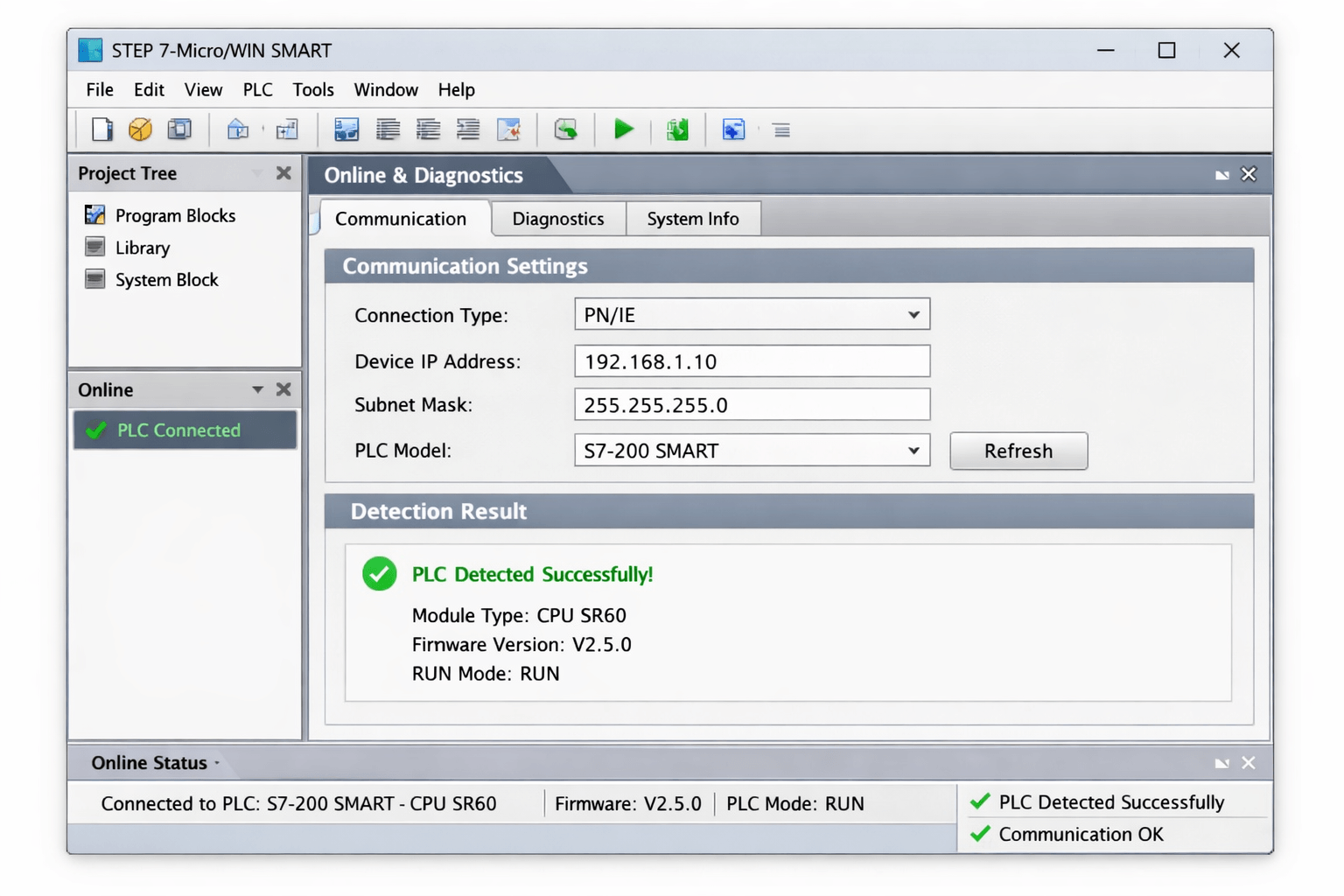
- Ethernet: Match PC and PLC subnet (e.g., 192.168.0.x). Use Ping and network scanners. Set correct IP in Micro-WIN SMART.
- PPI/RS485: Verify cable (USB/PPI or PC/PPI), baud rate, and address (default often 2).
- Update to latest Micro-WIN SMART version and check driver compatibility.
3. Program Upload/Download Errors ("Unspecified Error")
- Ensure mode switch is in STOP for downloading.
- Verify project CPU type matches hardware.
- Clear PLC memory selectively and redownload from backup (.mwp file).
4. Output and I/O Issues
- Test physical wiring, relays, and sensors (80% of faults are field-side).
- Use forcing functions in Micro-WIN for diagnostics.
- Check power budget for expansion modules.
Maintenance Best Practices
- Regular Backups: Always export programs and parameters before maintenance.
- Environmental Care: Keep dust-free, ensure proper ventilation, and monitor temperature/humidity.
- Battery and Memory: Replace batteries to retain retentive data.
- Firmware/Software Updates: Use official Siemens tools where supported.
- Preventive Inspection: Periodically check connections, enclosures, and expansion modules.
From the official SIMATIC S7-200 SMART System Manual, follow hardware troubleshooting guidelines and debugging tools for best results.
VICPAS Expertise
As a trusted supplier of HMI and PLC components, we stock a wide range of S7-200 Smart plastic housings, cases, and repair parts. Our 1-year warranty, fast global shipping, and customization options help minimize your downtime. Explore our Siemens S7-200 Smart collection or contact sales@vicpas.com for expert assistance.
When to Seek Professional Repair or Replacement
If hardware faults persist (e.g., after multiple resets), consider professional repair or upgrading parts. VICPAS offers compatible enclosures and components engineered for perfect fit with original Siemens modules, supporting quick field repairs.
Conclusion
Effective troubleshooting of the Siemens S7-200 Smart PLC combines official diagnostics, practical forum insights, and quality replacement parts. By following this guide, you can resolve most common issues quickly and keep your automation running smoothly.
VICPAS is here to support your industrial needs with reliable components and expert knowledge. Browse our inventory today and experience fast, dependable service trusted by technicians worldwide.
References
- SIMATIC S7-200 SMART System Manual (Official Siemens PDF)
- S7-200 Programmable Controller System Manual
- Resolving Siemens S7-200 Error Messages After Repair
- S7-200 PLC Discussion - PLCTalk Forum
- Resolving S7-200 Smart Ethernet Connection Issues
*This guide is for informational purposes only. Always refer to the official Siemens documentation and follow proper safety protocols.
 Fast Quote
 Fast Quote
 Worldwide Shipping
 12 Months Warranty
 Customize Service
- Phone
- *Title
- *Content
