
How to Fix Siemens TD400 Display Communication Errors
How to Fix Siemens TD400 Display Communication Errors
Table of Contents
Siemens TD400 Display units — whether the Commissioning and Test Device for circuit breakers or the classic S7-200 Text Display (TD400C) — are reliable tools in industrial automation. However, communication errors are among the most common issues reported by technicians. These problems can halt diagnostics, parameter settings, or operator interfaces.
At VICPAS, a leading provider of HMI repair parts and replacement components, we’ve helped thousands of maintenance teams resolve Siemens TD400 Display issues quickly and cost-effectively. This guide combines official Siemens documentation with real-world troubleshooting experience to help you fix communication errors fast.
Common Siemens TD400 Display Communication Errors
- No communication with ETU / circuit breaker (COM LED not lighting or flashing)
- Intermittent or lost connection to PLC (S7-200) or PC software (powerconfig)
- Firmware-related errors causing high error rates
- Bluetooth or USB connection failures
- Display shows “Not Ready” or connection establishment failures
These often stem from cabling, power, configuration, or firmware mismatches.
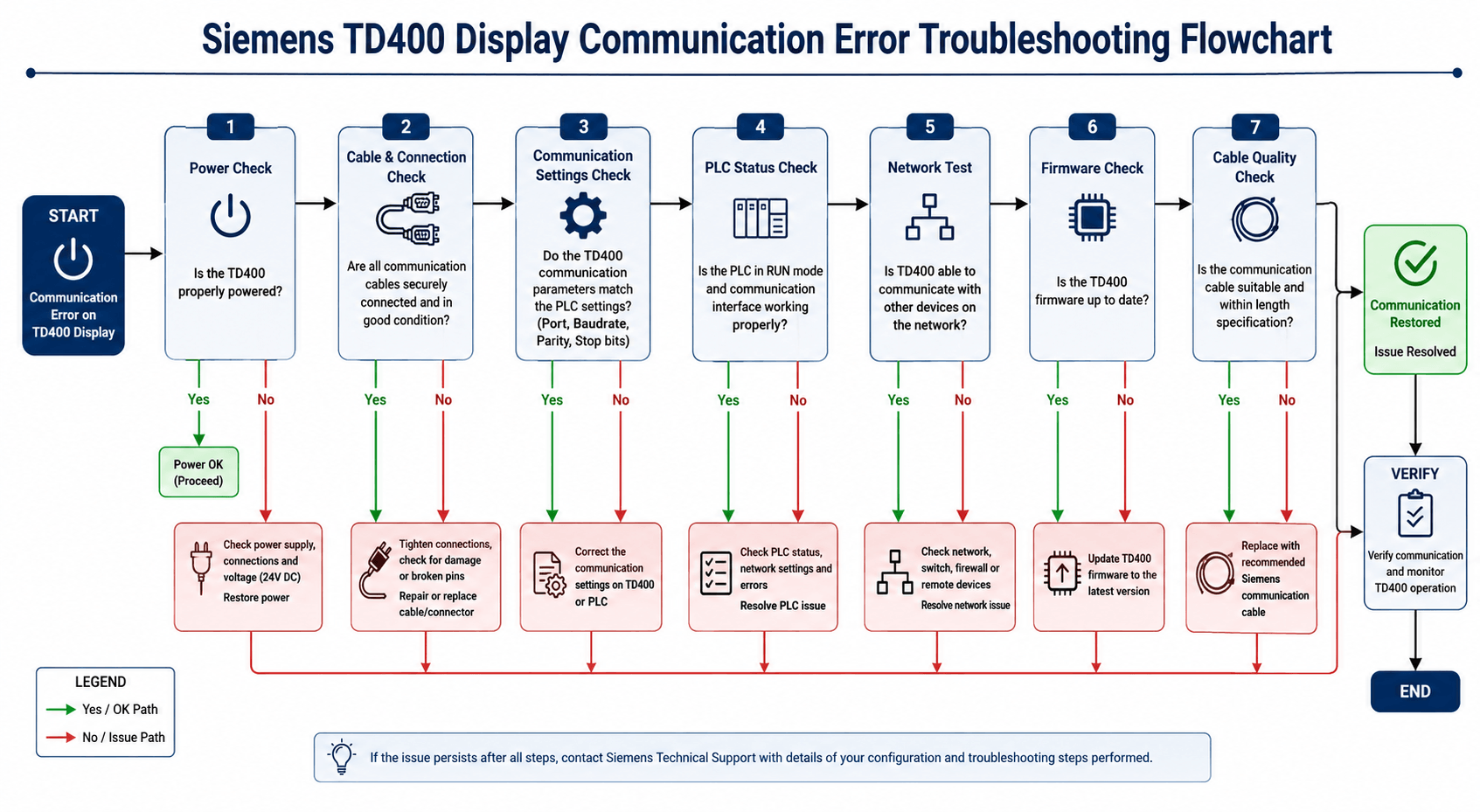
Step-by-Step Troubleshooting Guide
1. Verify Power Supply and Basic Connections
- Ensure the TD400 receives stable power.
- Check battery status — low batteries often trigger communication failures.
- Inspect cables for damage and use high-quality replacements.
Pro Tip from VICPAS: Worn cables are a top cause of intermittent errors. We stock premium replacement cables and connectors for Siemens TD400 Display models.
2. Check Status LEDs and Error Indicators
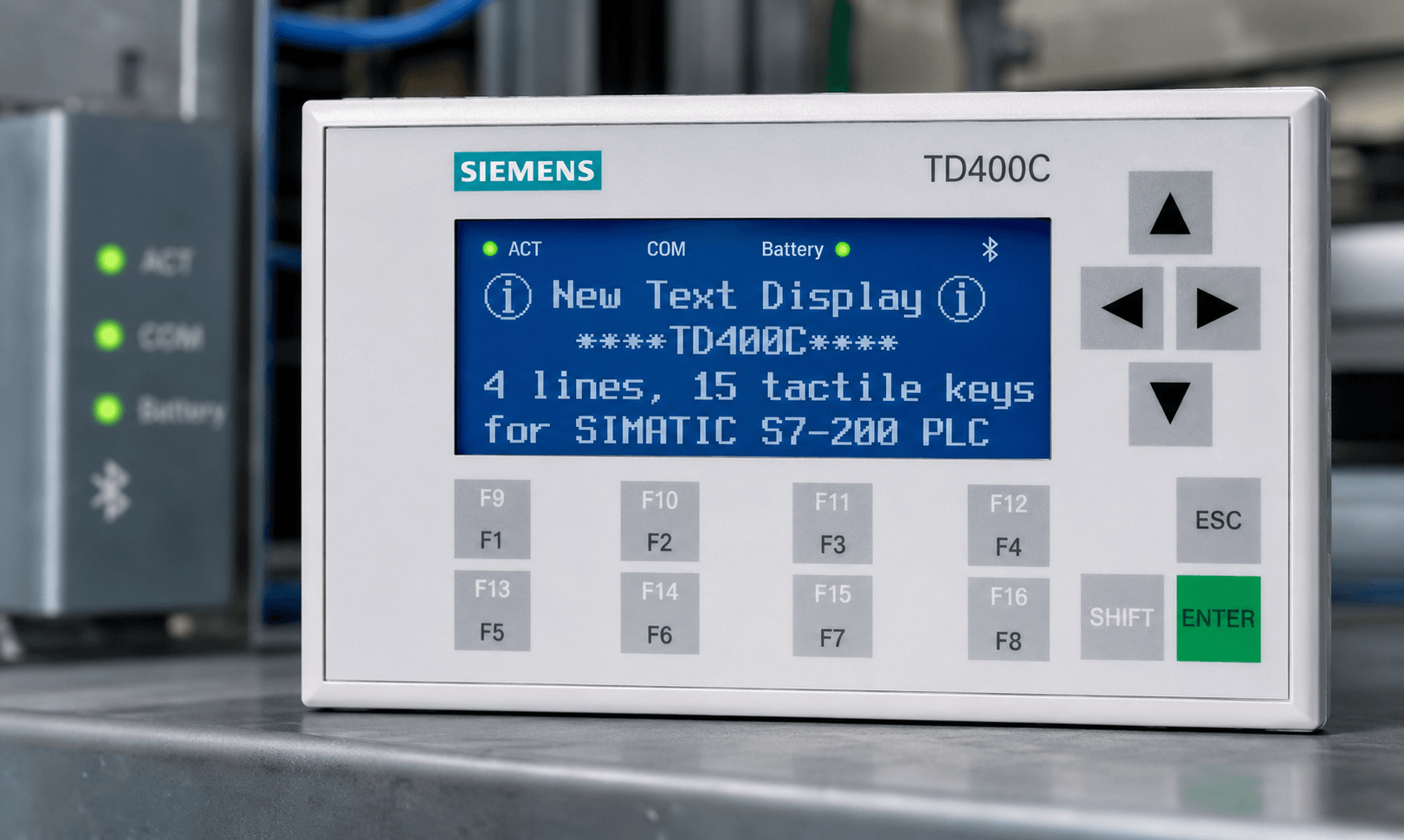
- COM LED: Should indicate active communication with ETU or PLC. Flashing often means establishing connection.
- ACT LED: Flashing may signal “Not Ready” state.
- Battery indicators help rule out power-related drops.
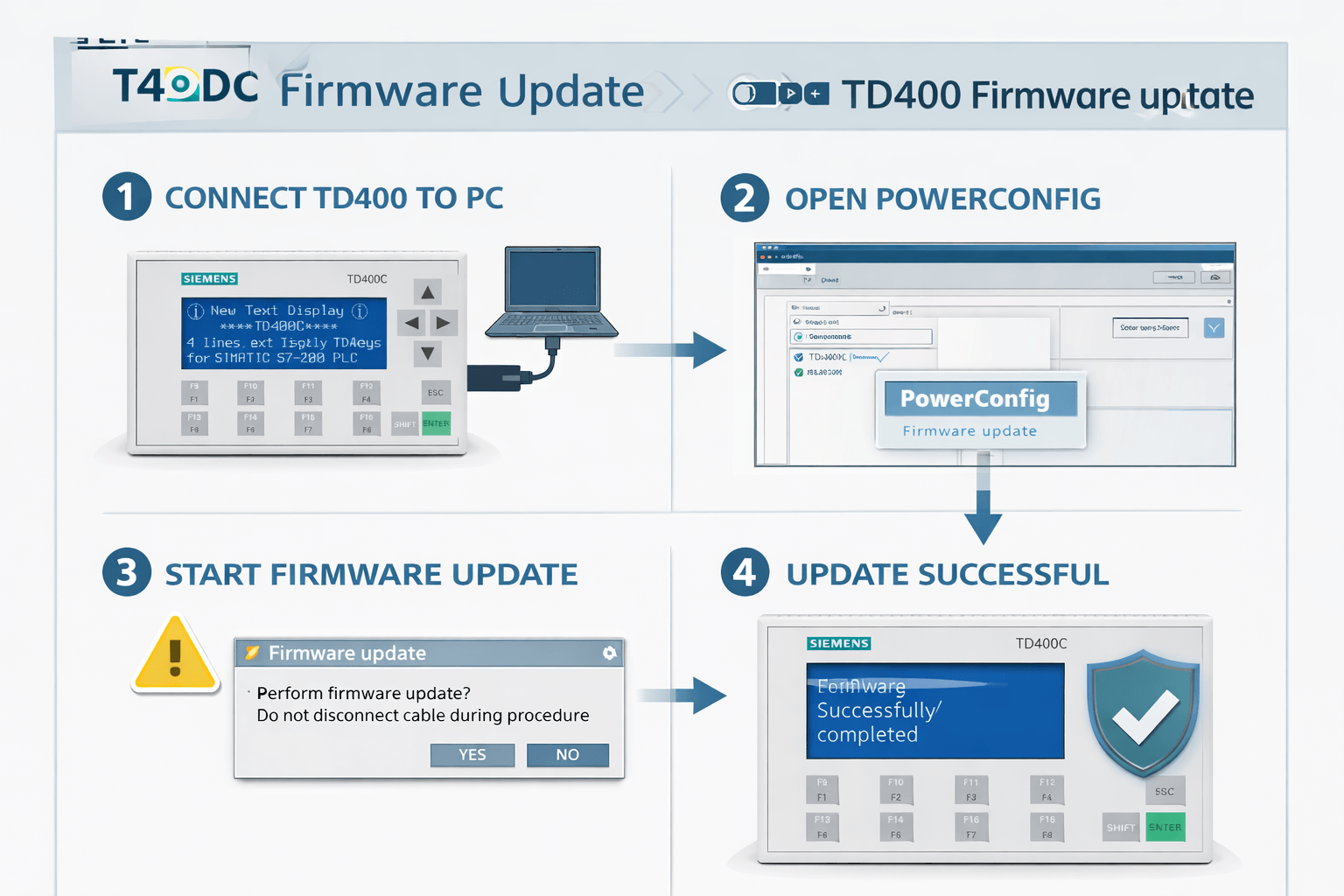
3. Firmware Updates (Highly Recommended)
Outdated firmware is a frequent cause of communication instability. Download the latest firmware from Siemens Industry Support.
4. Configuration and Software Checks
- Use STEP 7-Micro/WIN Text Display Wizard for TD400C HMI versions.
- For test device versions, use powerconfig software to read diagnostics.
- Reset parameters and reconfigure communication settings (baud rate, address, protocol).
5. Advanced Fixes for Persistent Issues
- Verify Modbus/PLC settings, cable termination, and biasing.
- Perform Bluetooth reset if using wireless connection.
- Consider factory reset as a last step.
When to Consider Professional Repair or Replacement
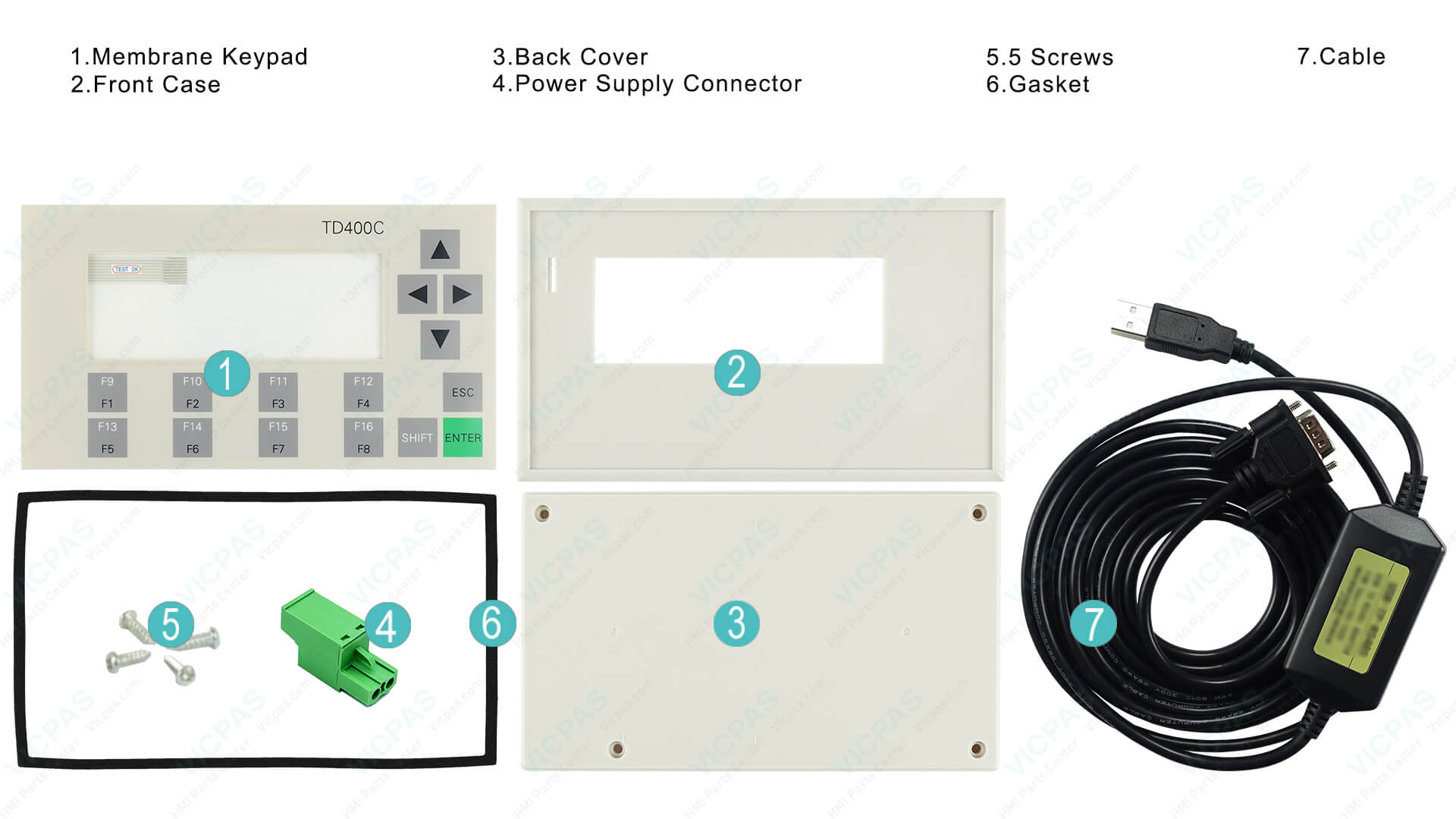
If the above steps don’t resolve the issue, internal hardware problems (faulty display port, damaged controller, etc.) may be present.
VICPAS specializes in Siemens HMI repair and parts. We offer high-quality compatible replacement displays, fast repair services, and cost-effective alternatives to original Siemens parts.
Browse our full Siemens TD400 range →
Learn more about VICPAS →
Preventive Maintenance Tips
- Keep firmware updated
- Use quality cables and proper grounding
- Avoid parameter changes during live operation (can cause trips)
- Regularly clean contacts and inspect for wear
Conclusion
Communication errors on the Siemens TD400 Display are usually fixable with systematic troubleshooting focused on power, cables, firmware, and configuration. Following this guide resolves most issues quickly.
For complex problems or hard-to-find parts, trust VICPAS — your reliable partner for HMI repair parts and technical support. Our experienced team helps maintenance professionals worldwide minimize downtime.
Have a specific error code or symptom? Contact our support team or explore our full range of Siemens TD400 solutions today.
This article is based on official Siemens documentation and aggregated field experience. Always refer to the latest Siemens safety guidelines before performing maintenance.
References
 Fast Quote
 Fast Quote
 Worldwide Shipping
 12 Months Warranty
 Customize Service
- Phone
- *Title
- *Content
