
KUKA KRC2 Common Errors, Fault Codes & Troubleshooting Handbook: Complete Expert Guide
KUKA KRC2 Common Errors, Fault Codes & Troubleshooting Handbook: Complete Expert Guide
Table of Contents
- Understanding the KUKA KRC2 Error Ecosystem
-
Most Frequent KUKA KRC2 Fault Codes and Solutions
- Error 284 – Accu-voltage at PM1
- Error 310 – Safety circuit for drives not ready
- Error 364 – Unknown operation mode
- Error 420 – Local protective stop (QE)
- Servo bus errors 247 / 248 / 250 / 18
- Error 6502 – Error during reading of INI file
- Mastering-related and SafeRDW errors
- External axis errors 1104 / 1161 / 3030
- EXT mode acknowledgement issues
- Systematic Troubleshooting Workflow for KUKA KRC2
- How VICPAS Supports KUKA KRC2 Reliability
- Preventive Best Practices
- Conclusion
- References
The KUKA KRC2 robot controller remains one of the most widely deployed systems in industrial automation, powering countless production lines in automotive, metalworking, and logistics applications. Despite its robust design, operators frequently encounter fault codes that halt production. This comprehensive handbook synthesizes practical troubleshooting knowledge drawn from field experience, official documentation patterns, and real-world case resolutions to help technicians quickly diagnose and resolve the most common KUKA KRC2 errors.
At VICPAS (Guangzhou Vicpas Touch Technology Co., Ltd.), we have supported industrial robotics users for over 20 years with high-quality HMI replacement parts. Our specialization in KUKA KRC2 / KCP2 teach pendant components—membrane keypads, touchscreens, LCD displays, mode selector switches, and connecting cables—gives us direct insight into the interface-related faults that often accompany controller errors. Whether you need a genuine-compatible KUKA KR C2 membrane keypad or a complete teach pendant repair kit, our inventory and 12-month warranty ensure minimal downtime.
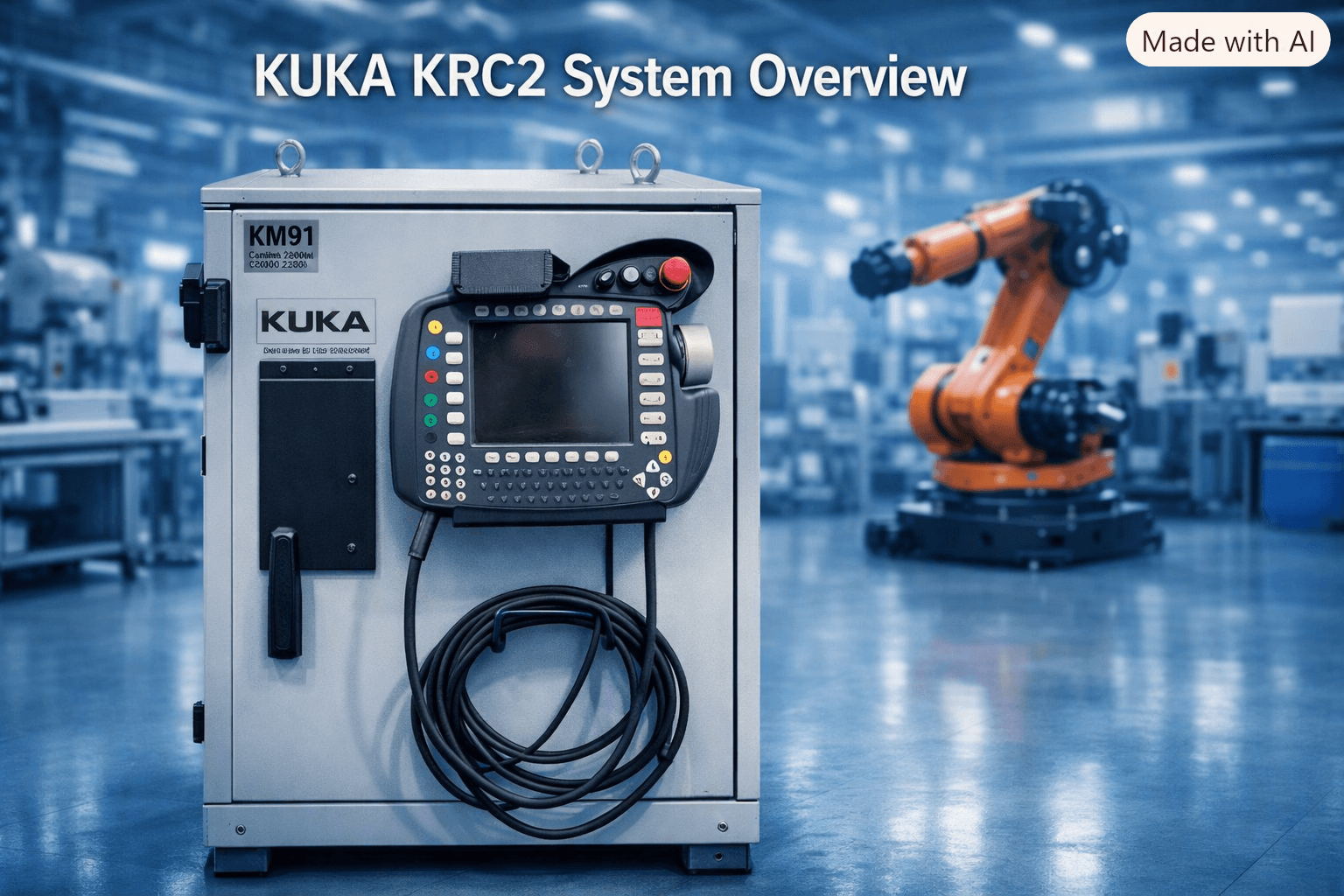
Understanding the KUKA KRC2 Error Ecosystem
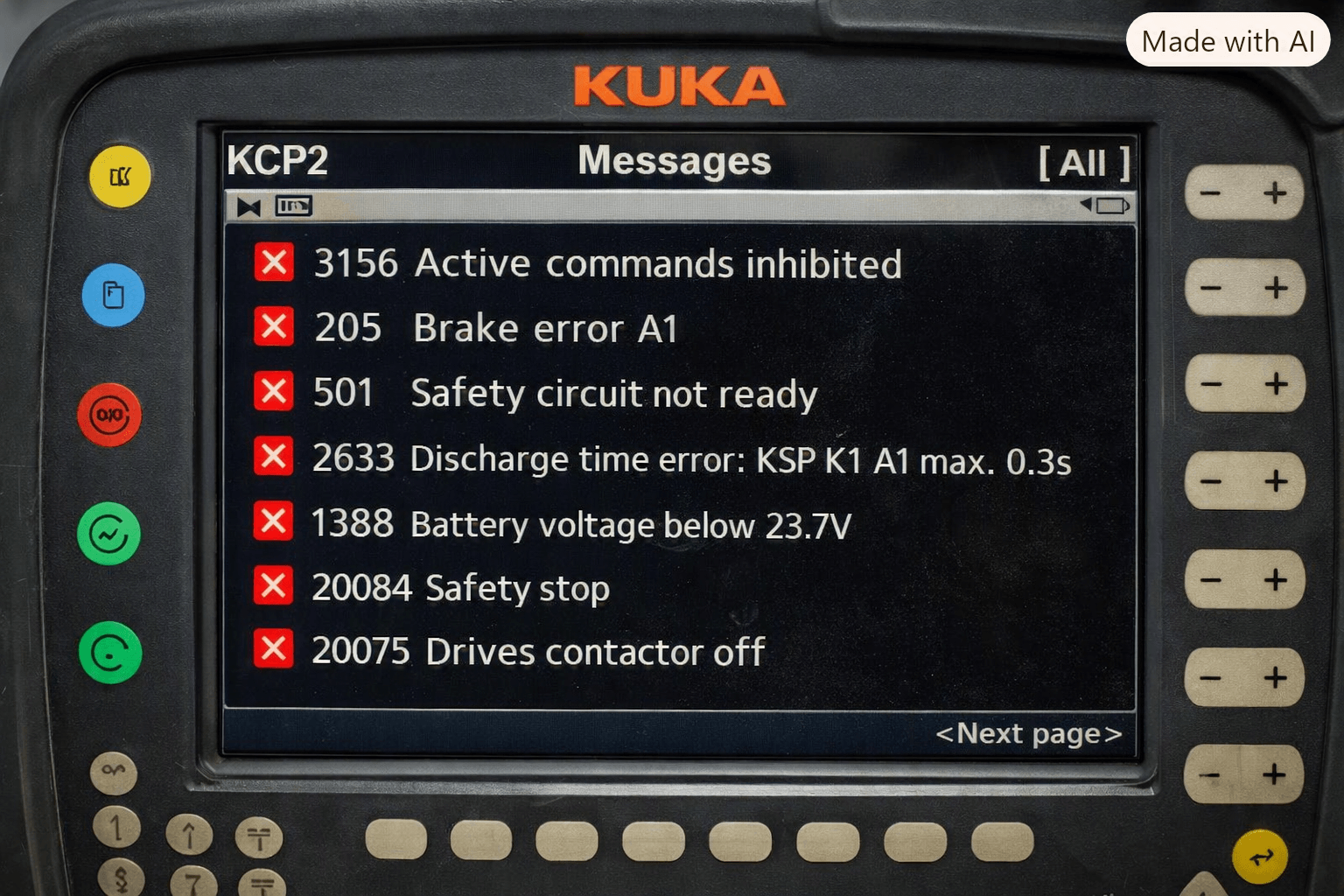
KUKA KRC2 systems (including ed05 variants running KSS 5.x) display errors on the KCP pendant message window. Codes often cascade: a primary hardware or safety fault triggers secondary messages such as “Drives contactor off” or “Active commands inhibited.” Common root categories include:
- Safety circuit and ESC (Electronic Safety Circuit) issues
- Power supply / battery (PM1 / Accu) problems
- Servo bus and DSE communication faults
- Mastering and RDC/SafeRDW data inconsistencies
- Hard-drive / INI file corruption
- External axis configuration mismatches
Always begin with a full Archive backup and note the exact sequence of messages before power cycling.
Most Frequent KUKA KRC2 Fault Codes and Solutions
Error 284 – Accu-voltage at PM1 below voltage level during last buffering
Cause: Depleted or aging buffer battery on the power module.
Effect: Loss of reference, cold boot, active commands inhibited.
Remedy: Replace the PM1 battery pack with the correct KUKA-specified type. After replacement, perform a controlled power cycle and re-master axes if required.
Error 310 – Safety circuit for drives not ready
Cause: Interrupted safety chain (X11 connector, ESC board, KPS module, open safety gate, or cabinet fan failure feeding into ESC).
Remedy: Verify 24 VDC at X11 pins, check continuity of safety loops, inspect ESC LEDs, and confirm cabinet fans are operating. Forum reports frequently link this to overlooked fan faults that the ESC monitors as a safety input.
Error 364 – Unknown operation mode
Cause: ESC board cannot detect valid mode signals (T1/T2/AUT/EXT), often due to KPS or ESC power loss or faulty X11 bridge.
Remedy: Measure ESC supply voltage, reseat or replace the X11 jumper plug, and reset the ESC board if a physical reset button is available.
Error 420 – Local protective stop (QE) and related cascade (404, 200, 1, 20)
These usually stem from incomplete safety chain or KPS-600 faults. Systematic checks of X11 wiring and safety interlocks resolve most cases.
Servo bus errors 247 / 248 / 250 / 18
Cause: Intermittent DSE bus disturbance, often temperature- or grounding-related on older systems.
Remedy: Inspect PE bonding, KPS capacitors, resolver cables, and RDC parameter consistency. Re-flash RDCIMG.bin via appropriate tools when data mismatch appears, then re-master all axes.
Error 6502 – Error during reading of INI file
Cause: Hard-disk corruption, damaged ribbon cable, or incomplete KSS installation.
Remedy: Boot to Windows if possible, run CHKDSK /f /r, reseat HDD connections, or replace the drive followed by clean KSS restore from a known-good image.
Mastering-related and SafeRDW errors
After RDC replacement or prolonged storage, HDD and RDC data diverge. Use the Robot Data menu (Expert mode) to synchronize, choosing the correct source carefully. Perform brake tests and reference switch checks as required by SafeOperation.
External axis errors 1104 / 1161 / 3030
Incorrect gear ratios ($RAT_MOT_AX / $RAT_MOT_ENC) or encoder resolution settings. Verify manufacturer ratios in machine.dat and test at reduced velocity.
EXT mode acknowledgement issues
Certain messages require configuration of KRCEXTCONFMSG.XML or ext_conf.ini to allow $CONF_MESS acknowledgement without switching to T1.
Systematic Troubleshooting Workflow for KUKA KRC2
- Record exact error sequence and timestamps.
- Check physical safety state (E-stops, gates, enabling switch mid-position in T1).
- Inspect power and battery voltages.
- Examine X11 / safety connectors and ESC LEDs.
- Verify DSE / servo bus integrity and grounding.
- Address data consistency (RDC vs HDD).
- Only then attempt software resets or file restores.
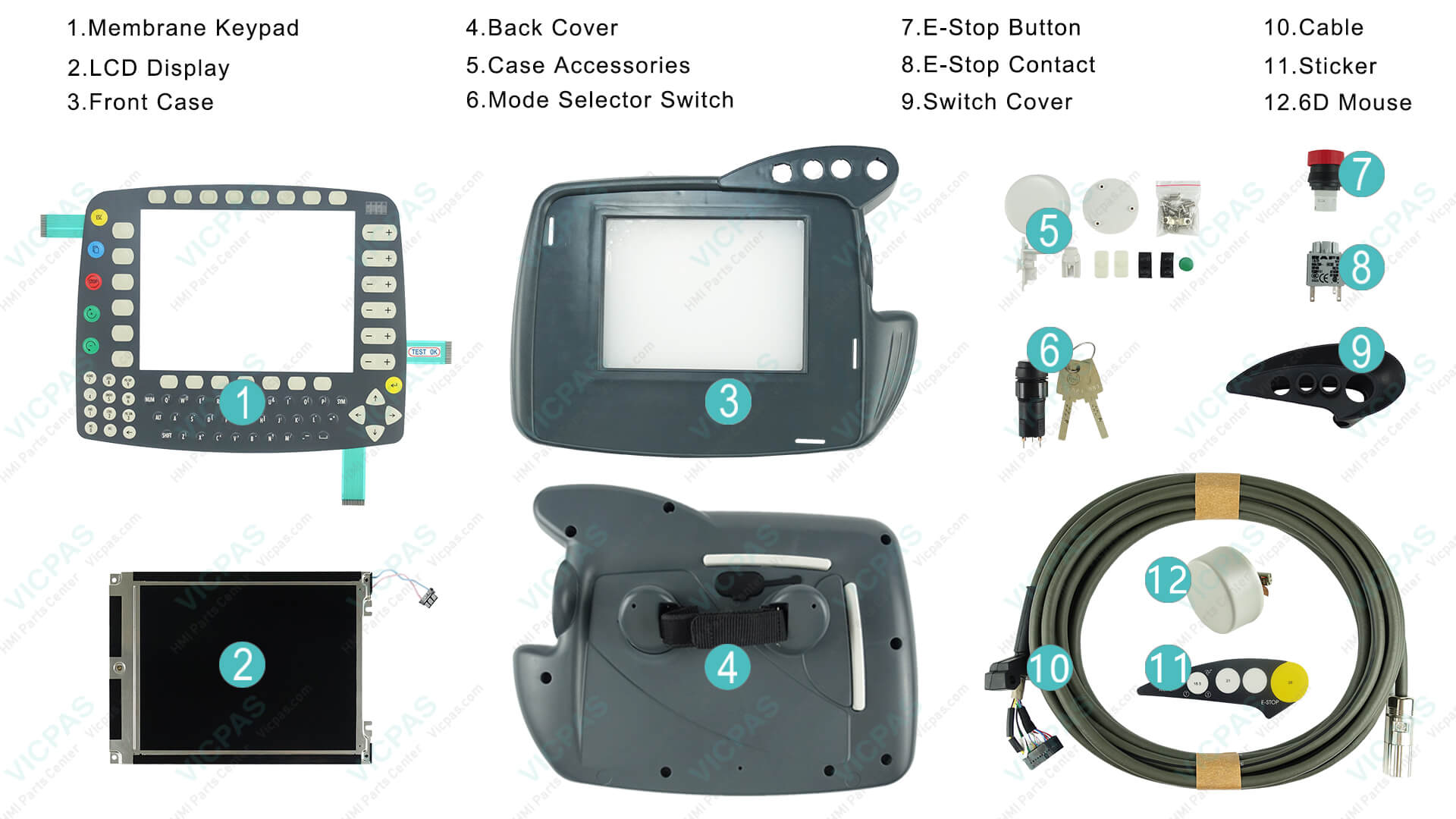
When the KCP teach pendant itself shows communication errors (CAN bus 1052, watchdog 328) or physical damage (dead membrane keys, cracked touchscreen, failed mode selector), the root cause is frequently the pendant hardware rather than the controller.
How VICPAS Supports KUKA KRC2 Reliability
VICPAS specializes in the human-machine interface components that operators interact with daily. Our product range for KUKA KRC2 / KCP2 / VKRC2 systems includes:
- High-quality membrane keypads and switch covers
- LCD displays and resistive touchscreens
- Mode selector switches (e.g., compatible with 00-130-547)
- Teach pendant cables (10 m and 20 m variants such as 00-132-344 / 00-132-345 / 00-110-186)
- Complete repair kits and plastic housings
All parts undergo rigorous testing, carry a 12-month warranty, and ship worldwide via DHL/UPS/FedEx—often same-day for stock items. With no minimum order quantity and customization capability for obsolete components, VICPAS helps keep aging KRC2 fleets productive without the cost of full controller replacement.
Browse our current KRC2-compatible inventory: https://www.vicpas.com/s?term=krc2
Learn more about our company and service philosophy: https://www.vicpas.com/comm01.htm
Preventive Best Practices
- Replace buffer and encoder batteries proactively every 3–5 years.
- Maintain clean, tight safety connectors and proper PE bonding.
- Keep multiple Archive and full HDD image backups.
- Monitor cabinet temperature and fan operation.
- Periodically inspect teach pendant cables and membrane keypads for wear—early replacement of these high-use parts prevents secondary communication faults.
Conclusion
Mastering KUKA KRC2 fault codes transforms reactive firefighting into efficient maintenance. By combining structured diagnosis with quality replacement components, plants can significantly reduce unplanned downtime.
If your KCP2 pendant or related HMI parts need attention, contact the VICPAS team for fast quotes, technical guidance, and reliable parts. Our engineers understand both the controller logic and the physical interface that operators rely on every shift.
Stay productive. Keep your KUKA KRC2 running with confidence.
About the Author
This guide was prepared by the technical content team at VICPAS, drawing on two decades of hands-on experience supplying and supporting HMI parts for industrial robots, including extensive KUKA KRC2 / KCP2 applications. For personalized assistance, email sales@vicpas.com or visit www.vicpas.com.
References
- KUKA Error Code List | Common KUKA Robot Errors – MRO Electric
- KUKA KR C2 Operating Instructions Manual – ManualsLib
- Kuka KR C2 User Manual & Troubleshooting Guide – Manualzz
- KUKA Robot Fault Codes Search & Solutions – Materobotic
- Resolving Multiple Faults on KUKA KRC2 ed05 Controller – Industrial Monitor Direct
- KRC2 Error 310 – Safety Circuit for Drives Not Ready – Robot-Forum
- KRC2 ed05 Invalid Configuration on SafeRDW – Robot-Forum
- Resolving KUKA KR C2 Servo Bus Errors 247/248/250 – Industrial Monitor Direct
- Resolving KUKA KRC2 Error 6502 INI File Reading Failures – Industrial Monitor Direct
- Multiple Errors in KRC2 – Robot-Forum
- VICPAS KUKA KRC2 / KCP2 Replacement Parts
- VICPAS Brand Story & Company Introduction
 Fast Quote
 Fast Quote
 Worldwide Shipping
 12 Months Warranty
 Customize Service
- Phone
- *Title
- *Content
