
KUKA KR C5 vs KRC4: Key Differences, Upgrade & Migration Guide
KUKA KR C5 vs KRC4: Key Differences, Upgrade & Migration Guide
Maximize uptime, efficiency, and future-proofing for your industrial robots with the latest KUKA controller insights.
Table of Contents
- KUKA KR C5 vs KRC4: What's the Difference?
- Hardware & Controller Architecture
- Performance, Energy Efficiency & Cabinet Size
- KSS Software & KRL Compatibility
- Connectivity & Communication
- SmartPAD / HMI Differences
- Can KRC4 Programs Run on KR C5?
- KRC4 to KR C5 Migration Considerations
- When Should You Keep KRC4?
- When Is KR C5 the Better Choice?
- Repair KRC4 vs. Upgrade to KR C5
- FAQ
- References
The KUKA KRC5 (also written KR C5) represents the current generation of KUKA robot controllers, succeeding the widely deployed KR C4. Whether you are evaluating a new cell, planning a retrofit, or deciding between repair and upgrade, understanding the practical differences is essential. This guide draws on real-world integrator experiences from technical forums, official product characteristics, and hands-on maintenance knowledge to deliver an EEAT-aligned comparison focused on the primary keyword KUKA KRC5.
At VICPAS (Guangzhou Vicpas Touch Technology Co., Ltd.), we specialize in high-quality HMI and teach pendant components for KUKA systems, including SmartPAD and SmartPAD-2 repair kits for both KRC4 and KRC5. With over 20 years of experience, a large inventory, 1-year warranty, and fast worldwide shipping, we help manufacturers minimize downtime while supporting both legacy and next-generation controllers. Explore our KRC5-compatible parts at here.
KUKA KR C5 vs KRC4: What's the Difference?
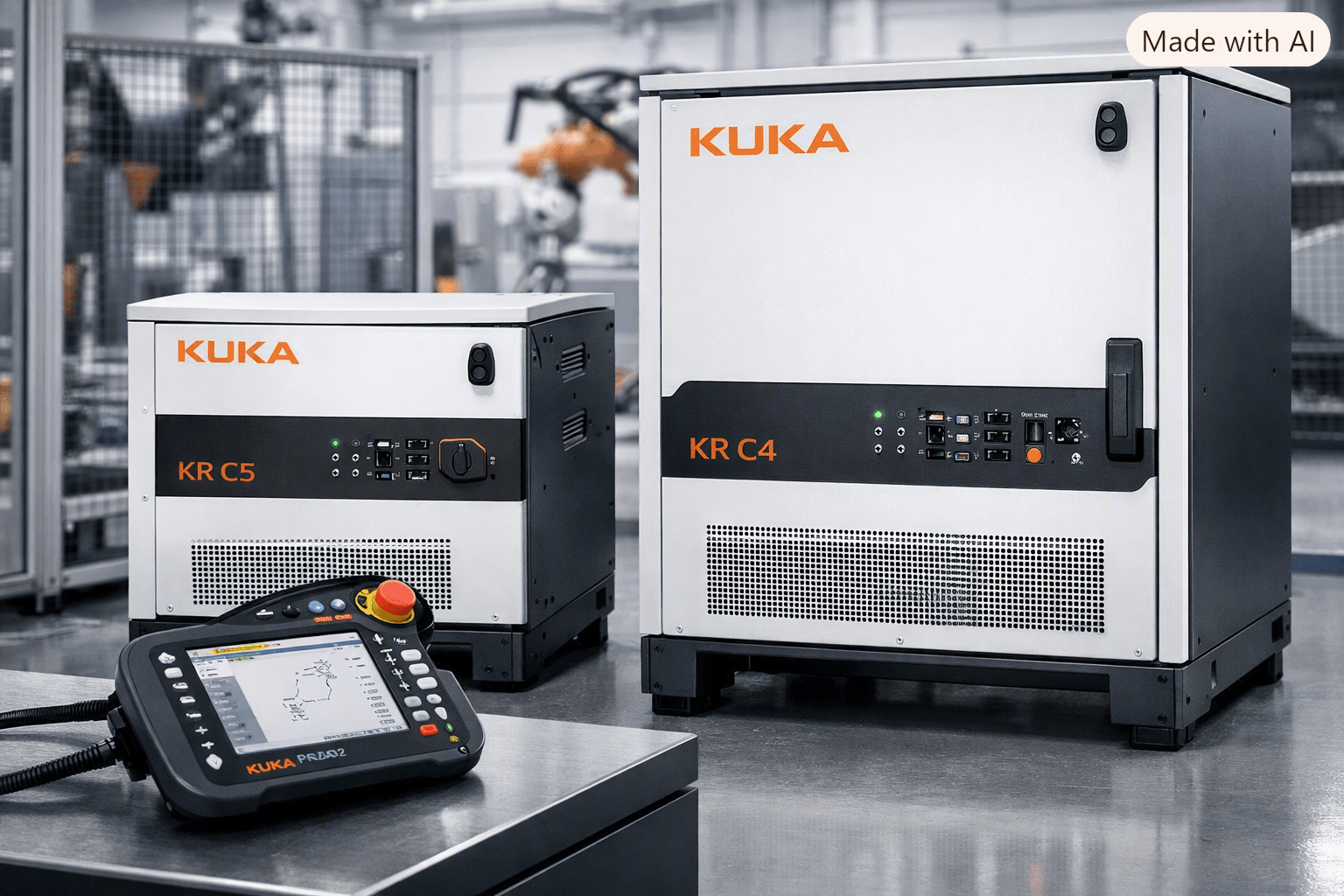
The KR C5 is designed as a functional twin of the KR C4 in many software respects, while delivering clear advances in hardware compactness, energy efficiency, and multi-robot density. KSS 8.6 (typical for late KRC4) and KSS 8.7 (KR C5) share the same core platform, making program migration straightforward in most cases. Key distinctions appear in physical design, power consumption, cabinet options, and certain integration details.
Hardware & Controller Architecture
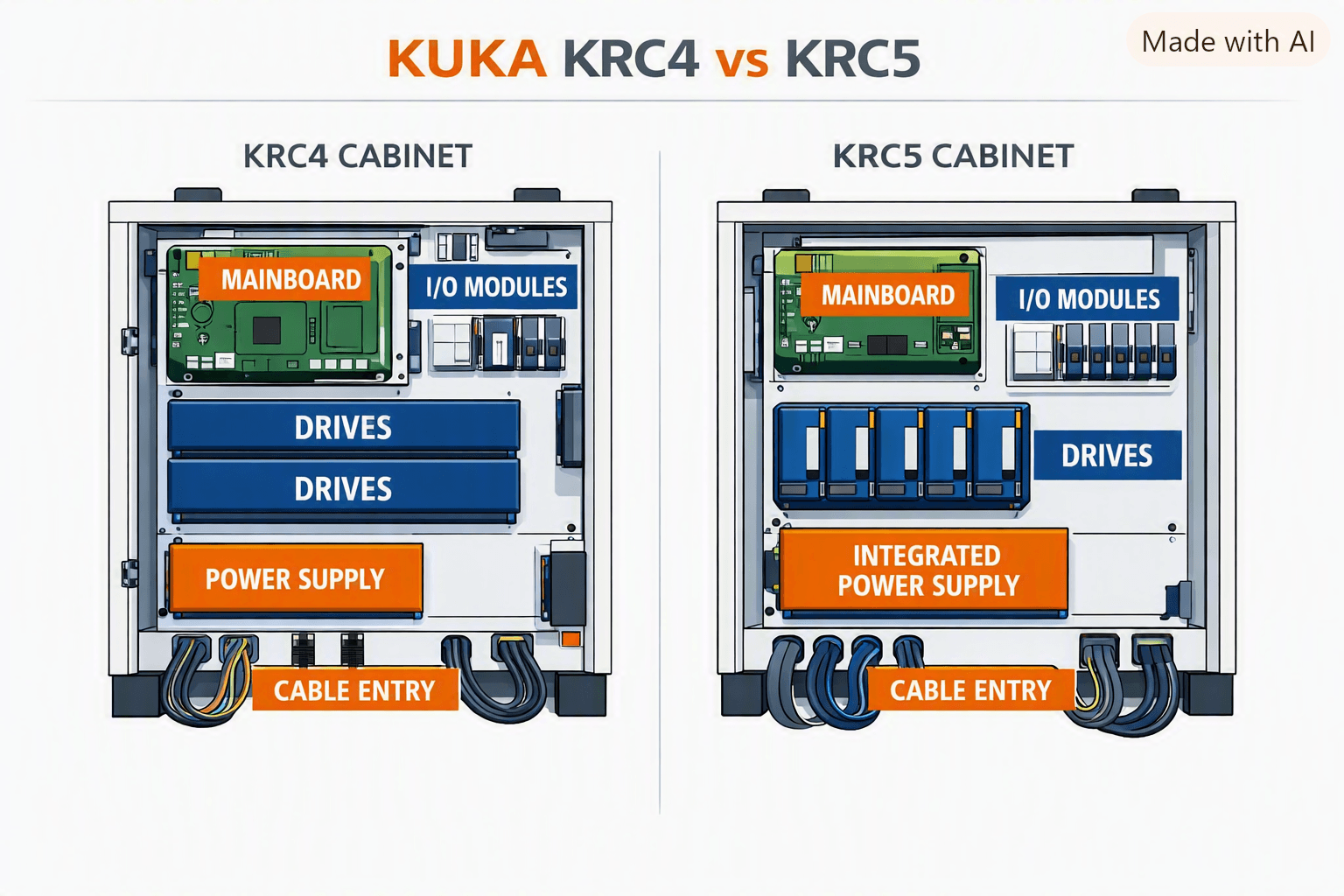
KR C4 systems use a proven PC-based architecture with specific mainboards and drive configurations. The KR C5 features updated hardware (different mainboard and improved HAL layer) optimized for smaller footprints and higher reliability through fewer components.
Forum discussions highlight practical differences: KRC5 multi-cabinets (dual/triple/quad) dramatically reduce floor space for multi-robot cells. Motor cable connections inside the KRC5 cabinet use smaller connectors, requiring careful separation of power and data lines to avoid interference (e.g., mastering switch issues). External axis expansion can be more involved if not pre-configured, sometimes needing additional RDC modules.
KR C5 micro variants further shrink the package for smaller robots such as the Agilus family.
Performance, Energy Efficiency & Cabinet Size
KR C5 delivers up to 30% lower energy consumption and significantly more compact dimensions (KR C5 micro examples around 11.8 × 5.3 × 15.4 inches and ~21.6 lb). Reduced component count improves reliability, while multi-robot cabinets enable denser layouts with fewer external switches thanks to multi-port KLI options.
These gains translate to lower operating costs and easier installation in space-constrained cells—advantages frequently cited by integrators who switched early to KR C5 micro units.
KSS Software & KRL Compatibility
From a software perspective, KSS 8.6 (KRC4) and KSS 8.7 (KRC5) are described by experienced users as digital twins. Core KRL syntax, motion commands (PTP, LIN, CIRC, Spline), and most technology packages remain highly compatible. User programs (SRC, DAT, SUB) transfer with minimal changes, though Inline Forms (ILFs), INI content, and certain tech-package versions should be verified.
System files must not be blindly transferred. Manual migration of workspaces, tools, bases, and AutoExtern settings is the safest approach.
Connectivity & Communication
Both generations support modern fieldbuses (EtherCAT, PROFINET, Ethernet/IP). KR C5 improves multi-robot networking with optional multi-port KLI and better native support for Industry 4.0 features such as device connectors for condition monitoring. Safety interfaces (e.g., ProfiSafe) require checking the specific SafeOperation version documentation for signal counts and behavior between KSS 8.6 and 8.7.
SmartPAD / HMI Differences
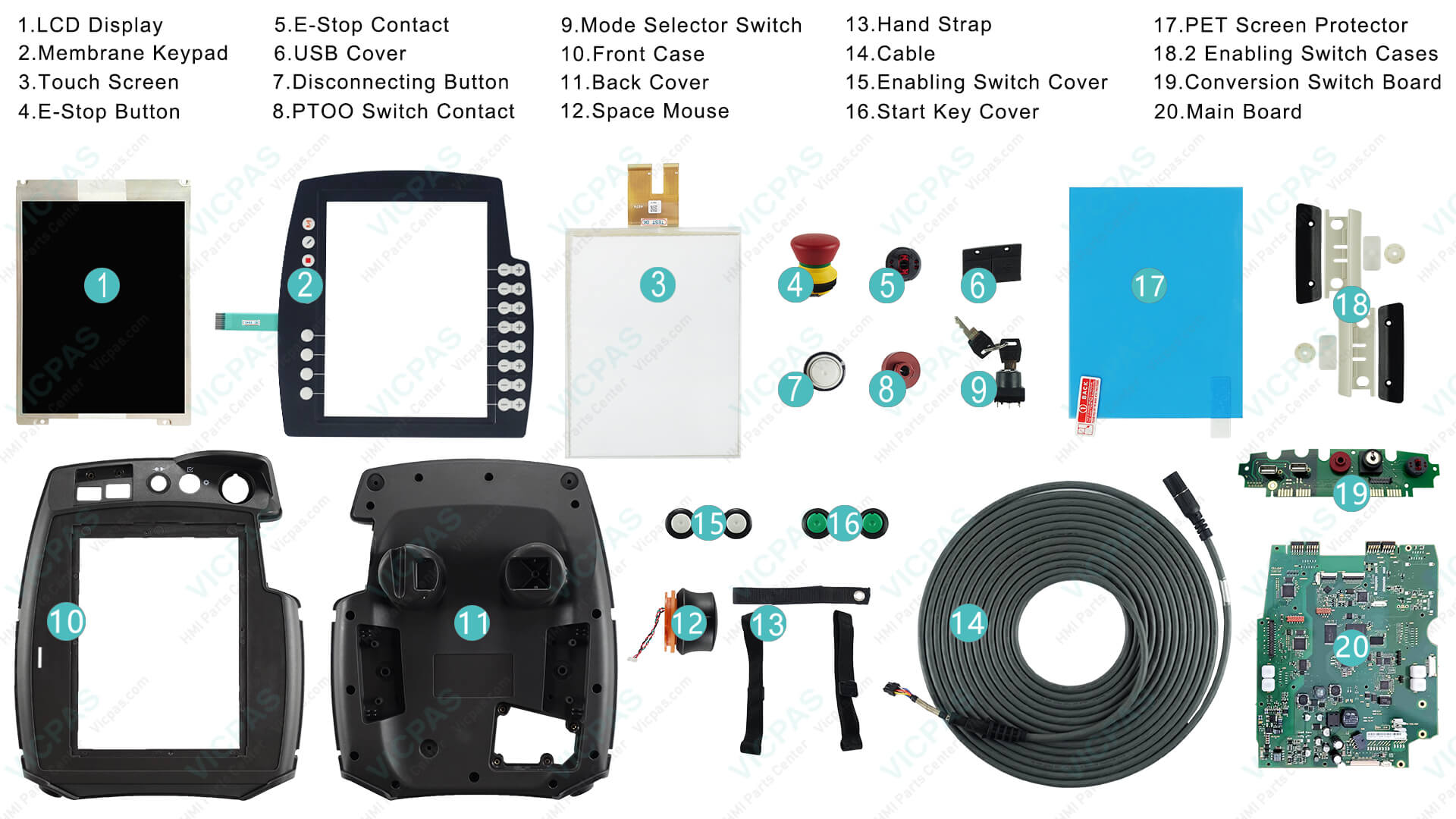
The teach pendant experience remains familiar. KR C5 commonly pairs with the SmartPAD-2, which maintains the touch-screen workflow while benefiting from the updated controller hardware. Interface differences are minor for operators already trained on KRC4 smartHMI.
VICPAS supports both platforms: We stock complete repair kits for KUKA KR C5 SmartPAD-2 (part examples include 00-291-556 touchscreen/LCD/membrane keypad/6D mouse assemblies), cables (00-320-102, 00-320-104), mode selector switches, and 6D mice. Equivalent high-quality parts are available for KRC4 SmartPAD. All come with 365-day warranty, full testing, and rapid global shipping—ideal for keeping either controller productive. View the full KRC5 range here.
Can KRC4 Programs Run on KR C5?
Yes, in the vast majority of cases. Official webinar guidance and forum consensus confirm that KRL programs migrate easily—often by simple copy—because the software platforms are functionally equivalent. Check technology package versions and re-validate critical motions or safety configurations. Raw KRL is highly portable; Inline Forms may need minor review.
KRC4 to KR C5 Migration Considerations
- Backup the existing KRC4 system thoroughly.
- Transfer only user programs and selected configuration data (tools, bases, workspaces).
- Avoid full archive restore or system files.
- Use WorkVisual for project adaptation and verify robot type / MADA.
- Pay attention to cabling practices inside the new cabinet and external axis configuration.
- Update or confirm technology packages for KSS 8.7 compatibility.
- Test thoroughly in T1/T2 before automatic mode.
Community experience shows the process is manageable for teams familiar with KUKA systems, with the main effort on selective data transfer rather than rewriting code.
When Should You Keep KRC4?
Retain KRC4 if:
- Spare parts remain available and cost-effective for your specific robot models.
- Existing cells are stable with long remaining life.
- Certain older robot variants are not yet fully supported on KR C5.
- Budget prioritizes repair over full controller replacement.
KRC4 continues to receive support for years even as new production shifts to KR C5.
When Is KR C5 the Better Choice?
Choose KUKA KRC5 when:
- Floor space or energy costs are critical.
- Planning multi-robot cells (compact multi-cabinets shine here).
- Seeking longer-term software and Industry 4.0 readiness.
- Installing new robots that are optimized for the current controller generation.
- Aiming for reduced maintenance through fewer components and higher efficiency.
Early adopters report stable operation and seamless programming continuity.
Repair KRC4 vs. Upgrade to KR C5
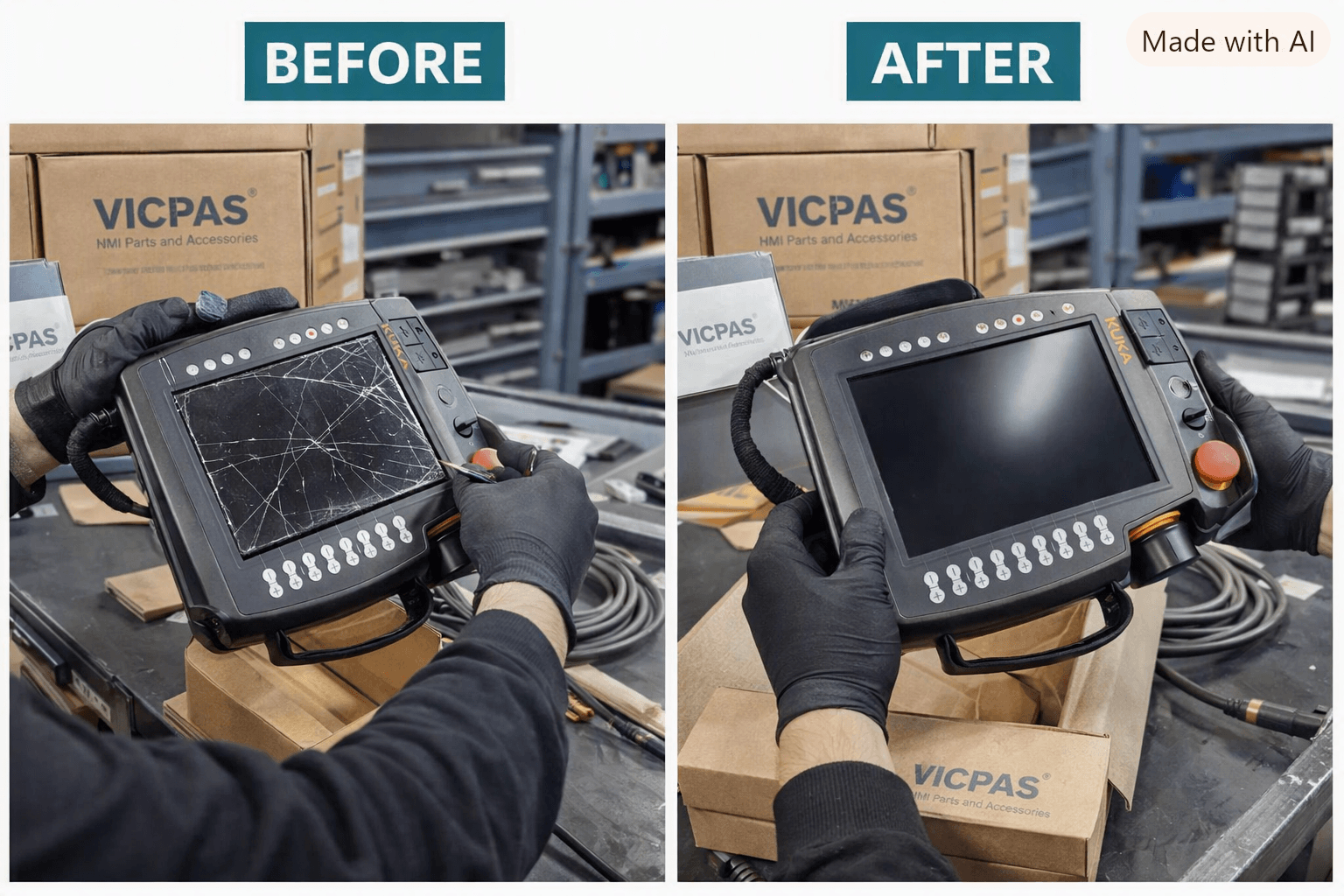
Repairing a KRC4 (especially the SmartPAD) is often the fastest, lowest-cost route to restore production. Upgrading the entire controller to KR C5 makes sense for modernization projects targeting energy savings, space reduction, or multi-robot density.
VICPAS bridges both strategies. Whether you need a quick KRC4 SmartPAD membrane keypad, LCD, or cable replacement, or a complete KR C5 SmartPAD-2 kit, our independent-channel parts deliver OEM-grade quality with 1-year warranty and same-day shipping options on many items. No minimum order quantity and customization support help keep both legacy and new systems running. Learn more about our services or browse KRC5 solutions.
FAQ
Is the KR C5 software completely different from KRC4?
No. KSS 8.7 is essentially a digital twin of KSS 8.6 with hardware abstraction updates.
Can I simply restore a KRC4 backup onto a KR C5?
Not recommended. Selective transfer of user data is safer and more reliable.
What are the main drawbacks of KR C5 reported by integrators?
Internal motor cable routing requires care, side-door clearance, and occasional extra effort for additional axes. These are manageable with proper planning.
Does VICPAS supply parts for both controllers?
Yes. We provide touchscreens, keypads, displays, 6D mice, cables, switches, and full repair kits for KRC4 SmartPAD and KR C5 SmartPAD-2, backed by warranty and global logistics.
How long will KRC4 remain supported?
KUKA continues support for existing KRC4 installations for years after new production ends.
Ready to optimize your KUKA fleet?
Whether maintaining proven KRC4 systems or transitioning to the efficient KUKA KRC5, reliable HMI components are critical. Contact VICPAS today for fast quotes, technical guidance, and genuine-compatible parts that keep your robots productive.
Visit www.vicpas.com or email sales@vicpas.com | +86-20-38837509
References
- KUKA Controller upgrade from KRC-4 to KRC-5 – Robot-Forum
- KRC5 drawbacks versus KRC4 – Robot-Forum
- KRC4 vs KRC5 – Roboterforum.de
- Vom KRC4 zum KRC5 – Roboterforum.de
- KUKA Steuerungsprogrammierung & Roboterintegration mit KR C4 & KR C5 – KOCH
- Kuka updates controller software, decreases size – Plastics Machinery Manufacturing
- Differences between KRC4 and KRC5 ProfiSafe – Roboterforum.de
- Power up with KR C5 Controller Webinar – YouTube
- KUKA Robot Controllers – Robots Done Right
- KUKA Upgrade for Robot Operation and Programming KSS 8.x (KR C4 / KR C5)
This guide synthesizes publicly discussed integrator experiences, product characteristics, and practical maintenance knowledge current as of 2026. Always consult official KUKA documentation and qualified personnel for safety-critical applications.
 Fast Quote
 Fast Quote
 Worldwide Shipping
 12 Months Warranty
 Customize Service
- Phone
- *Title
- *Content
