
Troubleshooting Common Panasonic G2 Teach Pendant Problems
Troubleshooting Common Panasonic G2 Teach Pendant Problems: Expert Guide to Diagnosis, Fixes & Reliable Replacements
Table of Contents
- Understanding the Panasonic G2 Teach Pendant
- Common Panasonic G2 Teach Pendant Problems and Step-by-Step Troubleshooting
- When DIY Steps Are Not Enough: Professional Replacement Parts from VICPAS
- Preventive Maintenance Tips to Extend Pendant Life
- Partner with VICPAS for Reliable Panasonic G2 Support
- References
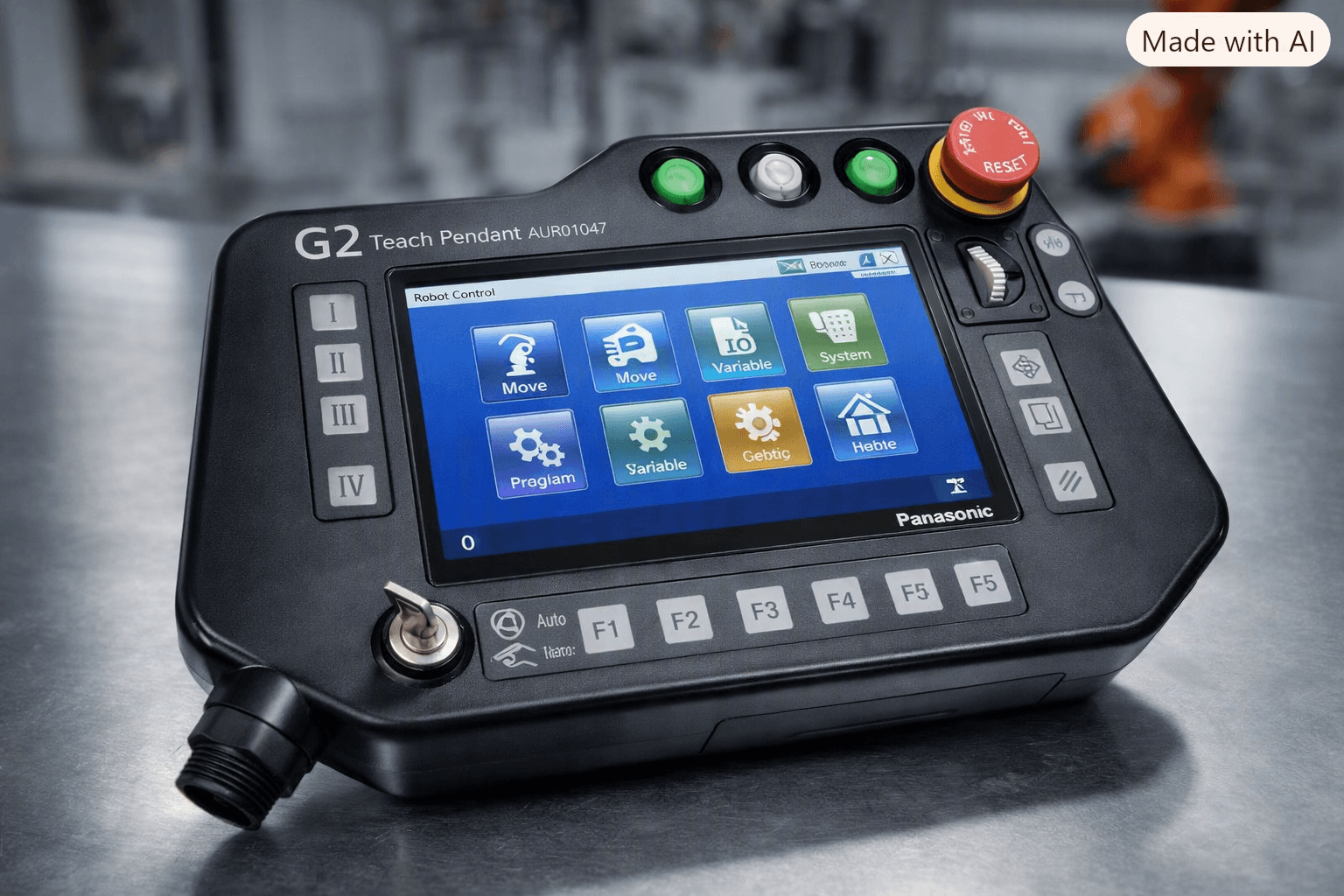
The Panasonic G2 Teach Pendant (common part numbers including AUR01047, AUR01052, AUR01053, AUR01054, AUR01055, AUR01058, and related models such as TA1400G2) is a critical human-machine interface for programming, teaching, and operating Panasonic industrial robots. Featuring a 7-inch TFT color LCD, jog dial, function keys (F1–F5), and safety elements such as the emergency stop and enabling switches, it enables precise control in demanding manufacturing environments.
Like all industrial HMIs subjected to constant handling, vibration, dust, temperature swings, and electromagnetic interference, the Panasonic G2 Teach Pendant can develop faults that halt production. Drawing on more than 20 years of specialized experience in HMI operator panel parts, touchscreens, membrane keypads, and robotic interfaces, VICPAS has supported countless customers with diagnosis, repair guidance, and high-quality replacement components. This guide consolidates practical troubleshooting insights to help you restore operation quickly while highlighting when professional-grade parts from VICPAS deliver the most reliable long-term solution.
Understanding the Panasonic G2 Teach Pendant
The G2 series uses icon-based programming and Windows CE-based interfaces for intuitive operation. It connects to the robot controller via a dedicated cable and includes safety interlocks essential for teach-mode operation. Compatible models share similar architectures for LCD, keypad membrane, encoder (such as TOSOKU RE21PC25CH16F), housing, and connectors, which simplifies sourcing replacement parts.
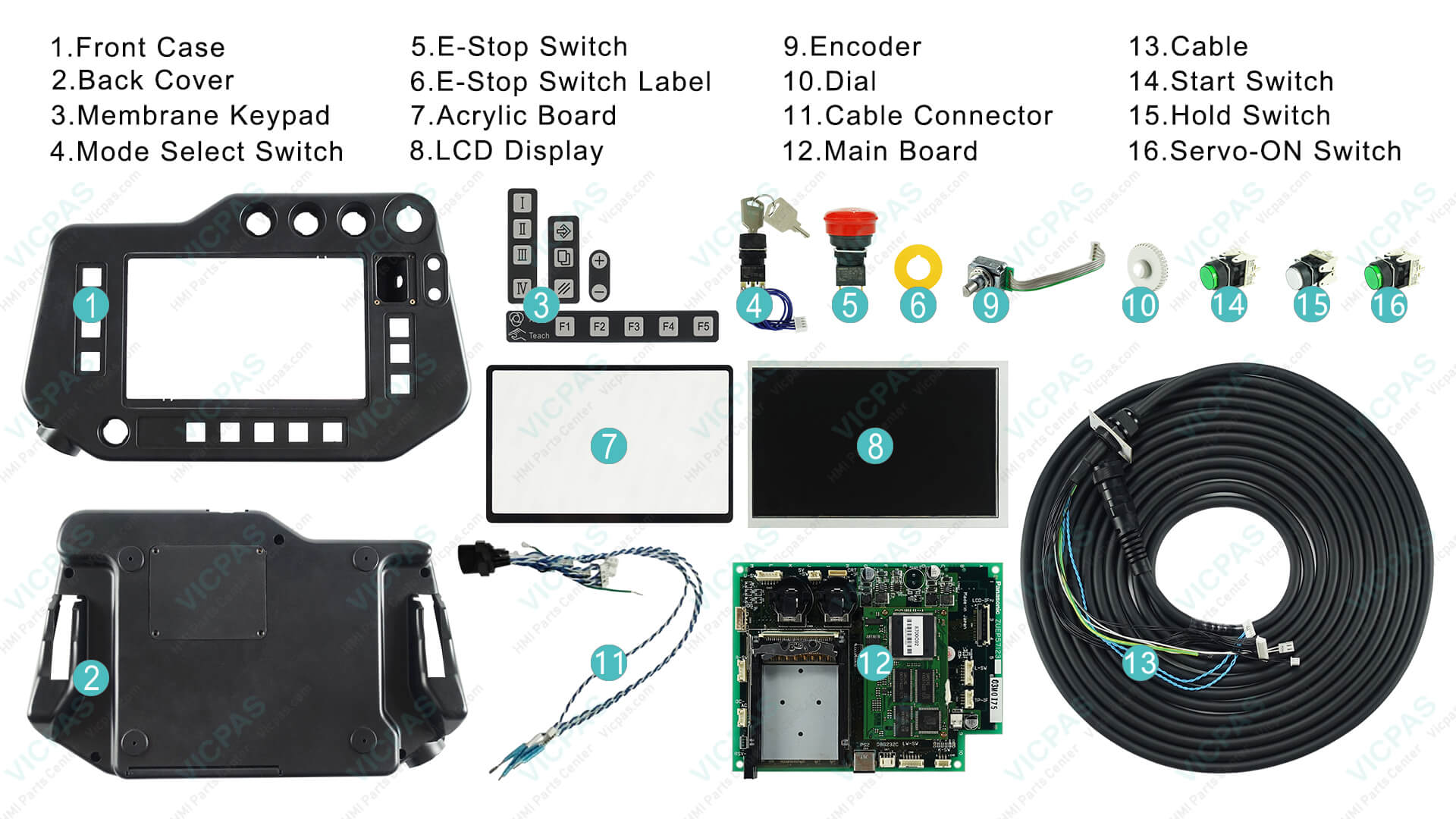
VICPAS stocks fully tested, factory-compatible components for these units—including LCD displays, membrane keypads, plastic housings, encoders, mode select switches, E-stop switches, and cables—backed by a 1-year warranty, no minimum order quantity, and worldwide shipping via DHL, UPS, FedEx, or TNT. Explore available Panasonic G2 solutions directly at the VICPAS product catalog.
Common Panasonic G2 Teach Pendant Problems and Step-by-Step Troubleshooting
Based on real-world cases handled by VICPAS technicians and documented industrial experience, the majority of failures fall into a few categories. Always power down the system, follow lockout/tagout procedures, and prioritize safety before any inspection or repair.
1. Connection Failures or No Communication with Controller
Symptoms: Pendant fails to power up, shows “Connection Lost,” or the controller does not recognize the unit. Intermittent disconnection during jogging or teaching.
Typical causes: Damaged or loose cable/connector, bent pins, power supply instability, or interlock/safety circuit issues.
Troubleshooting steps:
- Visually inspect the pendant cable for cuts, kinks, fraying, or stress points; reseat both ends firmly.
- Verify robot main power is on and the pendant is set to the correct mode (Teach/Auto).
- Power-cycle the entire system (controller + pendant), releasing and resetting the emergency stop.
- Test cable continuity if equipment is available; swap with a known-good cable when possible.
- Check safety logic and IO signals for triggered interlocks.
If the cable or connector is worn, replacement is often the fastest permanent fix. VICPAS supplies compatible cables and interface components for Panasonic G2 pendants to minimize downtime.
2. Unresponsive or Miscalibrated Touch Screen
Symptoms: Touches not registering, inaccurate inputs, dead zones, or unintended multiple operations. Common on G2 units after heavy use or exposure to contaminants.
Typical causes: Surface contamination, calibration drift, worn resistive overlay, ribbon cable issues, or physical damage.
Troubleshooting steps:
- Clean the screen thoroughly with a soft, lint-free cloth and isopropyl alcohol (avoid abrasive cleaners).
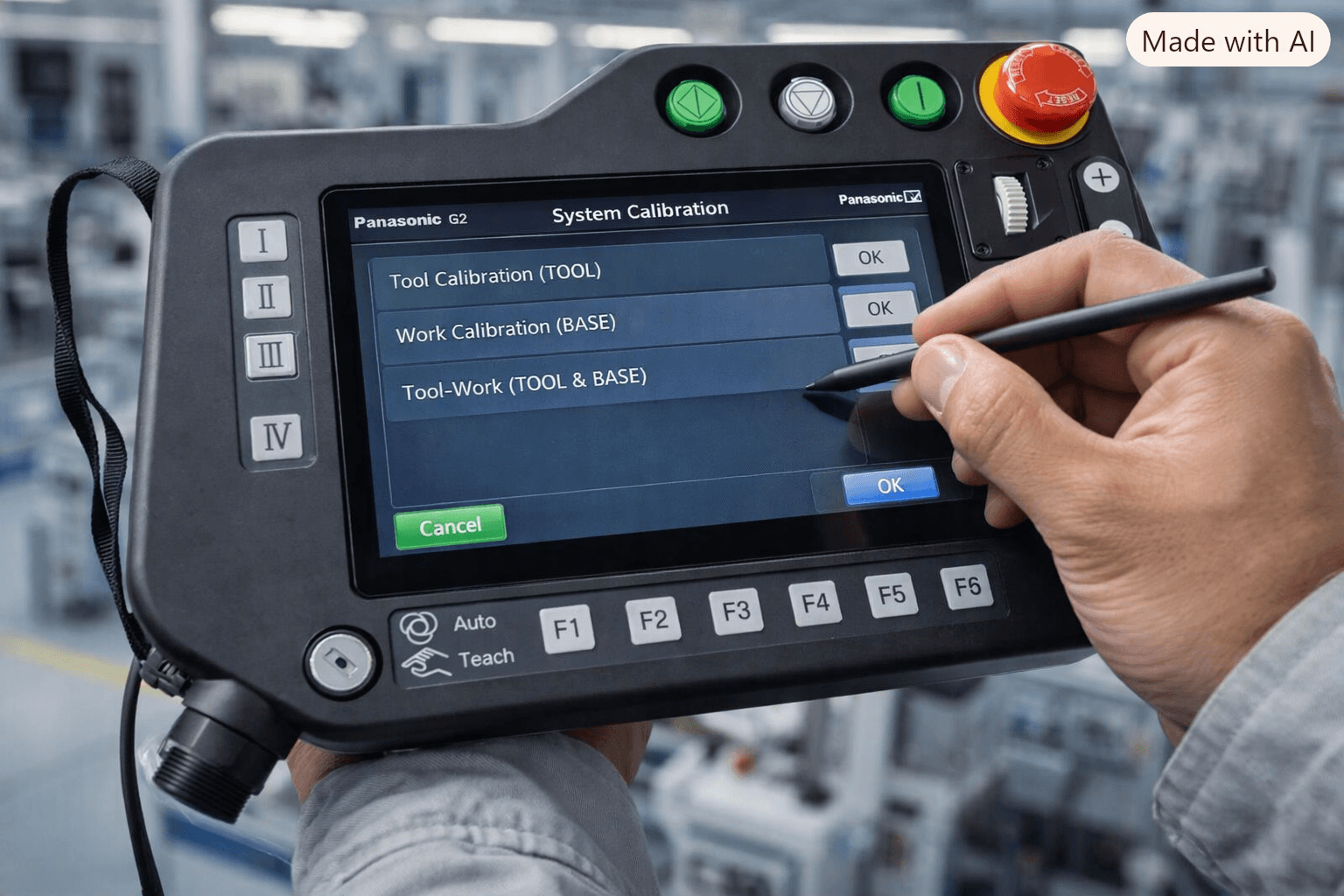
- Recalibrate via the system menu (typically System > Calibration); follow on-screen prompts carefully with a stylus.
- Ensure the touch panel is properly seated around the edges; loose mounting can disrupt signal integrity.
- Restart the pendant and check for firmware-related glitches.
- Inspect for cracks, liquid ingress, or visible damage to the display assembly.
When calibration and cleaning fail, a precision-matched replacement touch screen or full LCD assembly from VICPAS restores original responsiveness. These parts are engineered for exact fit and are fully tested before shipment.
3. Membrane Keypad or Button Failures
Symptoms: Keys unresponsive, stuck, delayed response, or inconsistent feedback. Function keys (F1–F5) or jog-related inputs fail.
Typical causes: Worn membrane contacts, debris under the overlay, excessive force over time, or internal PCB issues.
Troubleshooting steps:
- Enter diagnostic/keypad test mode (often by holding power + jog dial combinations—consult your specific manual).
- Clean contacts gently with compressed air or isopropyl alcohol if accessible.
- Avoid excessive pressure during normal operation.
- Test each key systematically for tactile and electrical response.
Persistent failures usually require a new membrane keypad. VICPAS offers OEM-quality keypads for AUR01047-series and related G2 models, designed for durability in high-cycle industrial environments and covered by the standard 1-year warranty.
4. Display / Backlight Problems (Blank, Dim, Flickering, or Distorted Screen)
Symptoms: Black screen, dim image, flickering, or no image despite power.
Typical causes: LCD failure (one of the most frequent hardware issues), backlight inverter degradation, power supply problems, or ribbon cable disconnection.
Troubleshooting steps:
- Adjust brightness settings via function keys.
- Confirm stable power delivery through the cable.
- Power-cycle and check for any error indicators.
- If the backlight is present but no image appears, the LCD panel or signal path is likely at fault.
LCD replacement is a common and cost-effective repair. VICPAS supplies compatible 7-inch TFT color LCD panels (including related part numbers such as LXL01ZB23BA) that match original specifications for color accuracy and reliability.
5. Safety, E-Stop, or Servo/Safety Relay Issues
Symptoms: Inability to enable servos, persistent E-stop faults, safety relay errors, or “retry to turn on servo” messages.
Typical causes: Stuck or faulty E-stop button, enabling switch problems, wiring faults in the safety circuit, or interlock logic errors.
Troubleshooting steps:
- Fully release and reset the emergency stop (twist and pull).
- Inspect E-stop and deadman/enabling switches for mechanical binding.
- Verify safety circuit wiring and controller-side interlocks.
- Clear fault logs through the pendant diagnostic menus and restart in a safe state.
- Confirm no external safety devices are holding the circuit open.
Never bypass safety circuits. If the E-stop switch or related components are defective, replace them with tested parts to maintain compliance and operator safety. VICPAS carries compatible E-stop switches, labels, and related safety components for G2 pendants.
6. Other Occasional Issues
- Software/firmware mismatches or system data errors after power interruptions.
- Overrun or communication-related alarms during high-speed teaching.
- Physical housing damage affecting internal connections.
In these cases, backup programs and parameters regularly, verify firmware compatibility with the controller, and consider professional evaluation if software recovery tools are limited.
When DIY Steps Are Not Enough: Professional Replacement Parts from VICPAS
Many Panasonic G2 Teach Pendant problems can be resolved with careful inspection and basic maintenance. However, when hardware (LCD, membrane, cable, encoder, or housing) is worn or damaged, continuing with temporary workarounds risks further downtime and safety issues.
VICPAS specializes in high-quality replacement and repair parts for the Panasonic G2 series, including:
- Membrane keypads and switch assemblies
- TFT LCD displays
- Plastic housings and covers
- Encoders (e.g., TOSOKU RE21PC25CH16F)
- Cables, connectors, mode switches, and E-stop components
All products are fully tested, offered with a 1-year VICPAS warranty on most items, available with no minimum order quantity, and ship worldwide with urgent options. Custom solutions for hard-to-find or obsolete components are also available. Browse the full range of Panasonic G2 Teach Pendant parts or request a fast quote through the VICPAS website.
Preventive Maintenance Tips to Extend Pendant Life
- Use protective covers and store the pendant properly when not in use.
- Keep screens and keypads clean; avoid harsh chemicals.
- Manage cables carefully to prevent repeated bending stress.
- Schedule periodic visual inspections and functional tests of safety devices.
- Train operators on correct handling and teach-mode procedures.
- Maintain program and parameter backups.
Partner with VICPAS for Reliable Panasonic G2 Support
Troubleshooting the Panasonic G2 Teach Pendant effectively combines systematic diagnosis with access to quality replacement components. With over two decades of focused experience in HMI parts, a robust global supply chain, dedicated technical support, and a commitment to rapid worldwide delivery, VICPAS helps manufacturers minimize downtime and keep robotic systems productive.
Whether you need a single membrane keypad, a complete LCD assembly, or guidance on a complex fault, our team is ready to assist. Visit the company overview for more on our capabilities, expertise, and service standards, or go directly to the Panasonic G2 product listings to find the exact part you need and request a quotation.
Contact VICPAS today to restore your Panasonic G2 Teach Pendant to full performance and keep your automation running smoothly.
References
- Troubleshooting Common Panasonic Teach Pendant Issues – VICPAS
- VICPAS Company Introduction & Brand Story
- Panasonic G2 Teach Pendant Parts – VICPAS Catalog
- Panasonic G2 Teach Pendant Robot Controller Repair – VICPAS
- Panasonic Teach Pendant Repair – INS Robotics
- Panasonic G2 Teach Pendant Touch Failure Repair – ZR Robot
- Teach Pendant Repair and Calibration Guide – KAIN Automation
- G2 and G3 Teach Pendant Compatibility Discussion – Robot Forum
- G2 Robot Controller Safety Relay & E-Stop Issues – Robot Forum
 Fast Quote
 Fast Quote
 Worldwide Shipping
 12 Months Warranty
 Customize Service
- Phone
- *Title
- *Content
