
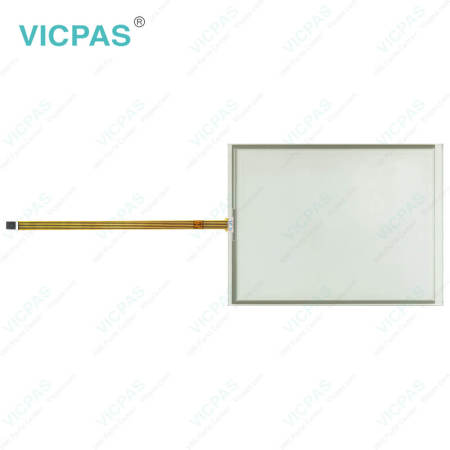
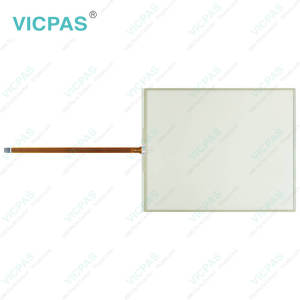
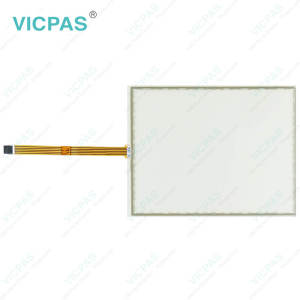
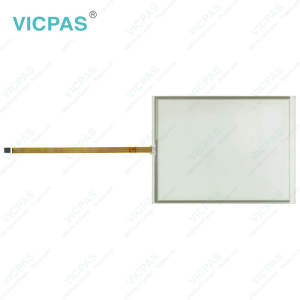
CP7212-0000-0040 CP7212-0001-0040 CP7222-0000-0040 CP7222-0001-0040 Touchglass Membrane Keyboard


| Share | |
|---|---|
| Categories | CP72XX |
| Brand | VICPAS |
| Model | CP7212-0000-0040 CP7212-0001-0040 CP7222-0000-0040 CP7222-0001-0040 |
| Product Line | CP72XX |
| LCD Type | TFT |
| Shipping Time | 3-5 Days |
| Supply Parts | Operator Panel Keypad Touch Screen Display |
| Environment | Free From Corrosive Gases |
| Size | 15'' |
| FOB port | Guangzhou, Shenzhen, Hongkong |
| Terms of Payment | Western Union, MoneyGram, T/T, Paypal, PayPal, Credit Card |
Beckhoff CP7212-0000-0040 CP7212-0001-0040 CP7222-0000-0040 CP7222-0001-0040 Touch Screen Panel Operator Panel Keypad Repair
Order each part separately is available

To ensure safe operation, do not use Beckhoff HMI Keyboard CP7212-0000-0040 CP7212-0001-0040 CP7222-0000-0040 CP7222-0001-0040 Membrane Switch Touch Screen Panel in extreme environmental conditions. The device may only be operated in hazardous areas if it is specifically designed and certified for such use. Before performing any work on the device—such as mounting, replacing CP7212-0000-0040 CP7212-0001-0040 CP7222-0000-0040 CP7222-0001-0040 Touch Screen Film Keypad Membrane, or troubleshooting malfunctions—always disconnect the supply voltage. Never work on the device while it is live. Additionally, avoid plugging or unplugging connectors during thunderstorms, as this poses a risk of electric shock.
Ensure Beckhoff Touch Screen CP7212-0000-0040 CP7212-0001-0040 CP7222-0000-0040 CP7222-0001-0040 Touch Membrane Operator Panel Keypad has a proper protective and functional earth connection. For devices powered by a 24 V DC supply, the power line must be fused according to its cross-section to safeguard against short circuits.Only qualified personnel with expertise in control and automation engineering should operate the device or replace CP7212-0000-0040 CP7212-0001-0040 CP7222-0000-0040 CP7222-0001-0040 Operator Keyboard HMI Touch Glass. Use by unauthorized individuals can result in property damage or data loss.
In the event of a fire, extinguish the device using powder or nitrogen. If you make changes to Beckhoff HMI CP7212-0000-0040 CP7212-0001-0040 CP7222-0000-0040 CP7222-0001-0040 Touch Digitizer Glass Terminal Keypad or software configurations, ensure that the specified limits for power consumption and power loss are not exceeded.
Specifications:
The table below describes the parameters of Beckhoff CP7212-0000-0040 CP7212-0001-0040 CP7222-0000-0040 CP7222-0001-0040 Touch Screen Tablet Membrane Switch.
| Size: | 15'' |
| LCD Type: | TFT |
| Environment: | Free From Corrosive Gases |
| Cooling Method: | Natural Air Cooling |
| Brand: | Vicpas |
| Product Line: | CP72XX |
| Warranty: | 365 Days |
| Storage Temperature: | -25 °C ... +65 °C |
| Operating Temperature: | 0 °C ... +55 °C |
| Relative Humidity: | 95% |
Related Beckhoff Part No. :
| Beckhoff HMI | Description | Inventory status |
| CP7212-0000-0000 | Beckhoff CP72XX Touch Screen Display Terminal Keypad Replacement | In Stock |
| CP7212-0000-0010 | Beckhoff CP72XX Switch Membrane Touch Screen Monitor Repair | Available Now |
| CP7212-0000-0020 | Beckhoff CP72XX Touch Screen Tablet Membrane Keyboard Replacement | In Stock |
| CP7212-0000-0030 | Beckhoff CP72XX Membrane Keypad Touch Screen Panel Repair | Available Now |
| CP7212-0000-0040 | Beckhoff CP72XX Terminal Keypad Touch Screen Film Replacement | In Stock |
| CP7212-0000-0050 | Beckhoff CP72XX Touch Digitizer Glass Membrane Switch Repair | Available Now |
| CP7212-0000-0060 | Beckhoff CP72XX Keyboard Membrane HMI Touch Glass Replacement | In Stock |
| CP7212-0001-0040 | Beckhoff CP72XX Touch Membrane Operator Keyboard Repair | Available Now |
| CP7212-0001-0050 | Beckhoff CP72XX Membrane Keypad Touch Screen Panel Replacement | In Stock |
| CP7212-0001-0060 | Beckhoff CP72XX Touch Screen Display Operator Panel Keypad Repair | Available Now |
| CP7222-0000-0040 | Beckhoff CP72XX Membrane Keyboard Touch Digitizer Glass Replacement | In Stock |
| CP7222-0000-0050 | Beckhoff CP72XX Touch Screen Tablet Keypad Membrane Repair | Available Now |
| CP7222-0000-0060 | Beckhoff CP72XX Switch Membrane Touch Screen Panel Replacement | In Stock |
| CP7222-0001-0040 | Beckhoff CP72XX Touch Screen Film Operator Keyboard Repair | Available Now |
| CP7222-0001-0050 | Beckhoff CP72XX Keyboard Membrane Touch Screen Monitor Replacement | In Stock |
| CP7222-0001-0060 | Beckhoff CP72XX Touch Screen Glass Operator Panel Keypad Repair | Available Now |
| Beckhoff HMI | Description | Inventory status |
Beckhoff CP72XX Manuals PDF Download:
FAQ:
Question: What should I pay attention to if I want to replace my old Beckhoff CP7212-0000-0040 CP7212-0001-0040 CP7222-0000-0040 CP7222-0001-0040 Touch Screen Film Membrane Keypad from the device?
Answer: You must first disconnect the power supply and cables from the device before starting to disassemble CP7212-0000-0040 CP7212-0001-0040 CP7222-0000-0040 CP7222-0001-0040 operator keyboard touch screen tablet. You can then remove it from the control cabinet.
Question: What should I do when I received the package of Beckhoff CP7212-0000-0040 CP7212-0001-0040 CP7222-0000-0040 CP7222-0001-0040 Touch Digitizer Glass Keyboard Membrane?
Answer:
1. Inspect the packaging for any damage that may have occurred during transit.
2. Carefully remove the packaging.
3. Keep the packaging for potential future shipping.
4. Verify that all items are included by comparing the delivery with your order.
5. Check the contents for any visible shipping damage.
6. If any items are missing or damaged, please contact VICPAS immediately.
Common misspellings:
CP7212-000-0040CP7212-0000-00040
CP72121-0000-0040
CP721200010040
CP7212-0001-0004
CP7122-0001-0040
CP7222-00000-0040
CP7222-0000-040
CP7222-2000-0040
CP7222-0001-0042
CP7222-0001-0010
CP7222-0001-0044
- 加载中···
- Phone
- *Title
- *Content
 Fast Quote
 Fast Quote
 Worldwide Shipping
 12 Months Warranty
 Customize Service
- Phone
- *Title
- *Content
