
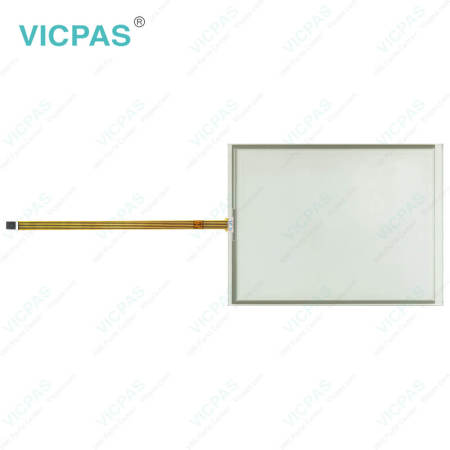
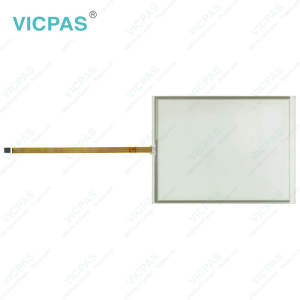
CP7204-0000-0040 CP7204-0001-0040 CP7204-0020-0040 CP7204-0021-0040 Touch Screen Display


| Share | |
|---|---|
| Categories | CP72XX |
| Brand | VICPAS |
| Model | CP7204-0000-0040 CP7204-0001-0040 CP7204-0020-0040 CP7204-0021-0040 |
| Product Line | CP72XX |
| LCD Type | TFT |
| Shipping Time | 3-5 Days |
| Supply Parts | Touch Screen Glass |
| Environment | Free From Corrosive Gases |
| Size | 24'' |
| FOB port | Guangzhou, Shenzhen, Hongkong |
| Terms of Payment | Western Union, MoneyGram, T/T, Paypal, PayPal, Credit Card |
Beckhoff CP7204-0000-0040 CP7204-0001-0040 CP7204-0020-0040 CP7204-0021-0040 Touch Screen Tablet Repair
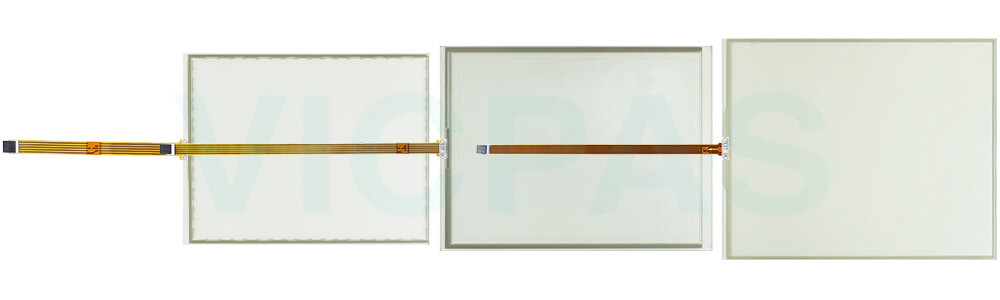
Order each part separately is available
Transport
Despite the robust design of the unit, Beckhoff HMI CP7204-0000-0040 CP7204-0001-0040 CP7204-0020-0040 CP7204-0021-0040 Touch Membrane is sensitive to strong vibrations and impacts. During transport, your Industrial PC should therefore be protected from excessive mechanical stress. Therefore, please use the original packaging. CP7204-0000-0040 CP7204-0001-0040 CP7204-0020-0040 CP7204-0021-0040 Touch Screen Monitor Danger of damage to the unit! Warning If the device is transported in cold weather or is exposed to extreme variations in temperature, make sure that moisture (condensation) does not form on or inside the device. Prior to operation, Beckhoff Touch Panel CP7204-0000-0040 CP7204-0001-0040 CP7204-0020-0040 CP7204-0021-0040 Touch Digitizer Glass must be allowed to slowly adjust to room temperature. Should condensation occur, a delay time of approximately 12 hours must be allowed before the unit is switched on. Vicpas offers CP7204-0000-0040 CP7204-0001-0040 CP7204-0020-0040 CP7204-0021-0040, Touch Screen Display global transportation, high quality, and a 1-year warranty. If there are any transportation issues, please contact Vicpas at any time.
Specifications:
The table below describes the parameters of Beckhoff CP7204-0000-0040 CP7204-0001-0040 CP7204-0020-0040 CP7204-0021-0040 Touch Screen Monitor.
| Brand: | Vicpas |
| Warranty: | 365 Days |
| Environment: | Free From Corrosive Gases |
| Cooling Method: | Natural Air Cooling |
| Light Transmission: | Above 75% |
| Product Line: | CP72XX |
| LCD Type: | TFT |
| Storage Temperature: | -25 °C ... +65 °C |
| Relative Humidity: | 95% |
| Operating Temperature: | 0 °C ... +55 °C |
Related Beckhoff Part No. :
| Beckhoff HMI | Description | Inventory status |
| CP7204-0000-0000 | Beckhoff CP72XX Touch Screen Panel Replacement | In Stock |
| CP7204-0000-0010 | Beckhoff CP72XX Touch Screen Film Repair | Available Now |
| CP7204-0000-0020 | Beckhoff CP72XX Touch Screen Monitor Replacement | In Stock |
| CP7204-0000-0030 | Beckhoff CP72XX Touch Screen Glass Repair | Available Now |
| CP7204-0000-0040 | Beckhoff CP72XX Touch Screen Tablet Replacement | In Stock |
| CP7204-0001-0000 | Beckhoff CP72XX Touch Screen Film Repair | Available Now |
| CP7204-0001-0010 | Beckhoff CP72XX HMI Touch Glass Replacement | In Stock |
| CP7204-0001-0020 | Beckhoff CP72XX Touch Membrane Repair | Available Now |
| CP7204-0001-0030 | Beckhoff CP72XX Touch Screen Monitor Replacement | In Stock |
| CP7204-0001-0040 | Beckhoff CP72XX Touch Screen Display Repair | Available Now |
| CP7204-0020-0000 | Beckhoff CP72XX Touch Digitizer Glass Replacement | In Stock |
| CP7204-0020-0010 | Beckhoff CP72XX Touch Screen Tablet Repair | Available Now |
| CP7204-0020-0020 | Beckhoff CP72XX Touch Screen Glass Replacement | In Stock |
| CP7204-0020-0030 | Beckhoff CP72XX Touch Screen Film Repair | Available Now |
| CP7204-0020-0040 | Beckhoff CP72XX Touch Screen Display Replacement | In Stock |
| CP7204-0021-0040 | Beckhoff CP72XX Touch Screen Panel Repair | Available Now |
| Beckhoff HMI | Description | Inventory status |
Beckhoff CP72XX Manuals PDF Download:
FAQ:
Question: What should I pay attention to during disassemble and dispose Beckhoff CP7204-0000-0040 CP7204-0001-0040 CP7204-0020-0040 CP7204-0021-0040 Touch Membrane?
Answer: You must first have disconnected the power supply and the cables. If the panel PC is suspended from the ceiling and you undo the cap nut of the mounting arm adapter without securing it, the panel PC will fall down. Make sure the panel PC is secured against falling down before you undo the slotted nut of the mounting arm adapter.
Question: What should I pay attention to when installing CP7204-0000-0040 CP7204-0001-0040 CP7204-0020-0040 CP7204-0021-0040 HMI Touch Glass?
Answer:
• Position the Panel PC in such a way that reflections on the screen are avoided as far as possible.
• Use the position of the screen as a guide for the correct installation height; it should be optimally visible for the user at all times.
• The Panel PC should not be exposed to direct sunlight.
• When the unit is in its mounting position, the ventilation openings must not be obstructed.
• Extreme environmental conditions should be avoided as far as possible. Protect the Panel PC from dust, moisture and heat.
• The ventilation slots of the Panel PC must not be covered.
Common misspellings:
CP7204-0001-0040CP72004-0000-0040
CP7204-0000-040
CP7204-001-0040
CP7204-0001-0004
CP7224-0001-0040
CP7204-0022-0040
CP7204-0020-000
CP7240-0020-0040
CP7204-0012-0040
CP7204-0021-0440
CP7244-0021-0040br>
- 加载中···
- Phone
- *Title
- *Content
 Fast Quote
 Fast Quote
 Worldwide Shipping
 12 Months Warranty
 Customize Service
- Phone
- *Title
- *Content
