
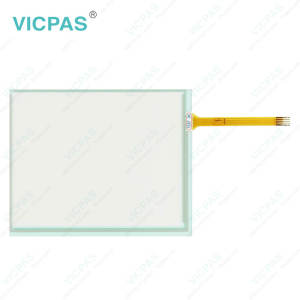
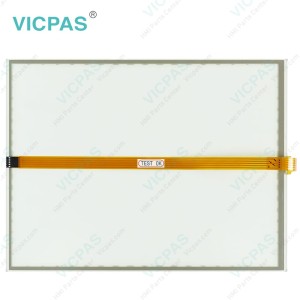
CP7701-0000-0030 CP7701-0001-0030 CP7701-0020-0030 Touchscreen Replacement


| Share | |
|---|---|
| Categories | CP77XX |
| Brand | VICPAS |
| Model | CP7701-0000-0030 CP7701-0001-0030 CP7701-0020-0030 |
| Product Line | CP77XX |
| LCD Type | TFT |
| Shipping Time | 3-5 Days |
| Supply Parts | Touch Screen Display |
| Environment | Free From Corrosive Gases |
| Size | 12'' |
| FOB port | Guangzhou, Shenzhen, Hongkong |
| Terms of Payment | Western Union, MoneyGram, T/T, Paypal, PayPal, Credit Card |
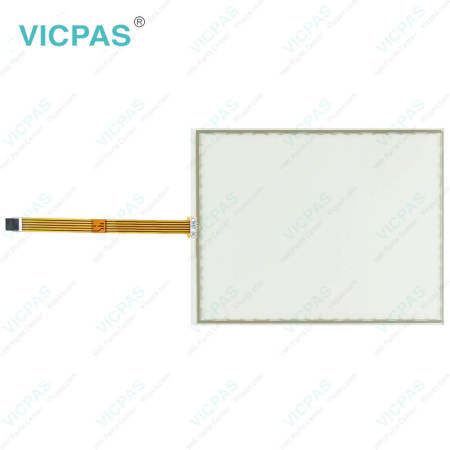
Beckhoff CP7701-0000-0030 CP7701-0001-0030 CP7701-0020-0030 Touch Membrane Replacement
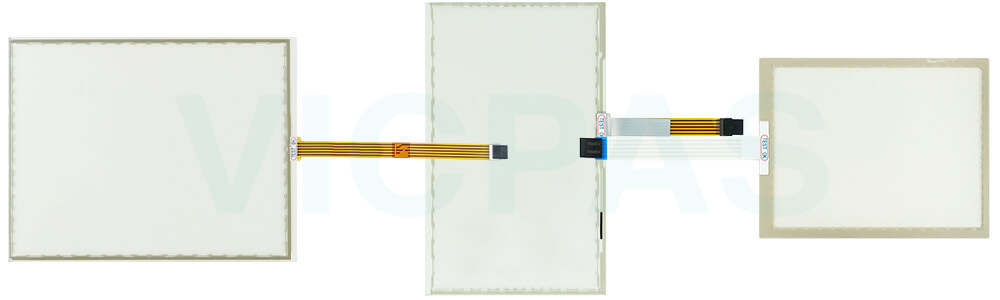
Order each part separately is available
Fundamental safety instructions
• Do not use Beckhoff HMI CP7701-0000-0030 CP7701-0001-0030 CP7701-0020-0030 Touch Screen Film under extreme environmental conditions.
• Only use the device in hazardous areas if it is explicitly designed for this purpose.
• Do not carry out any work on the device while it is live. Always switch off the supply voltage for the device before mounting/replacing CP7701-0000-0030 CP7701-0001-0030 CP7701-0020-0030 HMI Touch Glass or rectifying malfunctions.
• Never plug or unplug connectors during thunderstorms. There is a risk of electric shock.
• Ensure that CP7701-0000-0030 CP7701-0001-0030 CP7701-0020-0030 Touch Digitizer has a protective and functional earth connection.
•In the case of a 24 V DC power supply unit, fuse the power supply line according to its cross-section to protect the supply line in the event of a short circuit.
• Ensure that only trained specialists with a control and automation engineering background, operate the device or replace Beckhoff Touch Panel CP7701-0000-0030 CP7701-0001-0030 CP7701-0020-0030 Touchscreen. Use by unauthorized persons can lead to damage to property and loss of data.
• In case of fire, extinguish the device with powder or nitrogen.
• If you change CP7701-0000-0030 CP7701-0001-0030 CP7701-0020-0030 Touch Membrane and software configurations, you must keep within the specified limits of power consumption and power loss.
Specifications:
The table below describes the parameters of Beckhoff CP7701-0000-0030 CP7701-0001-0030 CP7701-0020-0030 Touch Screen Tablet.
| Size: | 12'' |
| LCD Type: | TFT |
| Environment: | Free From Corrosive Gases |
| Cooling Method: | Natural Air Cooling |
| Brand: | Vicpas |
| Product Line: | CP77XX |
| Warranty: | 365 Days |
| Storage Temperature: | -25 °C ... +65 °C |
| Operating Temperature: | 0 °C ... +55 °C |
| Relative Humidity: | 95% |
Related Beckhoff Part No. :
| Beckhoff HMI | Description | Inventory status |
| CP7700-1004-0030 | Beckhoff CP77XX HMI Touch Glass LCD Display Replacement | In Stock |
| CP7701-0000-0030 | Beckhoff CP77XX Touch Screen Panel Repair | Available Now |
| CP7701-0000-0040 | Beckhoff CP77XX Touch Screen Film Replacement | In Stock |
| CP7701-0000-0050 | Beckhoff CP77XX Touch Digitizer Glass Repair | Available Now |
| CP7701-0001-0030 | Beckhoff CP77XX Touch Screen Monitor Replacement | In Stock |
| CP7701-0001-0040 | Beckhoff CP77XX Touch Screen Tablet Repair | Available Now |
| CP7701-0001-0050 | Beckhoff CP77XX Touch Membrane Replacement | In Stock |
| CP7701-0020-0020 | Beckhoff CP77XX Touch Screen Tablet Repair | Available Now |
| CP7701-0020-0030 | Beckhoff CP77XX Touch Screen Glass Switch Membrane Replacement | In Stock |
| CP7701-0020-0040 | Beckhoff CP77XX Touch Screen Display Repair | Available Now |
| CP7701-0020-0050 | Beckhoff CP77XX Touch Screen Film Replacement | In Stock |
| CP7701-0021-0020 | Beckhoff CP77XX HMI Touch Glass Repair | Available Now |
| CP7701-0021-0040 | Beckhoff CP77XX Touch Screen Panel Replacement | In Stock |
| CP7701-0021-0050 | Beckhoff CP77XX Touch Membrane Repair | Available Now |
| Beckhoff HMI | Description | Inventory status |
Beckhoff CP77XX Manuals PDF Download:
FAQ:
Question: How can I maintain CP7701-0000-0030 CP7701-0001-0030 CP7701-0020-0030 Touch Screen Glass?
Answer: Do not work on the panel PC when live can lead to electric shock. Turn off the supply voltage before cleaning the device or replacing touch screen panel. Maintenance measures increase the efficiency of the device by ensuring long-term functionality. Cleaning and maintenance of certain device components and the replacement of touch screen monitor contribute to this. Use spare parts that you have ordered from Vicpas can ensure your safe and excellent operation.
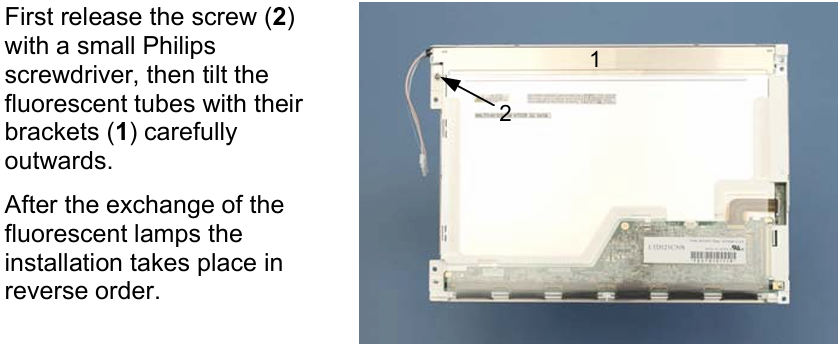
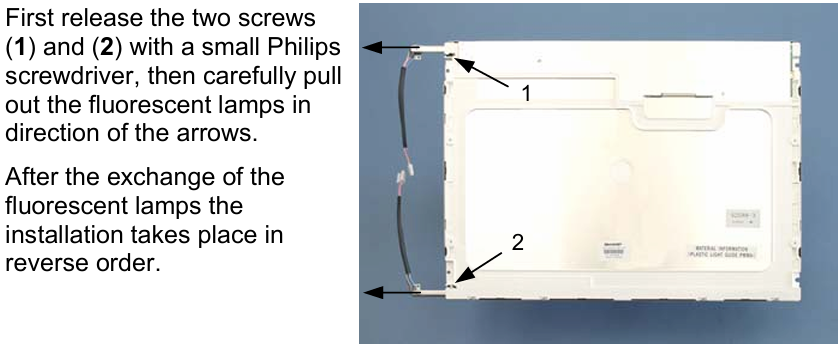
Question: How to replace Beckhoff CP7701-0000-0030 CP7701-0001-0030 CP7701-0020-0030 fluorescent lamps in the display?
Answer:
Common misspellings:
CP7700-0000-0030CP7701-0001-0030
CP7701-0000-0033
CP7701-00001-0030
CP7701-0001-030
CP7701-0001-0003
CP771-0020-0030
CP7701-0022-0030
CP7701-0020-0020
- 加载中···
- Phone
- *Title
- *Content
 Fast Quote
 Fast Quote
 Worldwide Shipping
 12 Months Warranty
 Customize Service
- Phone
- *Title
- *Content
