
IC693ALG220C IC693ALG220D IC693ALG220F Plastic Cover


| Share | |
|---|---|
| Categories | Series 90-30 Analog I/O Modules |
| Brand | VICPAS |
| Model | IC693ALG220C IC693ALG220D IC693ALG220F |
| Brand | GE Fanuc |
| Warranty | 365 Days |
| Product Line | GE Series 90-30 Analog I/O Modules |
| Supply | IC693ALG220C |
| Model | IC693ALG220D |
| Number | IC693ALG220F |
| FOB port | Guangzhou, Shenzhen, Hongkong |
| Terms of Payment | Western Union, MoneyGram, T/T, Paypal, PayPal, Credit Card |
| Download |  |
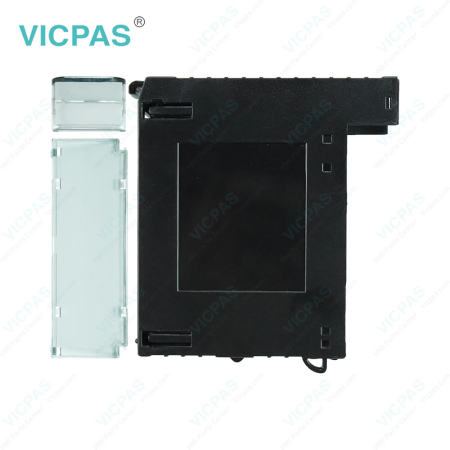
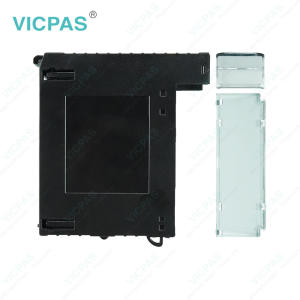
GE Fanuc Series 90-30 Analog I/O Modules IC693ALG220C IC693ALG220D IC693ALG220F Plastic Cover Body Replacement
Order each part separately is available
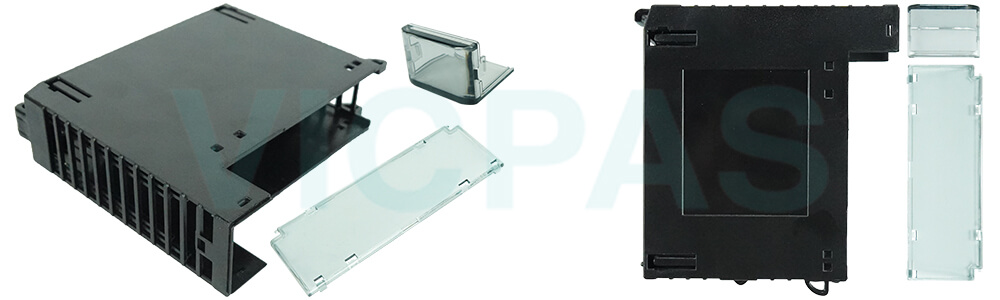
Maintenance is often a bottleneck in industrial operations, especially when modules are exposed or difficult to access. VICPAS IC693ALG220C IC693ALG220D IC693ALG220F Plastic Shells simplify routine checks, allowing technicians to perform maintenance safely and efficiently without removing multiple components.
Exposed modules increase the risk of accidental contact, which can lead to short circuits or component damage. Our IC693ALG220C IC693ALG220D IC693ALG220F Enclosures organize and shield the modules, reducing errors and making maintenance safer for personnel.
Replacement is quick and intuitive. Technicians can swap housings without complex adjustments or special tools, minimizing downtime and keeping production lines moving. This is particularly valuable in plants with high throughput or tight schedules.
The materials used in VICPAS IC693ALG220C IC693ALG220D IC693ALG220F Outer Casings are lightweight yet strong, so handling during maintenance is easier without compromising protection. Modules are secure but still accessible when needed, balancing safety and practicality.
By simplifying maintenance and replacement, these IC693ALG220C IC693ALG220D IC693ALG220F Outer Coverings allow your team to focus on optimizing operations rather than dealing with unexpected equipment failures. This improves efficiency, reduces stress, and enhances overall workflow reliability.
Specifications:
The table below describes the parameters of the GE-Fanuc Series 90-30 Analog I/O Modules IC693ALG220C IC693ALG220D IC693ALG220F Plastic Housing Parts.
| Brand: | VICPAS |
| Power Supply Current: | 360 mA + |
| Protection: | Dust & impact resistant |
| Product Line: | Series 90-30 Analog I/O Modules |
| Storage Temperature: | –40 °C to +85°C |
| Humidity: | 5% to 95% (non-condensing) |
| Material: | Plastic |
| Part Number: | IC693ALG220C IC693ALG220D IC693ALG220F |
| Operating Temperature: | 0° C to 60° C (Inlet) |
| Warranty: | 365 days Warranty |
Related GE Series 90-30 Analog I/O Modules Part No. :
| Analog I/O Modules | Description | Inventory status |
| IC693ALG220 | GE Series 90-30 Analog I/O Modules Plastic Housing | In Stock |
| IC693ALG220B | Series 90-30 Analog I/O Modules Plastic Shell Repair | Available Now |
| IC693ALG220C | Series 90-30 Analog I/O Modules Plastic Enclosure Replacement | In Stock |
| IC693ALG220D | GE Series 90-30 Analog I/O Modules Outer Casing | Available Now |
| IC693ALG220F | GE Series 90-30 Analog I/O Modules Outer Covering Repair | In Stock |
| IC693ALG220G | Series 90-30 Analog I/O Modules HMI Case Replacement | In Stock |
| IC693ALG220J | GE Fanuc Series 90-30 Analog I/O Modules Plastic Case | Available Now |
| IC693ALG220K | Series 90-30 Analog I/O Modules GE Fanuc Plastic Housing | Available Now |
| IC693ALG221 | GE Series 90-30 Analog I/O Modules Plastic Cover Body | In Stock |
| IC693ALG221B | Series 90-30 Analog I/O Modules Plastic Shell Repair | In Stock |
| IC693ALG221C | Series 90-30 Analog I/O Modules Plastic Enclosure Replacement | Available Now |
| IC693ALG221E | GE Series 90-30 Analog I/O Modules Outer Casing | In Stock |
| IC693ALG221F | GE Series 90-30 Analog I/O Modules Outer Covering Repair | Available Now |
| IC693ALG221G | Series 90-30 Analog I/O Modules HMI Case Repair | Available Now |
| IC693ALG221J | GE Fanuc Series 90-30 Analog I/O Modules Plastic Case | In Stock |
| GE Series 90-30 | Description | Inventory status |
GE Series 90-30 Analog I/O Modules Manuals PDF Download:
FAQ:
Question: Can I order in bulk or for multiple module types?
Answer: Yes, bulk orders are supported. Please specify the module models and quantities when placing your order.
Question: How to insert a Series 90-30 IC693ALG220C IC693ALG220D IC693ALG220F Module?
Answer: Use the following instructions as a guide when inserting a module into its slot in a baseplate.
1. Make sure that power to the PLC is turned off.
2. Select the slot into which the module is to be inserted. Grasp the module firmly with terminal board toward you and with rear hook facing away from you.
3. Align module with desired base slot and connector. Tilt module upward so that top rear hook of module engages slot on baseplate.
4. Swing module downward until connectors mate and lock-lever on bottom of module snaps into place engaging the baseplate notch.
5. Visually inspect the module to be sure that it is properly seated.


Common misspellings:
IC693ALG220C IC693AG220D IC693ALG220FIC693ALG220C IC693ALG220D IC693ALG22F
IC69A3LG220C IC693ALG220D IC693ALG220F
IC693ALG220C IC693ALG22oD IC693ALG220F
IC693ALG220C IC693ALG220D IC6993ALG220F
- 加载中···
- Phone
- *Title
- *Content
 Fast Quote
 Fast Quote
 Worldwide Shipping
 12 Months Warranty
 Customize Service
- Phone
- *Title
- *Content
