
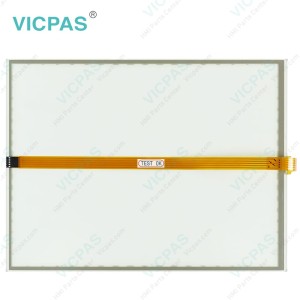
Touch screen for CP7703-0001-0030 touch panel membrane touch sensor glass replacement repair


| Share | |
|---|---|
| Categories | CP77XX |
| Brand | VICPAS |
| Model | CP7703-0000-0030 CP7703-0001-0030 CP7703-0020-0030 CP7703-0021-0030 |
| Product Line | CP77XX |
| Size | 19'' |
| Light Transmission | Above 75% |
| Shipping Time | 3-5 Days |
| Supply Parts | Touch Membrane |
| Environment | Free From Corrosive Gases |
| FOB port | Guangzhou, Shenzhen, Hongkong |
| Terms of Payment | Western Union, T/T, PayPal, Credit Card |
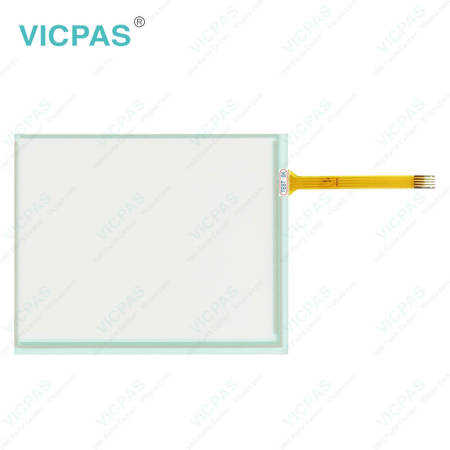
Beckhoff CP7703-0000-0030 CP7703-0001-0030 CP7703-0020-0030 CP7703-0021-0030 Touch Panel Repair
Order each part separately is available
Commissioning
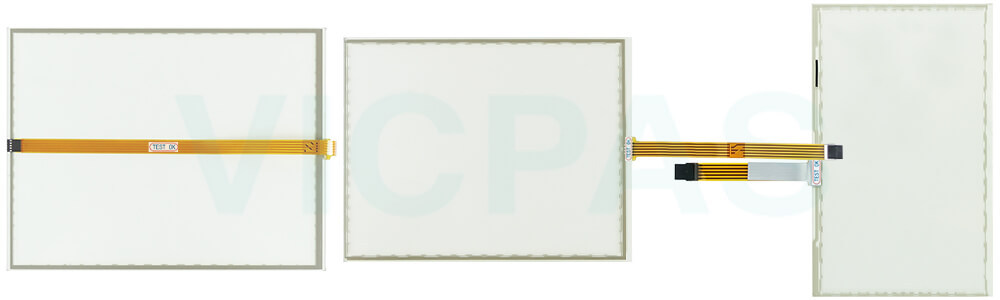
In order to use the panel PC, you must first commission it. The first step is to transport CP7703-0000-0030 CP7703-0001-0030 CP7703-0020-0030 CP7703-0021-0030 Touch Membrane to is operating location and unpack it. This is followed by installing the device in the control cabinet front, connecting the cables and the power supply and finally switching on the panel PC. The device is operated via the touch screen. But you need to notice the damage to Beckhoff Touch Panel CP7703-0000-0030 CP7703-0001-0030 CP7703-0020-0030 CP7703-0021-0030 HMI Touch Glass because operating the touch screen with unsuitable objects may damage the touch screen:
• Operate CP7703-0000-0030 CP7703-0001-0030 CP7703-0020-0030 CP7703-0021-0030 Touch Screen Glass only with bare fingers or wearing suitable gloves.
• If you use gloves, make sure that no hard particles such as metal shavings, glass splinters or similar adhere to the glove.
If you, as the user, require additional protection for Beckhoff HMI CP7703-0000-0030 CP7703-0001-0030 CP7703-0020-0030 CP7703-0021-0030 Touch Screen Display against dirt and scratching, for example due to dirty hands, this can be achieved with a protective film. The film provides short-term protection for a long time. You can either order a protective film individually and fit it yourself retrospectively, or you can order the film for fitting directly. The protective films available for the display size of your device can be found on Vicpas website.
Specifications:
The table below describes the parameters of Beckhoff CP7703-0000-0030 CP7703-0001-0030 CP7703-0020-0030 CP7703-0021-0030 Touch Screen Glass.
| Size: | 19'' |
| LCD Type: | TFT |
| Environment: | Free From Corrosive Gases |
| Cooling Method: | Natural Air Cooling |
| Brand: | Vicpas |
| Product Line: | CP77XX |
| Warranty: | 365 Days |
| Storage Temperature: | -25 °C ... +65 °C |
| Relative Humidity: | 95% |
| Operating Temperature: | 0 °C ... +55 °C |
Related Beckhoff Part No. :
| Beckhoff HMI | Description | Inventory status |
| CP7703-0000-0030 | Beckhoff CP77XX Touch Screen Panel Replacement | In Stock |
| CP7703-0000-0040 | Beckhoff CP77XX Touch Screen Display Repair | Available Now |
| CP7703-0000-0050 | Beckhoff CP77XX HMI Touch Glass Replacement | In Stock |
| CP7703-0001-0030 | Beckhoff CP77XX Touch Digitizer Glass Repair | Available Now |
| CP7703-0001-0040 | Beckhoff CP77XX Touch Screen Monitor Replacement | In Stock |
| CP7703-0001-0050 | Beckhoff CP77XX Touch Screen Tablet Repair | Available Now |
| CP7703-0020-0030 | Beckhoff CP77XX Touch Membrane Replacement | In Stock |
| CP7703-0020-0040 | Beckhoff CP77XX Touch Screen Film Repair | Available Now |
| CP7703-0020-0050 | Beckhoff CP77XX Touch Screen Glass Replacement | In Stock |
| CP7703-0021-0030 | Beckhoff CP77XX HMI Touch Glass Repair | Available Now |
| CP7703-0021-0040 | Beckhoff CP77XX Touch Digitizer Glass Replacement | In Stock |
| CP7703-0021-0050 | Beckhoff CP77XX Touch Screen Display Repair | Available Now |
| CP7703-1400-0030 | Beckhoff CP77XX Touch Screen Panel Replacement | In Stock |
| CP7703-1401-0030 | Beckhoff CP77XX Touch Membrane Repair | Available Now |
| Beckhoff HMI | Description | Inventory status |
Beckhoff CP77XX Manuals PDF Download:
FAQ:
Question: How can I maintain CP7703-0000-0030 CP7703-0001-0030 CP7703-0020-0030 CP7703-0021-0030 Touch Screen Glass?
Answer: Do not work on the panel PC when live can lead to electric shock. Turn off the supply voltage before cleaning the device or replacing touch screen panel. Maintenance measures increase the efficiency of the device by ensuring long-term functionality. Cleaning and maintenance of certain device components and the replacement of touch screen monitor contribute to this. Use spare parts that you have ordered from Vicpas can ensure your safe and excellent operation.
Question: What should I pay attention to when installing CP7703-0000-0030 CP7703-0001-0030 CP7703-0020-0030 CP7703-0021-0030 HMI Touch Glass?
Answer:
• Position the Panel PC in such a way that reflections on the screen are avoided as far as possible.
• Use the position of the screen as a guide for the correct installation height; it should be optimally visible for the user at all times.
• The Panel PC should not be exposed to direct sunlight.
• When the unit is in its mounting position, the ventilation openings must not be obstructed.
• Extreme environmental conditions should be avoided as far as possible. Protect the Panel PC from dust, moisture and heat.
• The ventilation slots of the Panel PC must not be covered.
Common misspellings:
CP7703-000-0030CP773-0000-0030
CP7703-0000-0033
CP7703-0001-0003
CP7703-00001-0030
CP7730-0001-0030
CP7703-0023-0030
CP7703-0020-0020
CP7703-0020-0031
CP7703-0012-0030
CP77003-0021-0030
CP7703-0021-030
- 加载中···
- Phone
- *Title
- *Content
 Fast Quote
 Fast Quote
 Worldwide Shipping
 12 Months Warranty
 Customize Service
- Phone
- *Title
- *Content
