
CP7721-1068-0010 Membrane Keyboard Replacement
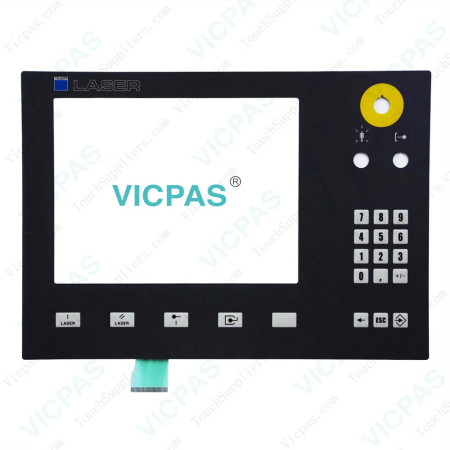
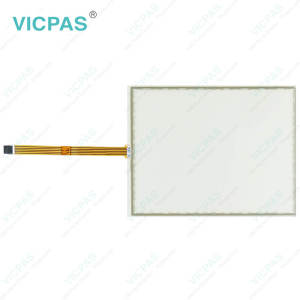
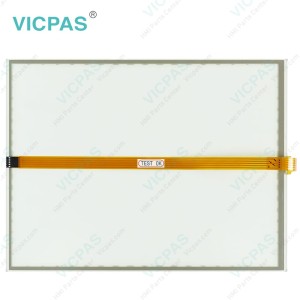
Beckhoff CP7721-1068-0010 Keypad Membrane Repair

ESD protection
In order to avoid damage caused by electrostatic discharge when replacing Beckhoff HMI Keyboard CP7721-1068-0010 Operator Keyboard, protective measures are recommended. Below are some suggestions:
Protect CP7721-1068-0010 Terminal Keypad and create an ESD-protected environment in which existing electrostatic charges are safely discharged to ground and charging is prevented.
• ESD-compliant floors with sufficient conductivity to the reference potential PE;
• ESD-compatible work surfaces such as tables and shelves;
• Wrist grounding strap, especially for sedentary activities;
• grounded and electrostatically dissipating equipment and operating materials (e.g. tools) within the ESD protection zone.
If it is not possible to create an ESD protection zone, you can still protect Beckhoff HMI CP7721-1068-0010 Switch Membrane against ESD damage. For example, the following measures can be used:
• Use conductive mats connected to the ground potential as underlays.
• Dissipate possible charges from your own body by touching grounded metal (e.g. control cabinet door).
• Wear a wrist grounding strap.
• Only remove new electronic components from the ESD packaging (tinted plastic bag) after putting on the wrist grounding strap.
• Do not walk around with electronic components in your hand if they are not in ESD packaging.
Specifications:
The table below describes the parameters of Beckhoff CP7721-1068-0010 Membrane Keypad.
| Storage Temperature: | -25 °C ... +65 °C |
| Operating Temperature: | 0 °C ... +55 °C |
| LCD Type: | TFT |
| Shipping Time: | 3-5 Days |
| Environment: | Free From Corrosive Gases |
| Product Line: | CP77XX |
| Brand: | Vicpas |
| Cooling Method: | Natural Air Cooling |
| Relative Humidity: | 95% |
| Warranty: | 365 Days |
Related Beckhoff Part No. :
| Beckhoff HMI | Description | Inventory status |
| CP7721-0002-0020 | Beckhoff CP77XX Touch Panel Keyboard Membrane Replacement | In Stock |
| CP7721-0002-0050 | Beckhoff CP77XX Touch Screen Panel Membrane Switch Repair | Available Now |
| CP7721-1068-0010 | Beckhoff CP77XX Membrane Keypad Replacement | In Stock |
| CP7722-0002-0020 | Beckhoff CP77XX Operator Panel Keypad Touch Digitizer Glass Repair | Available Now |
| CP7731-0000-0020 | Beckhoff CP77XX Touch Screen Display Terminal Keypad Replacement | In Stock |
| CP7731-0000-0050 | Beckhoff CP77XX Switch Membrane Touch Screen Tablet Repair | Available Now |
| CP7731-0001-0020 | Beckhoff CP77XX HMI Touch Glass Membrane Keypad Replacement | In Stock |
| CP7731-0001-0050 | Beckhoff CP77XX Operator Keyboard Touch Screen Film Repair | Available Now |
| CP7731-0002-0020 | Beckhoff CP77XX Touch Screen Glass Membrane Keypad Replacement | In Stock |
| CP7731-0002-0050 | Beckhoff CP77XX Operator Panel Keypad HMI Touch Glass Repair | Available Now |
| CP7732-0000-0020 | Beckhoff CP77XX Touch Digitizer Glass Membrane Keyboard Replacement | In Stock |
| CP7732-0001-0020 | Beckhoff CP77XX Membrane Switch Touch Screen Monitor Repair | Available Now |
| CP7732-0002-0020 | Beckhoff CP77XX Touch Screen Display Membrane Keyboard Replacement | In Stock |
| Beckhoff HMI | Description | Inventory status |
Beckhoff CP77XX Manuals PDF Download:
FAQ:
Question: How to replace Beckhoff CP7721-1068-0010 fluorescent lamps in the display?
Answer:
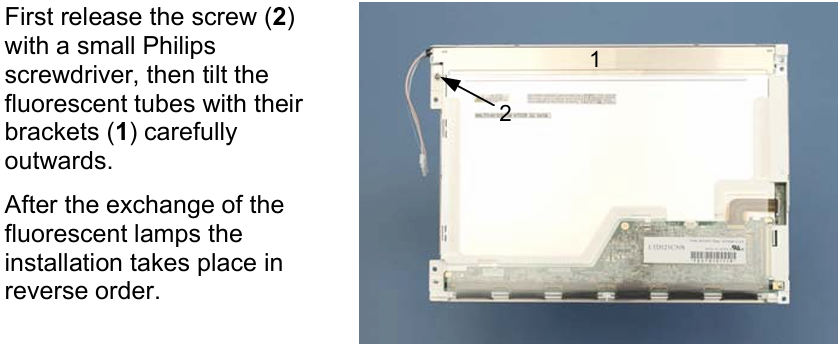
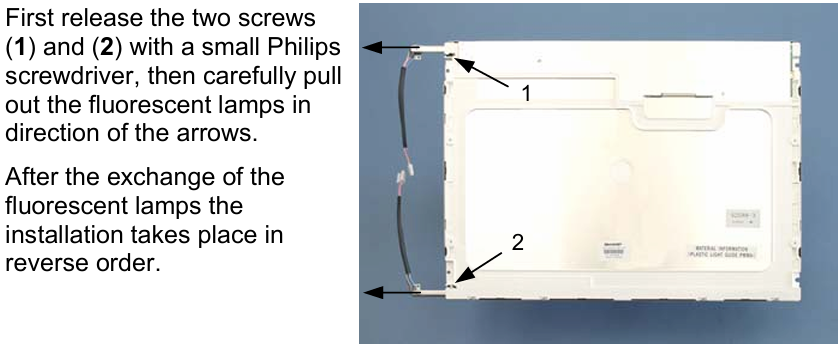
Question: Which cleaning agents or tools should I avoid when cleaning CP7721-1068-0010 Membrane Switch?
Answer: Avoid detergents with scouring or abrasive components, metal cleaning objects like razor blades or steel spatulas, steam jet cleaners or very hot water, cold water on a heated device, and high-pressure water (e.g., high-pressure cleaners).
Common misspellings:
CP7712-1068-0010CP7721-10688-0010
CP7721-1068-0011
CP7721-1068-010
CP77211-1068-0010
- 加载中···
- Phone
- *Title
- *Content
 Fast Quote
 Fast Quote
 Worldwide Shipping
 12 Months Warranty
 Customize Service
- Phone
- *Title
- *Content
