
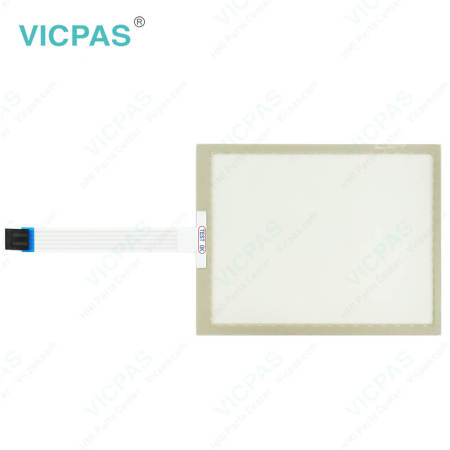
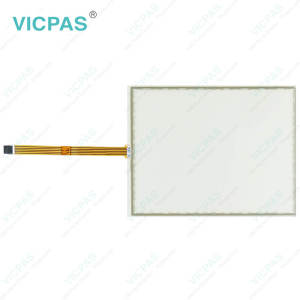
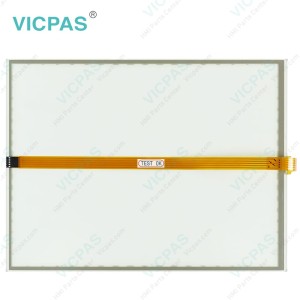
CP7702-0000-0020 CP7702-0001-0020 CP7702-0020-0020 CP7702-0021-0020 Touch Membrane


| Share | |
|---|---|
| Categories | CP77XX |
| Brand | VICPAS |
| Model | CP7702-0000-0020 CP7702-0001-0020 CP7702-0020-0020 CP7702-0021-0020 |
| Product Line | CP77XX |
| LCD Type | TFT |
| Shipping Time | 3-5 Days |
| Supply Parts | Touch Screen Monitor |
| Environment | Free From Corrosive Gases |
| Size | 15'' |
| FOB port | Guangzhou, Shenzhen, Hongkong |
| Terms of Payment | Western Union, MoneyGram, T/T, Paypal, PayPal, Credit Card |
Beckhoff CP7702-0000-0020 CP7702-0001-0020 CP7702-0020-0020 CP7702-0021-0020 HMI Touch Glass Repair
Order each part separately is available
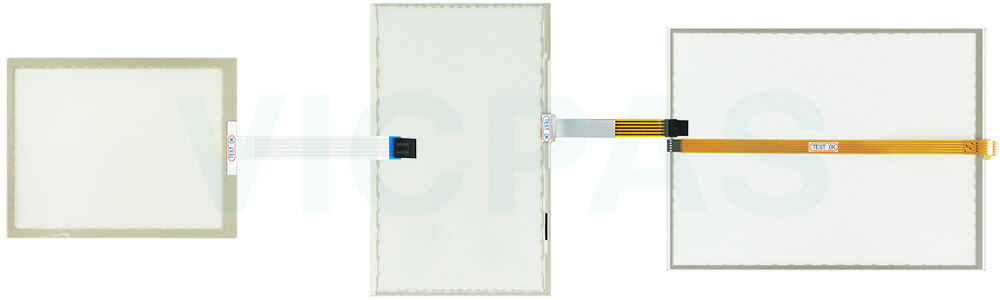
You can clean CP7702-0000-0020 CP7702-0001-0020 CP7702-0020-0020 CP7702-0021-0020 HMI Touch Glass of the device during operation. In order to avoid inadvertent touch entries when doing this, you must first set the device to "Cleaning Mode" with the help of the Beckhoff Display Control Tool. Also make sure that you not only clean the display area, but also the edge of CP7702-0000-0020 CP7702-0001-0020 CP7702-0020-0020 CP7702-0021-0020 Touch Screen Monitor. Impurities in the edge area or liquids that do not run down the glass pane as drops but as a long short-circuit bridge create an electrically conductive connection between Beckhoff HMI CP7702-0000-0020 CP7702-0001-0020 CP7702-0020-0020 CP7702-0021-0020 Touchscreen area and the metal housing of the device. This unintentionally triggers a touch event at the edge of the touch screen, which can lead to incorrect operation.
The Beckhoff Display Control Tool does not start automatically when the device starts up. Proceed as follows to activate the "Cleaning Mode" of Beckhoff Touch Screen CP7702-0000-0020 CP7702-0001-0020 CP7702-0020-0020 CP7702-0021-0020 Touch Digitizer Glass:
1. Click the Beckhoff Display Control Tool icon to start it. When the tool is started, a small sun symbol appears in the taskbar.
2. Right-click the sun symbol.
3. Select the "Cleaning Mode". "Cleaning Mode" is activated. You can now clean the front panel.
4. You can set the duration for which the device should remain in "Cleaning Mode". The period can be set between 5 and 120 seconds. Right-click the sun symbol again and click "Options". Now select the appropriate duration.
Specifications:
The table below describes the parameters of Beckhoff CP7702-0000-0020 CP7702-0001-0020 CP7702-0020-0020 CP7702-0021-0020 Touch Screen Display.
| Brand: | Vicpas |
| Size: | 15'' |
| Product Line: | CP77XX |
| Cooling Method: | Natural Air Cooling |
| Operating Temperature: | 0 °C ... +55 °C |
| Environment: | Free From Corrosive Gases |
| Warranty: | 365 Days |
| Storage Temperature: | -25 °C ... +65 °C |
| Relative Humidity: | 95% |
| LCD Type: | TFT |
Related Beckhoff Part No. :
| Beckhoff HMI | Description | Inventory status |
| CP7701-0000-0020 | Beckhoff CP77XX Touch Screen Film Replacement | In Stock |
| CP7701-0001-0020 | Beckhoff CP77XX Touch Screen Monitor Repair | Available Now |
| CP7701-0021-0030 | Beckhoff CP77XX LCD Display Touch Screen Glass Replacement | In Stock |
| CP7701-1400-0030 | Beckhoff CP77XX Touch Digitizer Glass Front Overlay Repair | Available Now |
| CP7701-1401-0030 | Beckhoff CP77XX Touch Screen Display Replacement | In Stock |
| CP7702-0000-0020 | Beckhoff CP77XX Touch Screen Tablet Repair | Available Now |
| CP7702-0000-0030 | Beckhoff CP77XX Touch Membrane Replacement | In Stock |
| CP7702-0000-0040 | Beckhoff CP77XX Touch Screen Tablet Repair | Available Now |
| CP7702-0001-0020 | Beckhoff CP77XX Touch Screen Glass Switch Membrane Replacement | In Stock |
| CP7702-0001-0030 | Beckhoff CP77XX HMI Touch Glass Repair | Available Now |
| CP7702-0001-0040 | Beckhoff CP77XX Touch Screen Film Replacement | In Stock |
| CP7702-0020-0020 | Beckhoff CP77XX HMI Touch Glass Repair | Available Now |
| CP7702-0020-0030 | Beckhoff CP77XX Touch Screen Panel Replacement | In Stock |
| CP7702-0021-0020 | Beckhoff CP77XX Touch Membrane Repair | Available Now |
| CP7702-0021-0030 | Beckhoff CP77XX Touch Screen Display Replacement | In Stock |
| Beckhoff HMI | Description | Inventory status |
Beckhoff CP77XX Manuals PDF Download:
FAQ:
Question: Where is the touch digitizer glass of Beckhoff CP7702-0000-0020 CP7702-0001-0020 CP7702-0020-0020 CP7702-0021-0020?
Answer:
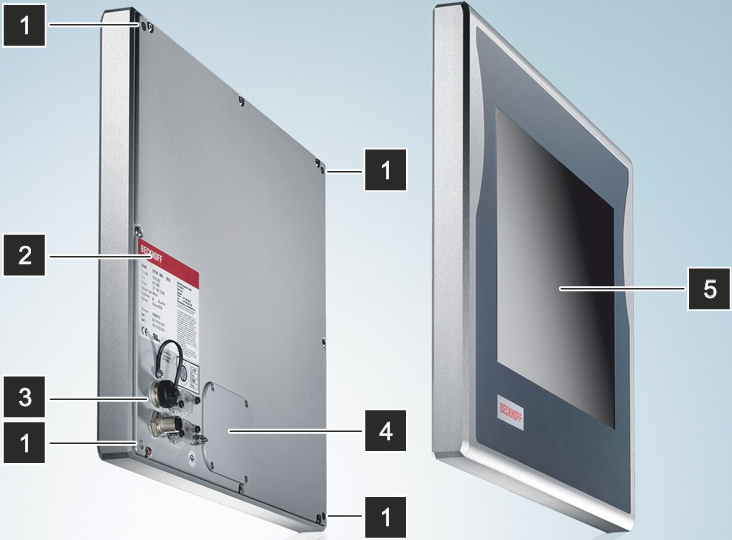
No.5 is Beckhoff CP7702-0000-0020 CP7702-0001-0020 CP7702-0020-0020 CP7702-0021-0020 Touch Panel, is the operation of the panel PC.
Question: What is the size of Beckhoff CP7702-0000-0020 CP7702-0001-0020 CP7702-0020-0020 CP7702-0021-0020 Touch Screen Monitor?
Answer: The size of Beckhoff CP7702-0000-0020 CP7702-0001-0020 CP7702-0020-0020 CP7702-0021-0020 Touch Membrane is 15''.
Common misspellings:
CP7702-000-0020CP7702-0000-0022
CP7722-0000-0020
CP7702-0010-0020
CP7702-0001-0010
CP7702-0001-0220
CP7702-00020-0020
CP7702-0020-020
CP7702-0021-0020
CP7702-0021-0021
CP7702-0012-0020
CP7702-0021-0000
- 加载中···
- Phone
- *Title
- *Content
 Fast Quote
 Fast Quote
 Worldwide Shipping
 12 Months Warranty
 Customize Service
- Phone
- *Title
- *Content
