
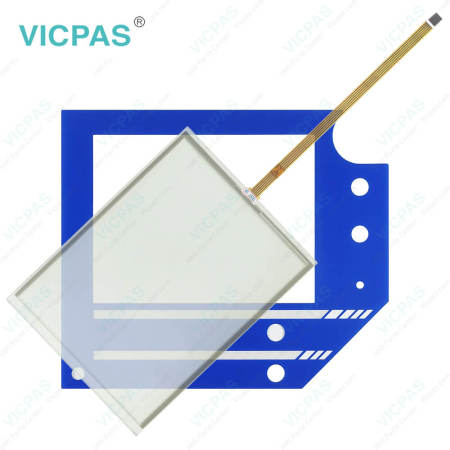
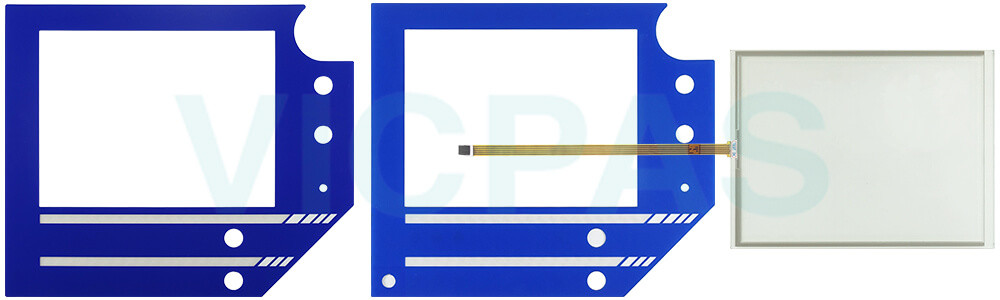
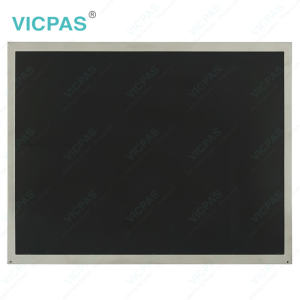
CP7902-1071-0000 Front Overlay Touch Screen Display Replacement


| Share | |
|---|---|
| Categories | CP78XX CP79XX |
| Brand | VICPAS |
| Model | CP7902-1071-0000 |
| Product Line | CP78XX CP79XX |
| Size | 15'' |
| Supply Parts | Protective Film Touch Screen Monitor |
| Environment | Free From Corrosive Gases |
| Shipping Time | 3-5 Days |
| Light Transmission | Above 75% |
| FOB port | Guangzhou, Shenzhen, Hongkong |
| Terms of Payment | Western Union, T/T, PayPal, Credit Card |
Beckhoff CP7902-1071-0000 Protective Film HMI Touch Glass Replacement
Order each part separately is available
Despite the robust design of the package, CP7902-1071-0000 Front Overlay Touch Membrane is sensitive to strong vibrations and impacts. During transporting CP7902-1071-0000 Protective Film HMI Touch Glass must therefore be protected from mechanical stress. Appropriate packaging of the device, such as the original packaging, can improve the vibration resistance during transport. Sometimes, there is a hardware damage due to condensation. Unfavorable weather and extreme environmental conditions during transport can cause damage to Beckhoff Touch Screen CP7902-1071-0000 Touch Digitizer Glass Front Overlay .
• Protect the device against moisture (condensation) during transport in cold weather or in case of extreme temperature fluctuations.
• Do not put the device into operation until it has slowly adjusted to the room temperature.
• Should condensation occur, wait for about 12 hours before switching the device on.
• Avoid extreme environmental conditions.
• Protect the device against dust, moisture and heat.
In addition, incorrect installation of Beckhoff HMI CP7902-1071-0000 Protective Film Touch Panel prevents air circulation in the device and thus causes overheating and impaired functioning. Only install the device in the corresponding wall in the orientation shown. Mounting the device in a way that deviates from the documentation can impair its functionality.
Specifications:
The table below describes the parameters of Beckhoff CP7902-1071-0000 Touchscreen Front Overlay.
| LCD Type: | TFT |
| Size: | 15'' |
| Environment: | Free From Corrosive Gases |
| Storage Temperature: | -25 °C ... +65 °C |
| Operating Temperature: | 0 °C ... +55 °C |
| Product Line: | CP78XX CP79XX |
| Warranty: | 365 Days |
| Cooling Method: | Natural Air Cooling |
| Relative Humidity: | 95% |
| Brand: | Vicpas |
Related Beckhoff Part No. :
| Beckhoff HMI | Description | Inventory status |
| CP7901-1400-0000 | Beckhoff CP79XX Front Overlay Touch Screen Film Replacement | In Stock |
| CP7901-1400-0010 | Beckhoff CP79XX HMI Touch Glass Repair | Available Now |
| CP7901-1401-0000 | Beckhoff CP79XX Touch Screen Monitor Replacement | In Stock |
| CP7901-1401-0010 | Beckhoff CP79XX Touch Digitizer Glass Repair | Available Now |
| CP7902-0000-0000 |
Beckhoff CP79XX Touch Screen Display Replacement |
In Stock |
| CP7902-0000-0010 | Beckhoff CP79XX Touch Screen Tablet Repair | Available Now |
| CP7902-0001-0000 | Beckhoff CP79XX Touch Membrane Replacement | In Stock |
| CP7902-0001-0010 | Beckhoff CP79XX Touch Screen Panel Repair | Available Now |
| CP7902-0020-0000 | Beckhoff CP79XX Touch Screen Glass Replacement | In Stock |
| CP7902-0020-0010 | Beckhoff CP79XX Touch Screen Film Repair | Available Now |
| CP7902-0021-0000 | Beckhoff CP79XX Touch Screen Monitor Replacement | In Stock |
| CP7902-0021-0010 | Beckhoff CP79XX HMI Touch Glass Repair | Available Now |
| CP7902-1071-0000 | Beckhoff CP79XX Touch Screen Panel Protective Film Replacement | In Stock |
| CP7902-1204-0000 | Beckhoff CP79XX Touch Screen Display Repair | Available Now |
| CP7902-1400-0000 | Beckhoff CP79XX Touch Digitizer Glass Replacement | In Stock |
| Beckhoff HMI | Description | Inventory status |
Beckhoff CP78XX CP79XX Manuals PDF Download:
FAQ:
Question: What should I pay attention to during install CP7902-1071-0000 Touch Screen Film Front Overlay?
Answer: Extreme environmental conditions should be avoided as far as possible. Protect the rear of your PC from dust, humidity and heat. The clearance above and below the housing must be at least 50cm in order to ensure adequate ventilation of the PC. The cooling ribs of the PC must not be covered.
Question: What is the correct way to clean CP7902-1071-0000 Control Panel?
Answer: Switch off the Industrial PC and all connected devices in order to prevent inadvertent operation of keys. The front of the Control Panel can be cleaned with a soft, damp cleaning cloth. Do not use any aggressive cleaning materials, thinners, scouring material or hard objects that could cause scratches.
Common misspellings:
CP792-1071-0000CP7902-1017-0000
CP7902-1071-0001
CP7902-171-0000
CP79002-1071-0000
- 加载中···
- Phone
- *Title
- *Content
 Fast Quote
 Fast Quote
 Worldwide Shipping
 12 Months Warranty
 Customize Service
- Phone
- *Title
- *Content
