
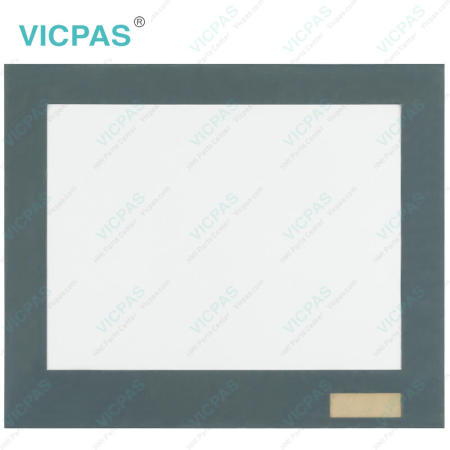
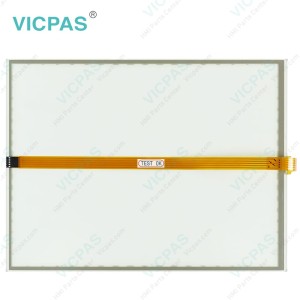
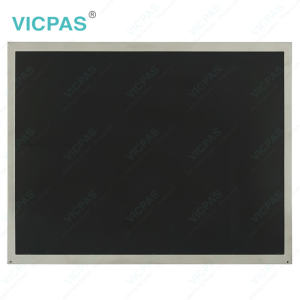
CP7901-1400-0000 Protective Film HMI Touch Glass Replacement


| Share | |
|---|---|
| Categories | CP78XX CP79XX |
| Brand | VICPAS |
| Model | CP7901-1400-0000 |
| Product Line | CP78XX CP79XX |
| LCD Type | TFT |
| Shipping Time | 3-5 Days |
| Supply Parts | Touch Screen Glass Front Overlay |
| Environment | Free From Corrosive Gases |
| Size | 12'' |
| FOB port | Guangzhou, Shenzhen, Hongkong |
| Terms of Payment | Western Union, MoneyGram, T/T, Paypal, PayPal, Credit Card |
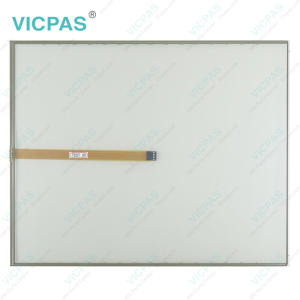
Beckhoff CP7901-1400-0000 Front Overlay Touch Digitizer Glass Replacement

Attaching the Protective Film
To install CP7901-1400-0000 Protective Film on your touch screen, begin by preparing a clean, dust-free environment. Carefully clean the surface of Beckhoff Touch Panel CP7901-1400-0000 Touch Screen Monitor to remove any dust, grease, or fingerprints, ensuring the film adheres properly and avoids trapping debris beneath it. Next, gently detach the film from its backing at one short edge and align it with the surface of the touch panel. Slowly peel away the backing while applying the film using a doctor blade or a similar tool with a soft rubber or felt edge. This helps to ensure a smooth application and prevents wrinkles. Any air bubbles that appear can be brushed toward the edges using the same soft-edged tool. Once the film is fully in place, the front overlay is fitted, and you can continue to use functions such as Dimming, Screensaver, and Cleaning mode through the Display Control Tool.
Unpacking Your VICPAS Product
When receiving your VICPAS CP7901-1400-0000 Touchscreen Protective Film, first inspect the packaging for any signs of transport damage. Carefully remove the packaging, keeping it for potential future transport. Verify that all items, including accessories, match your order and inspect the contents for any visible damage. If you find any discrepancies or damage, contact VICPAS immediately.
VICPAS Touchscreen Solutions
VICPAS offers high-quality Beckhoff HMI CP7901-1400-0000 Front Overlay HMI Touch Glass compatible with Beckhoff devices. These products are designed to be easily installed or used to replace older, non-functioning components. By purchasing from VICPAS, you can ensure reliable performance and extend the life of your existing hardware while performing safe, straightforward replacements yourself.
Specifications:
The table below describes the parameters of Beckhoff CP7901-1400-0000 Front Overlay Touch Screen Monitor.
| Storage Temperature: | -25 °C ... +65 °C |
| Warranty: | 365 Days |
| Operating Temperature: | 0 °C ... +55 °C |
| Brand: | Vicpas |
| Product Line: | CP78XX CP79XX |
| Size: | 12'' |
| LCD Type: | TFT |
| Cooling Method: | Natural Air Cooling |
| Relative Humidity: | 95% |
| Environment: | Free From Corrosive Gases |
Related Beckhoff Part No. :
| Beckhoff HMI | Description | Inventory status |
| CP7901-1400-0000 | Beckhoff CP79XX Front Overlay Touch Screen Film Replacement | In Stock |
| CP7901-1400-0010 | Beckhoff CP79XX HMI Touch Glass Repair | Available Now |
| CP7901-1401-0000 | Beckhoff CP79XX Touch Screen Monitor Replacement | In Stock |
| CP7901-1401-0010 | Beckhoff CP79XX Touch Digitizer Glass Repair | Available Now |
| CP7902-0000-0000 | Beckhoff CP79XX Touch Screen Display Replacement |
In Stock |
| CP7902-0000-0010 | Beckhoff CP79XX Touch Screen Tablet Repair | Available Now |
| CP7902-0001-0000 | Beckhoff CP79XX Touch Membrane Replacement | In Stock |
| CP7902-0001-0010 | Beckhoff CP79XX Touch Screen Panel Repair | Available Now |
| CP7902-0020-0000 | Beckhoff CP79XX Touch Screen Glass Replacement | In Stock |
| CP7902-0020-0010 | Beckhoff CP79XX Touch Screen Film Repair | Available Now |
| CP7902-0021-0000 | Beckhoff CP79XX Touch Screen Monitor Replacement | In Stock |
| CP7902-0021-0010 | Beckhoff CP79XX HMI Touch Glass Repair | Available Now |
| CP7902-1071-0000 | Beckhoff CP79XX Touch Screen Panel Protective Film Replacement | In Stock |
| CP7902-1204-0000 | Beckhoff CP79XX Touch Screen Display Repair | Available Now |
| CP7902-1400-0000 | Beckhoff CP79XX Touch Digitizer Glass Replacement | In Stock |
| Beckhoff HMI | Description | Inventory status |
Beckhoff CP78XX CP79XX Manuals PDF Download:
FAQ:
Question: What are the environment conditions during replacing my Beckhoff CP7901-1400-0000 Touch Membrane Front Overlay?
Answer:
• Keep CP7901-1400-0000 Protective Film Touchscreen away from extreme environmental conditions.
• Shield it from dust, moisture, and excessive heat.
• Avoid installing it in areas with poor air circulation.
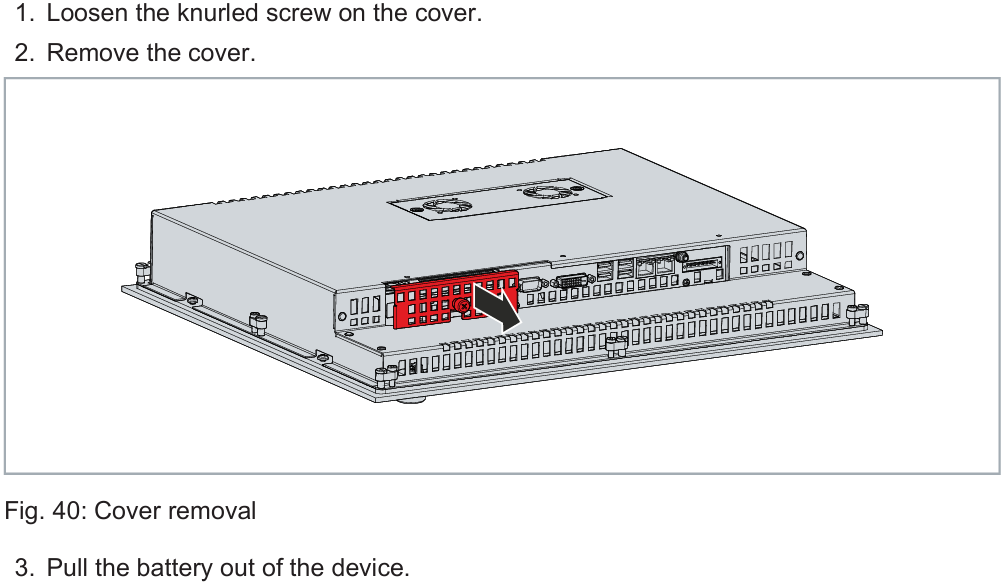
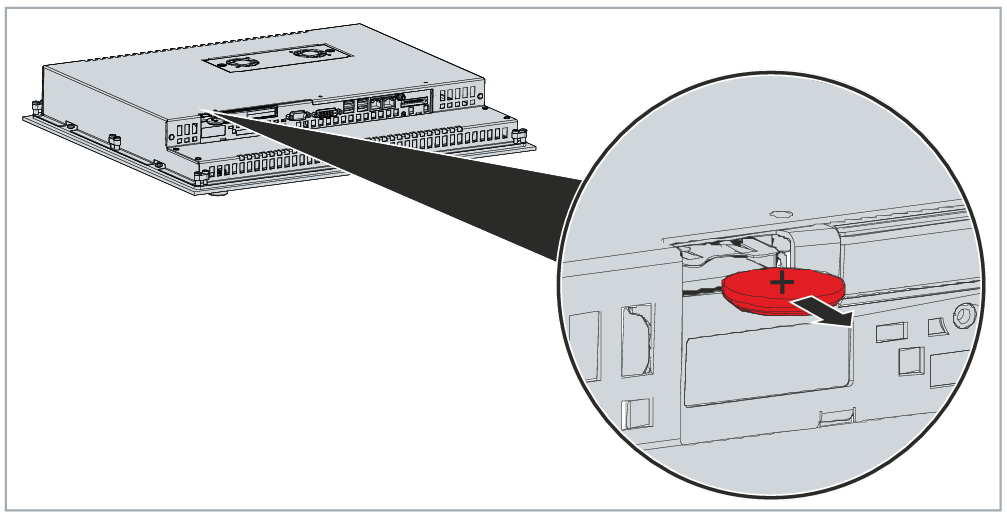
Question: Where is the battery of CP7901-1400-0000?
Answer:
Common misspellings:
CP7901-4100-0000CP7911-1400-0000
CP7901-1400-0001
CP7901-140-0000
CP79001-1400-0000
- 加载中···
- Phone
- *Title
- *Content
 Fast Quote
 Fast Quote
 Worldwide Shipping
 12 Months Warranty
 Customize Service
- Phone
- *Title
- *Content
