
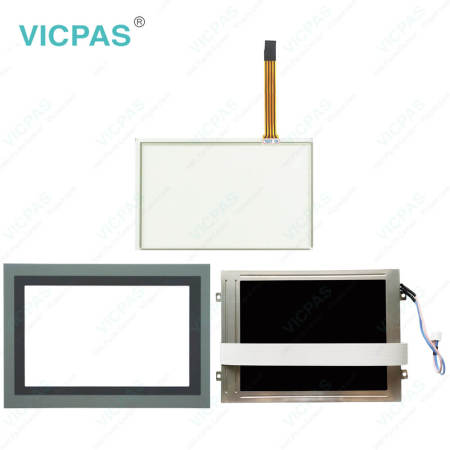
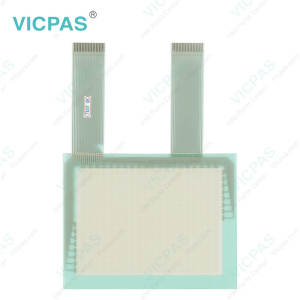
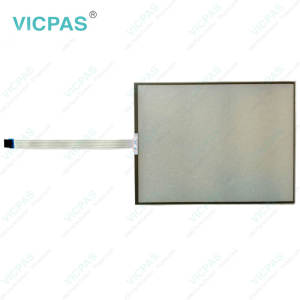
SC207A0111 Touch Screen Tablet Front Overlay LCD Display Replacement


| Share | |
|---|---|
| Categories | Industrial Monitor |
| Brand | VICPAS |
| Product Specifications | SC207A0111 |
| Brand | VICPAS |
| Warranty | 1 Year |
| Size | 7'' |
| Shipping Way | DHL/FedEx/UPS/TNT/EMS/Aramex /DPEX |
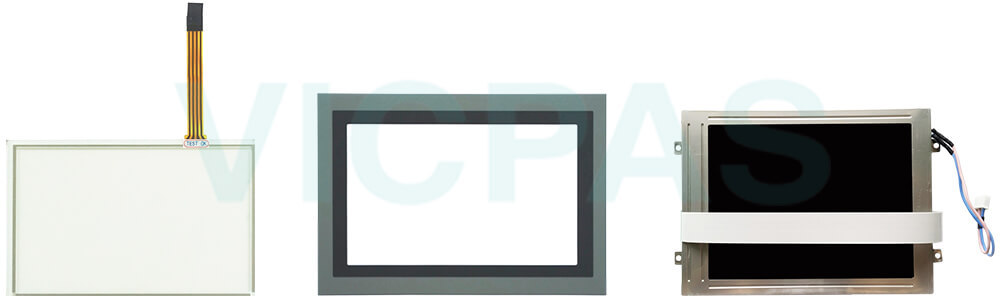
| Supply Parts | Touch Digitizer LCD Panel Protective Film |
| Shipping Time | 3-5 Days |
| Terms of Payment | Western Union, T/T, PayPal, T/T ,Credit Card, Western Union |
| Download |  |
ESA SC Easy programming SC207A0111 Touch Screen Glass Protective Film LCD Display Replacement
Order each part separately is available
Before cleaning ESA SC SC207A0111 LCD Panel HMI Touch Glass Front Overlay, always disconnect the equipment from all power sources and use only a damp cloth for maintenance. Avoid using liquid cleaners or spray detergents. To ensure reliable operation, keep SC ESA SC207A0111 Protective Film LCD Panel Touch Screen Monitor away from humidity and direct sunlight, and install it in a well-controlled environment with a storage temperature between -20 °C (-4 °F) and 60 °C (140 °F). During installation, place ESA SC Easy programming SC207A0111 Touch Membrane Front Overlay LCD Display on a stable and reliable surface to prevent accidental drops or damage. The enclosure openings are designed for air circulation, so they should never be covered, as proper ventilation is necessary to prevent overheating. Never pour liquid into any opening, since this may result in fire or electric shock. If the equipment will not be used for an extended period, disconnect it from the power supply to protect it from transient overvoltage damage. Please also note that the rear cover may become hot during operation, so avoid touching it to prevent burns or personal injury. All warnings and caution labels on the equipment should be carefully observed at all times.
Specifications:
The table below describes the parameters of the ESA SC Easy programming SC207A0111 LCD Panel Touch Digitizer Front Overlay.
| Brand: | VICPAS |
| Product Line: | SC Easy programming |
| Size: | 7'' |
| Warranty: | 365 Days Warranty |
| Part Number: | SC207A0111 |
| Durability: | High |
| Environment: | Free From Corrosive Gases |
| Touch Type: | Resistive |
| Humidity Resistance: | 10% - 90% Non-Condensing |
| Storage Temperature: | -20°C to 60°C |
Related ESA HMI Part No. :
| ESA Replacement Part | Description | Inventory status |
| SC103A0101 | ESA SC Easy programming Protective Film HMI Touch Glass Repair | In Stock |
| SC107A0111 | ESA SC Easy programming Touch Screen Panel Replacement | Available Now |
| SC110A0111 | ESA SC Easy programming Touch Membrane Repair | In Stock |
| SC110A0112 | ESA SC Easy programming Touch Screen Monitor Replacement | Available Now |
| SC207A0101 | ESA SC Easy programming Touch Digitizer Glass Repair | In Stock |
| SC207A0111 | ESA SC Easy programming LCD Display Touch Screen Film Front Overlay Replacement | Available Now |
| SC210A0101 | ESA SC Easy programming Protective Film Touch Screen Tablet Repair | In Stock |
| SC210A0111 | ESA SC Easy programming Touch Screen Glass Front Overlay Replacement | Available Now |
| SC210A0112 | ESA SC Easy programming Touch Screen Display Repair | In Stock |
| ESA Repair Part | Description | Inventory status |
ESA SC Easy programming HMI Manuals PDF Download:
FAQ:
Question: How to maintain ESA SC207A0111 Front Overlay LCD Display Touch Screen Panel ?
Answer: To keep SC207A0111 LCD Panel Touch Screen Tablet Protective Film in good operating condition, regularly remove dust and fingerprints using a soft, non-abrasive cloth. Avoid using sharp objects or excessive force on the screen surface, as this may damage the touch-sensitive layer. The touch panel should be installed in a clean, dry environment away from excessive heat, humidity, or corrosive substances. Proper handling and regular inspection can help extend the service life and maintain stable touch performance.
Question: What is the price of ESA SC207A0111 Touch Membrane LCD Screen Protective Film?
Answer: Submit a fast quote, send VICPAS an email for best price.
Common misspellings:
SC207A111
SC2077A0111
SC2070A111
SC207A10111
SC27A0111
- 加载中···
- Phone
- *Title
- *Content
 Fast Quote
 Fast Quote
 Worldwide Shipping
 12 Months Warranty
 Customize Service
- Phone
- *Title
- *Content
