
John Deere Greenstar GS2 2600 PG200402 PF81227 HMI Panel Glass LCD


| Share | |
|---|---|
| Categories | John Deere |
| Brand | VICPAS |
| Product Specifications | PG200402 PF81227 |
| Brand | John Deere |
| Warranty | 365 Days |
| Supply | PG200402 PF81227 Touch Panel LCD Display |
| Parts | John Deere 2600 Touch Digitizer LCD |
| Shipping | 2-4 working days |
| FOB port | Guangzhou, Shenzhen, Hongkong |
| Terms of Payment | Western Union, MoneyGram, T/T, Paypal, PayPal, Credit Card |
John Deere Greenstar GS2 2600 PG200402 PF81227 Touch Screen Tablet LCD Display Repair Replacement
Order each part separately is available
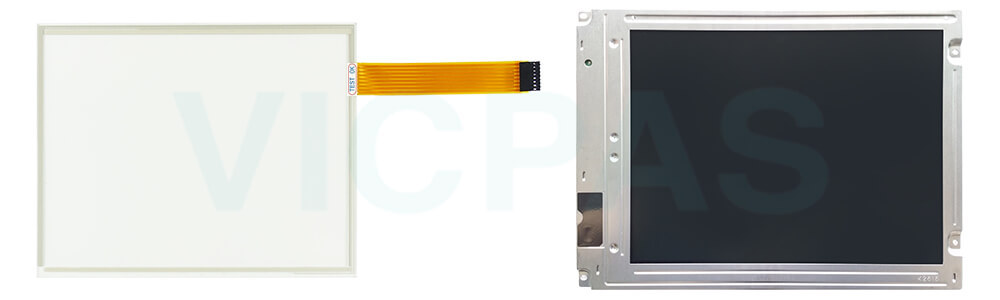
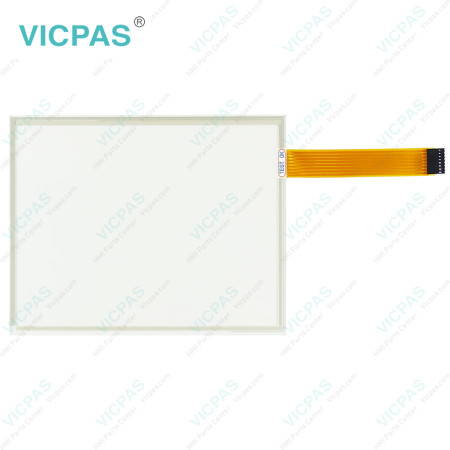
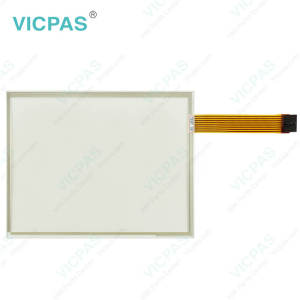
The PG200402 and PF81227 are replacement Touchscreen Digitizers designed for compatible John Deere GreenStar 2600 displays. These touch panels provide a practical solution when the original touchscreen becomes cracked, worn, or unresponsive during regular equipment use. Suitable for LCD display touchscreen repair, they help restore touch input functionality while allowing the existing display assembly to remain in service, provided the other components are still functional.
Designed for John Deere display repair and maintenance, the PG200402 and PF81227 Touchscreen Panel LCD Display components offer a practical option for agricultural equipment refurbishment. They are suitable for replacing faulty touch panels in compatible display systems, helping reduce maintenance costs and avoid unnecessary replacement of the complete display. Before ordering, please verify the original part number, screen dimensions, and connector configuration to ensure compatibility.
VICPAS supplies PG200402 and PF81227 for John Deere 2600 Display repair and maintenance. All units are brand new and come with a 365-day warranty.
Specifications:
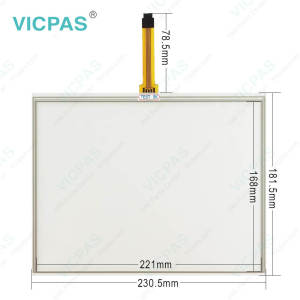
The table below describes the parameters/Specifications of the PG200402 PF81227 LCD Screen Touch Screen Monitor.
| Product Line: | John Deere |
| Application: | Agricultural Equipment |
| Warranty | 12 months |
| Part Number: | PG200402, PF81227 |
| Condition: | Brand New |
| Screen Diagonal: | 10.4'' |
Related John Deere HMI Part No. :
| John Deere Monitor HMI Repair | Description | Inventory status |
| John Deere Display HMI | Description | Inventory status |
John Deere GreenStar 2600 Monitor Manual Brochure PDF Download:
FAQ:
Question: How to install the John Deere Greenstar GS2 2600 PG200402 PF81227 MMI Touch Screen LCD Display?
Answer: Turn off the display and disconnect the power supply before installation. Carefully remove the existing touchscreen, disconnect its ribbon cable, and install the replacement touch panel using the original connector. Secure the panel, reassemble the display, and test the touch functionality after powering on.
Question: Is the PG200402 PF81227 Touch Digitizer compatible with all John Deere GreenStar 2600 displays?
Answer: The PG200402 PF81227 HMI Touch Glass LCD Screen is designed for compatible John Deere GreenStar 2600 displays. Compatibility may vary depending on the display version and configuration. Please check the original part number and connector type before ordering, or contact us for compatibility confirmation.
Question: What if the PG200402 PF81227 Touch Membrane is unresponsive after replacement?
Answer: Check that the ribbon cable is properly connected and securely fitted. Make sure the touchscreen is correctly positioned and the connector is free from damage or debris. If the issue persists, verify model compatibility and inspect the display connection. If necessary, contact our support team for further assistance.
Common misspellings:
P6200402 PF81127
PG200402 PF8127
PG2004402 PF81227
PG200402 PE81227
PG200420 PF81277
- 加载中···
- Phone
- *Title
- *Content
 Fast Quote
 Fast Quote
 Worldwide Shipping
 12 Months Warranty
 Customize Service
- Phone
- *Title
- *Content
