
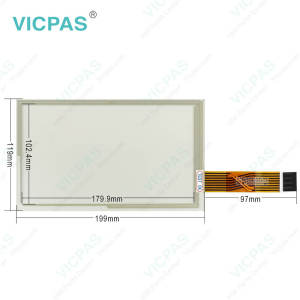
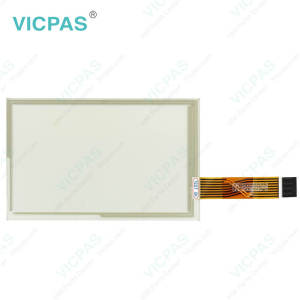
XCN-1050 121000 Touch Digitizer Glass LCD Display Panel
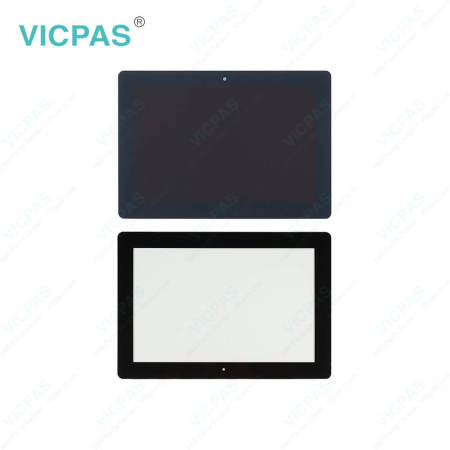


| Share | |
|---|---|
| Categories | Trimble |
| Brand | VICPAS |
| Model | XCN-1050 121000 |
| Brand | Trimble |
| Warranty | 365 Days |
| Product Line | Trimble series |
| Supply | Trimble XCN-1050 121000 Touch Panel LCD Display |
| Size | inch |
| Model | Trimble XCN-1050 121000 |
| FOB port | Guangzhou, Shenzhen, Hongkong |
| Terms of Payment | Western Union, MoneyGram, T/T, Paypal, PayPal, Credit Card |
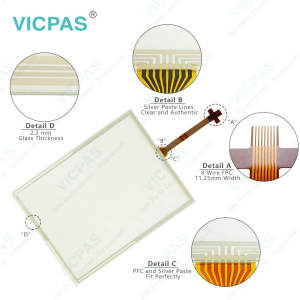
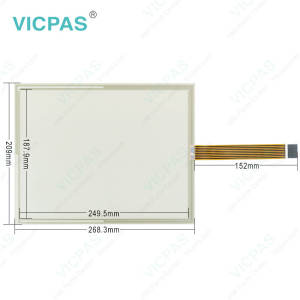
Trimble XCN-1050 121000 Touch Screen Tablet LCD Display Panel Replacement
Order each part separately is available
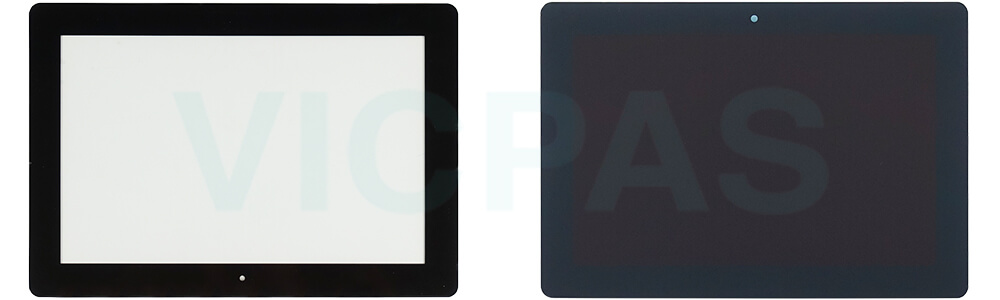
The Trimble® Trimble XCN-1050 121000 is an in-cab touchscreen display that provides affordable guidance, steering and precision agriculture functionality. The Trimble XCN-1050 121000 LCD Screen Touch screen panel glass includes a built-in GPS receiver that you can upgrade to receive GLONASS satellite signals. The Trimble XCN-1050 121000 Touch Panel LCD Display Screen is used in agricultural applications to maximize efficiency in activities such as planting, spraying, spreading and strip tilling.
VICPAS supplies Trimble XCN-1050 121000 Trimble Touchscreen glass and LCD Display Panel with 365 Days warranty and support Urgent Worldwide Shipping.
Specifications:
The table below describes the parameters of the Trimble XCN-1050 121000 HMI Panel Glass.
| Part Number: | XCN-1050 121000 |
| Screen diagonal: | 10 inch |
| Warranty: | 365 Days |
| Product Line: | Trimble Series |
| Input Power: | +24 VDC +/-20% |
| Resolution: | |
| Storage Temperature: | -20°C to 60°C |
| Display Size: | STN |
Related Trimble Series Part No. :
| Trimble HMI | Description | Inventory status |
| GFX-1060 | Trimble Touch Screen Glass LCD Display Replacement | In Stock |
| CASE IH AFS PRO 1200 Display | Trimble Touch Panel Glass Replacement Repair | Available Now |
| GFX-1260 12.1 | Trimble Touch Screen Panel Repair Replacement | In Stock |
| GFX-750 | Trimble LCD Display Panel Touch Screen Monitor Replacement | Available Now |
| XCN-1050 121000 | Trimble LCD Screen Touch Digitizer Repair | In Stock |
| XCN-1060 134000 | Trimble HMI Touch Screen Organizer LCD Display Screen Replacement | In Stock |
| XCN-1260 137000 12.1 | Trimble Touch Panel Glass Replacement | In Stock |
| XCN-750 124000 | Trimble LCD Display Panel Touch Screen Panel Repair Replacement | Available Now |
| Trimble HMI | Description | Inventory status |
Trimble Series HMI Manuals PDF Download:
FAQ:
Question: What are the specific steps to calibrate the Trimble XCN-1050 121000?
Answer: To calibrate the Trimble XCN-1050 (121000), follow these specific steps:
Pre-Calibrating Steps
1. Complete Vehicle Profile Setup: Ensure that the vehicle profile is fully set up in the Precision-IQ application.
2. Warm Up the Vehicle: Allow the vehicle to warm up until the hydraulic fluid reaches operational temperature.
Calibration Process
3. Full Right Turn: Turn the steering wheel fully to the right and select "Turn Left" on the display. Drive until the system indicates that the test is complete.
4. Full Left Turn: Now, turn the steering wheel fully to the left and select "Turn Right." Continue driving until this test is also marked complete.
5. Record Values: Note down the values for "Slew Time" and "Overshoot" during these tests.
6. Adjust Gain Value: Modify the gain value based on your observations from the previous steps.
7. Repeat Tests: Repeat steps 3 to 6 until:
- The "Slew Time" stabilizes (ideal range is 1200-1800 milliseconds).
- The "Overshoot" remains between 5-8%.
- You notice a slight shake in the wheels just before reaching full lock.
Additional Notes
- Ensure that you have a reliable RTK or RTX GNSS correction source for optimal calibration accuracy.
- It may be necessary to repeat these calibration steps multiple times to achieve desired precision.
For more detailed information, refer to the user manual or consult with a Trimble dealer if needed.
- 加载中···
- Phone
- *Title
- *Content
 Fast Quote
 Fast Quote
 Worldwide Shipping
 12 Months Warranty
 Customize Service
- Phone
- *Title
- *Content
