
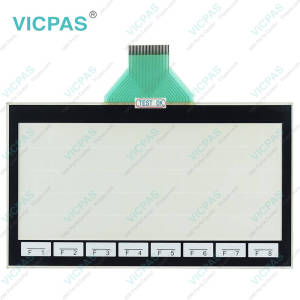
TOUGHBOOK 56 FZ-56 Front Overlay Touch Screen Monitor Replacement


| Share | |
|---|---|
| Categories | Panasonic TOUGHBOOK |
| Brand | VICPAS |
| Product Specifications | TOUGHBOOK 56 FZ-56 |
| Supply Part | Touch Screen Glass Protective Film |
| Shipping Time | 3-5 Days |
| Warranty | 1 Year |
| Size | 14'' |
| Shipping | DHL/FedEx/UPS/TNT/EMS/Aramex /DPEX |
| FOB port | Guangzhou, Shenzhen, Hongkong |
| Terms of Payment | Western Union, T/T, PayPal, Credit Card |
Panasonic TOUGHBOOK 56 FZ-56 Protective Film Touch Panel Repair
Order each part separately is available
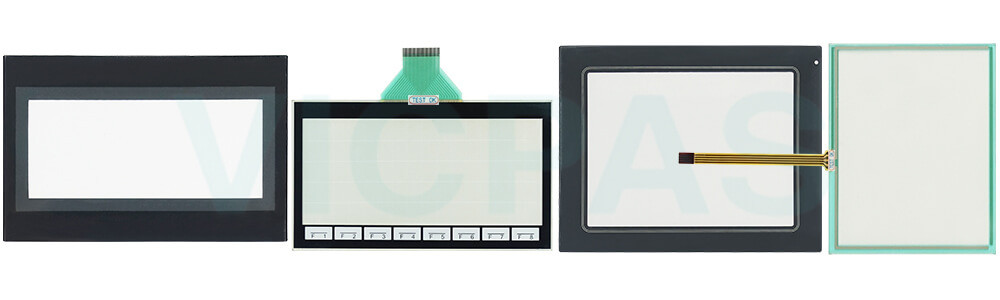
Panasonic TOUGHBOOK 56 FZ-56 Protective Film Touch Digitizer Glass should be kept away from prolonged exposure to direct sunlight. Continuous solar radiation may cause the panel to reach excessively high temperatures, potentially affecting its internal components and resulting in permanent damage. Since the display components are not designed to withstand prolonged exposure to elevated temperatures, excessive heat may also accelerate component deterioration and reduce the overall service life of the LCD.
If any of the following conditions occur, TOUGHBOOK 56 FZ-56 Touch Screen Monitor Front Overlay should be examined by qualified service personnel as soon as possible: damage to the power cable or plug, penetration of liquids into the device, exposure to damp conditions, abnormal operation or failure to perform as specified in the user manual, damage caused by accidental dropping, or visible cracks and other physical defects. In addition, TOUGHBOOK Panasonic TOUGHBOOK 56 FZ-56 Front Overlay Touch Screen Tablet must be stored within the specified temperature limits. Storage conditions below -20 °C (-4 °F) or above 60 °C (140 °F) should be avoided, as temperatures outside this range may adversely affect the equipment and cause component damage. To preserve the reliability of TOUGHBOOK 56 FZ-56 Touch Panel Protective Film and extend its operational lifespan, it is recommended to keep it in a stable environment with suitable temperature and humidity conditions.
Specifications:
The table below describes the parameters of Panasonic TOUGHBOOK 56 FZ-56 Front Overlay Touch Digitizer Glass.
| Ambient Temperature: | -20°C (-4°F) ~ 60°C (140°F) |
| Product Line: | TOUGHBOOK |
| Product Type: | Repair Component |
| Environment: | Free from Corrossive Gases |
| Display Type: | TFT color |
| Shipping Time: | 3-5 Days |
| Size: | 14'' |
| Warranty: | 365 Days |
| Part Number: | TOUGHBOOK 56 FZ-56 |
| Quality Check: | Tested Before Shipment |
Related Panasonic TOUGHBOOK Part No. :
| Panasonic TOUGHBOOK | Description | Inventory status |
| CF-18 | Panasonic TOUGHBOOK Touch Membrane Front Overlay Replacement | Available Now |
| CF-19 | Panasonic TOUGHBOOK Protective Film Touch Screen Panel Repair | In Stock |
| CF-29 | Panasonic TOUGHBOOK Front Overlay Touch Screen Film Replacement | Available Now |
| CF-30 | Panasonic TOUGHBOOK Touch Screen Glass Protective Film Repair | In Stock |
| CF-31 | Panasonic TOUGHBOOK Touch Screen Tablet Front Overlay Replacement | Available Now |
| TOUGHBOOK 33 CF-33 | Panasonic TOUGHBOOK Protective Film Touch Digitizer Glass Repair | In Stock |
| TOUGHBOOK 34 FZ-34 | Panasonic TOUGHBOOK Touch Screen Monitor Front Overlay Replacement | Available Now |
| TOUGHBOOK 40 FZ-40 | Panasonic TOUGHBOOK Touch Screen Display Protective Film Repair | In Stock |
| TOUGHBOOK 56 FZ-56 | Panasonic TOUGHBOOK Protective Film Touch Digitizer Glass Repair | In Stock |
| TOUGHBOOK G2 FZ-G2 | Panasonic TOUGHBOOK Touch Screen Monitor Front Overlay Replacement | Available Now |
| TOUGHBOOK G3 FZ-G3 | Panasonic TOUGHBOOK Touch Screen Display Protective Film Repair | In Stock |
| TOUGHBOOK Panasonic | Description | Inventory status |
Panasonic TOUGHBOOK Manuals PDF Download:
FAQ:
Question: What is the size of Panasonic TOUGHBOOK 56 FZ-56 Protective Film Touch Screen Display?
Answer: The size of TOUGHBOOK 56 FZ-56 Touch Screen Tablet Front Overlay is 14''.
Question: How can I protect TOUGHBOOK 56 FZ-56 Front Overlay Touch Screen Film?
Answer: Keep the device in a dry environment with temperatures between -20°C (-4°F) and 60°C (140°F), and avoid prolonged exposure to direct sunlight. Protect the screen from heavy pressure and physical damage. Clean it regularly with a soft, lint-free cloth and avoid harsh chemicals or abrasive materials.
Common misspellings:
TOUGBOOK 556 FZ-56
TOUCHBOOK 56 FZ56
TOUGH BOOK 56 F-Z-56
TOUHGBOOK 5-6 F-56
TOUGHBOOK 65 FZ-65
- 加载中···
- Phone
- *Title
- *Content
 Fast Quote
 Fast Quote
 Worldwide Shipping
 12 Months Warranty
 Customize Service
- Phone
- *Title
- *Content
